56 Maintenance
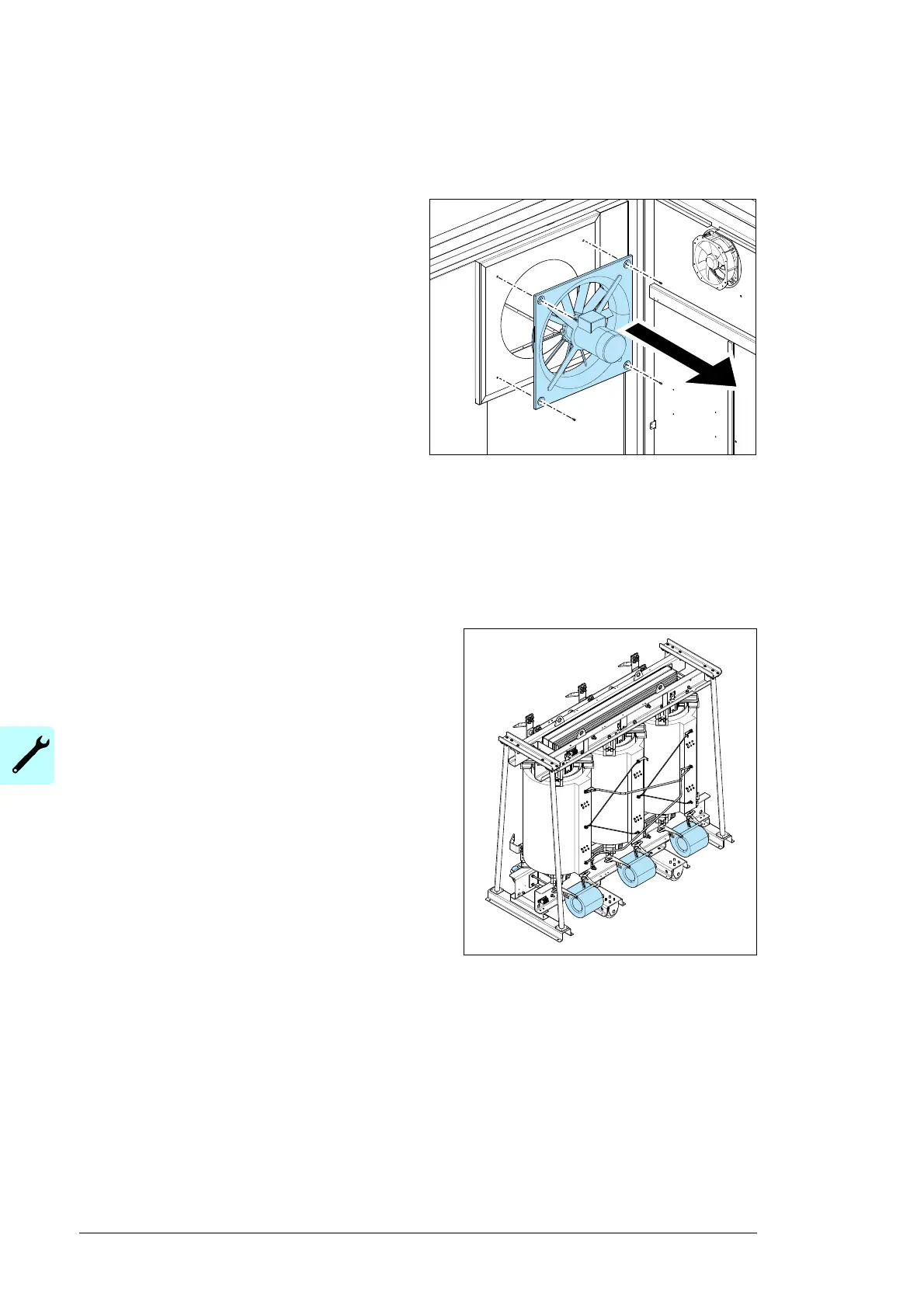
To replace the transformer room fans
(dry-type transformer only)
1. Set the circuit breaker for the fans and
signaling to OFF. Prevent accidental
closing of the circuit breaker during the
maintenance procedure.
2. Disconnect the supply and signaling
cabling.
3. Measure to make sure that the electrical
supply is not energized.
4. Remove the fan bolts.
5. Replace the fan.
6. Connect the supply and signaling
cabling.
7. Start the fan and make sure that it turns in the correct direction.
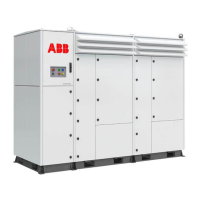
To replace the transformer main cooling fans
(dry-type transformer only)
1. Make sure that all power to the main cooling
fans is disconnected.
2. Disconnect the cables from the fan power
connection. Record the cable wire connection
order for the replacement process.
3. Record the position and angle of the main
cooling fan.
4. Remove the bolts that hold the main cooling
fan.
5. Remove the main cooling fan.
6. Install the new main cooling fan.
7. Install and slightly tighten the bolts that hold
the main cooling fan.
8. Adjust the main cooling fan to the correct
position and angle.
9. Tighten the bolts to hold the main cooling fan.
10. Connect the cable wires of the fan power connection.


 To Next Page