Chapter 6 Design the Comparative C
T
Experiment
Set Up the Targets
Applied Biosystems 7500/7500 Fast Real-Time PCR System Getting Started Guide for Relative Standard Curve
and Comparative C
T
Experiments
120
Notes
Design
Guidelines
When you design your own comparative C
T
experiment:
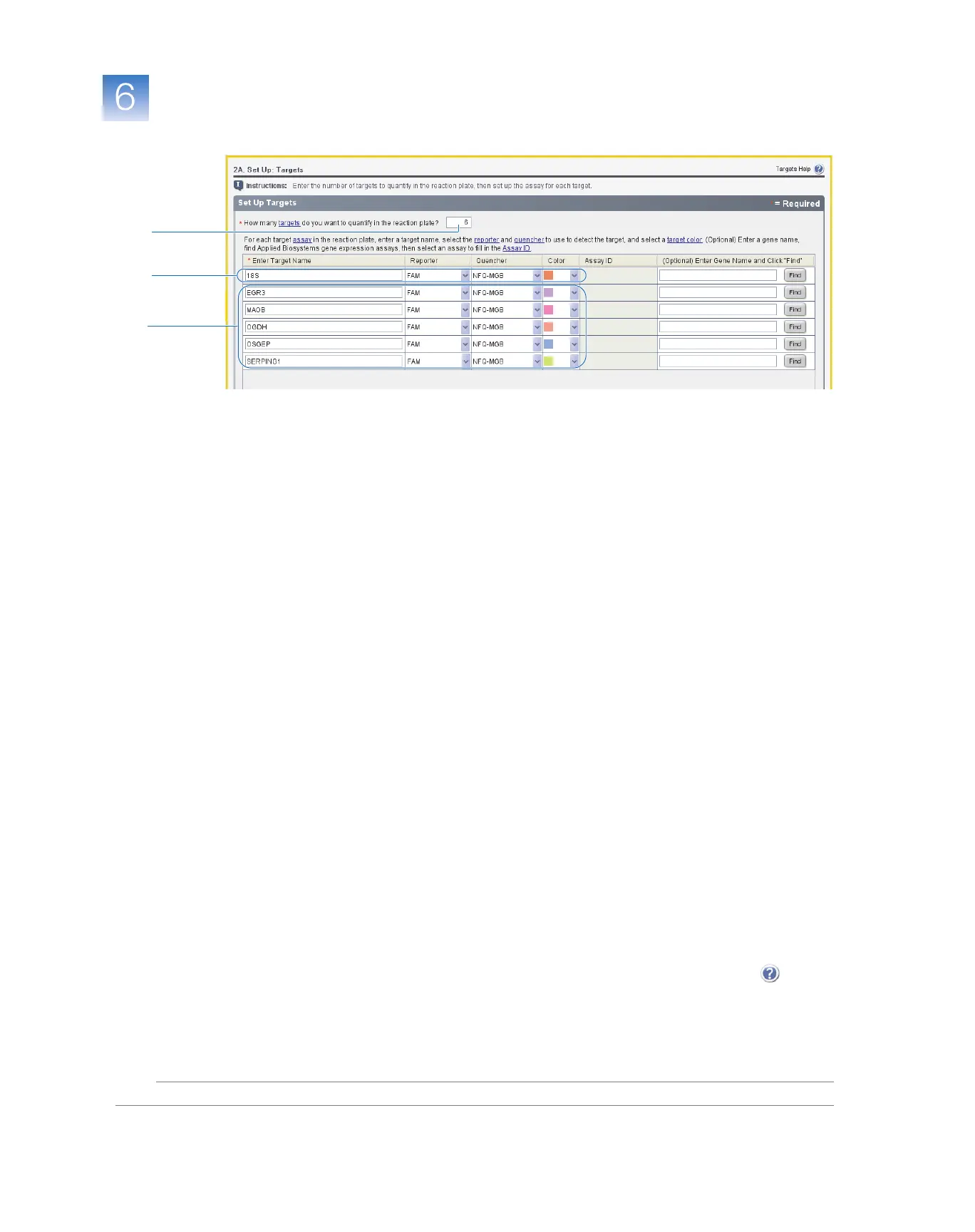
• Identify each target assay with a unique name and color. You can enter up to
100 characters in the Target Name field.
• Select an endogenous control for each sample. The endogenous control is a target that is
present in all samples under investigation. It should be expressed equally in all sample
types, regardless of treatment or tissue origin (examples of endogenous controls are
β
-
actin, GAPDH, and 18S ribosomal RNA [18S rRNA]). The endogenous control is used
to normalize the PCR results; the endogenous control corrects for variable sample mass,
nucleic acid extraction efficiency, reverse transcription efficiency, and pipette calibration
errors. Note that:
– Each sample type (for example, each tissue in a study comparing multiple tissues)
requires an endogenous control.
– If samples are on multiple plates, each plate must have an endogenous control.
Additionally, every reaction plate must include an endogenous control for every
sample type on the reaction plate.
– You can select multiple endogenous controls for a single plate. See “Set Multiple
Endogenous Controls” on page 101.
• Select the reporter dye used in the target assay. In the Methods and Materials screen on
page 116, if you selected:
–TaqMan
®
Reagents – Select the dye attached to the 5
′
end of the TaqMan probe.
–SYBR
®
Green Reagents – Select
SYBR
.
• Select the quencher used in the target assay. In the Methods and Materials screen on
page 116, if you selected:
–TaqMan
®
Reagents – Select the quencher attached to the 3
′
end of the TaqMan probe.
–SYBR
®
Green Reagents – Select
None
.
For More
Information
For more information on:
• Completing the Targets
screen
–
Open the 7500 Software Help by clicking or
pressing
F1
.
• Selecting an endogenous control
–
See the Application Note
Using TaqMan
®
Endogenous Control Assays to Select an Endogenous Control for Experimental Studies
.
1
2
3



 To Next Page