Chapter 2 Design the Relative Standard Curve Experiment
Finish the Design Wizard
Applied Biosystems 7500/7500 Fast Real-Time PCR System Getting Started Guide for Relative Standard Curve
and Comparative C
T
Experiments
46
Notes
Design
Guidelines
When you design your own relative standard curve experiment:
• Select all the materials that you require for your experiment, then add them to your
shopping list.
• To access and use the Applied Biosystems Store:
– Confirm that your computer has an Internet connection.
– Use the following Applied Biosystems-recommended browsers and versions of
Adobe
®
Acrobat
®
Reader:
IMPORTANT! Make sure that cookies and JavaScript are turned on.
For More
Information
For more information on completing the Materials List screen, open the 7500 Software
Help by clicking or pressing F1.
Finish the Design Wizard
Finish the Design Wizard, review the plate layout, then select an exit option.
About the
Example
Experiment
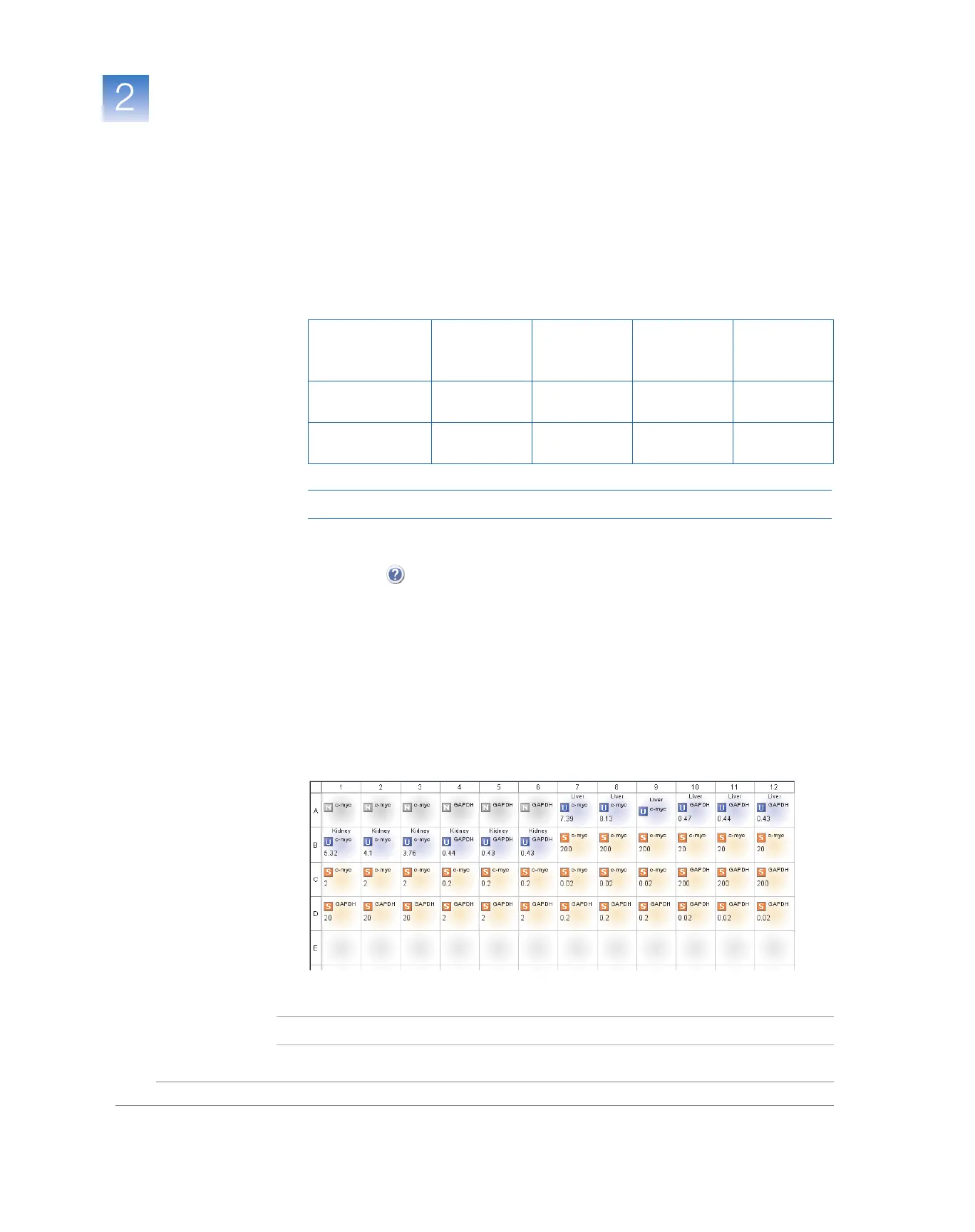
The 7500 software automatically selects locations for the wells in the reaction plate. In
the relative standard curve example experiment:
• The wells are arranged as shown below.
• The experiment is saved as is and closed.
Note: For the example experiment, do not perform the run at this time.
Desktop
Operating
System
Netscape
®
Navigator
Microsoft
®
Internet
Explorer
Macintosh
®
Safari
Adobe
®
Acrobat
®
Reader
Windows
®
2000/NT/XP/Vista
v6.x or later v6.x or later Not applicable v4.0 or later
Macintosh
®
OS 9+ or later
Not supported Not supported v2.0.4 or later v4.0 or later



 To Next Page