Chapter 9 Analyze the Comparative C
T
Experiment
Omit Wells from the Analysis
181
Applied Biosystems 7500/7500 Fast Real-Time PCR System Getting Started Guide for Relative Standard Curve
and Comparative C
T
Experiments
Notes
Omit Wells from the Analysis
Experimental error may cause some wells to be amplified insufficiently or not at all.
These wells typically produce C
T
values that differ significantly from the average for the
associated replicate wells. If included in the calculations, these outliers can result in
erroneous measurements. To ensure precision, omit the outliers from the analysis.
About the
Example
Experiment
In the comparative C
T
example experiment, there are no outliers. No wells need to be
removed from analysis.
Omit Wells
1. In the navigation pane, select Analysis Amplification Plot.
Note: If no data are displayed, click Analyze.
2. In the Amplification Plot screen, select C
T
vs Well in the Plot Type drop-down list.
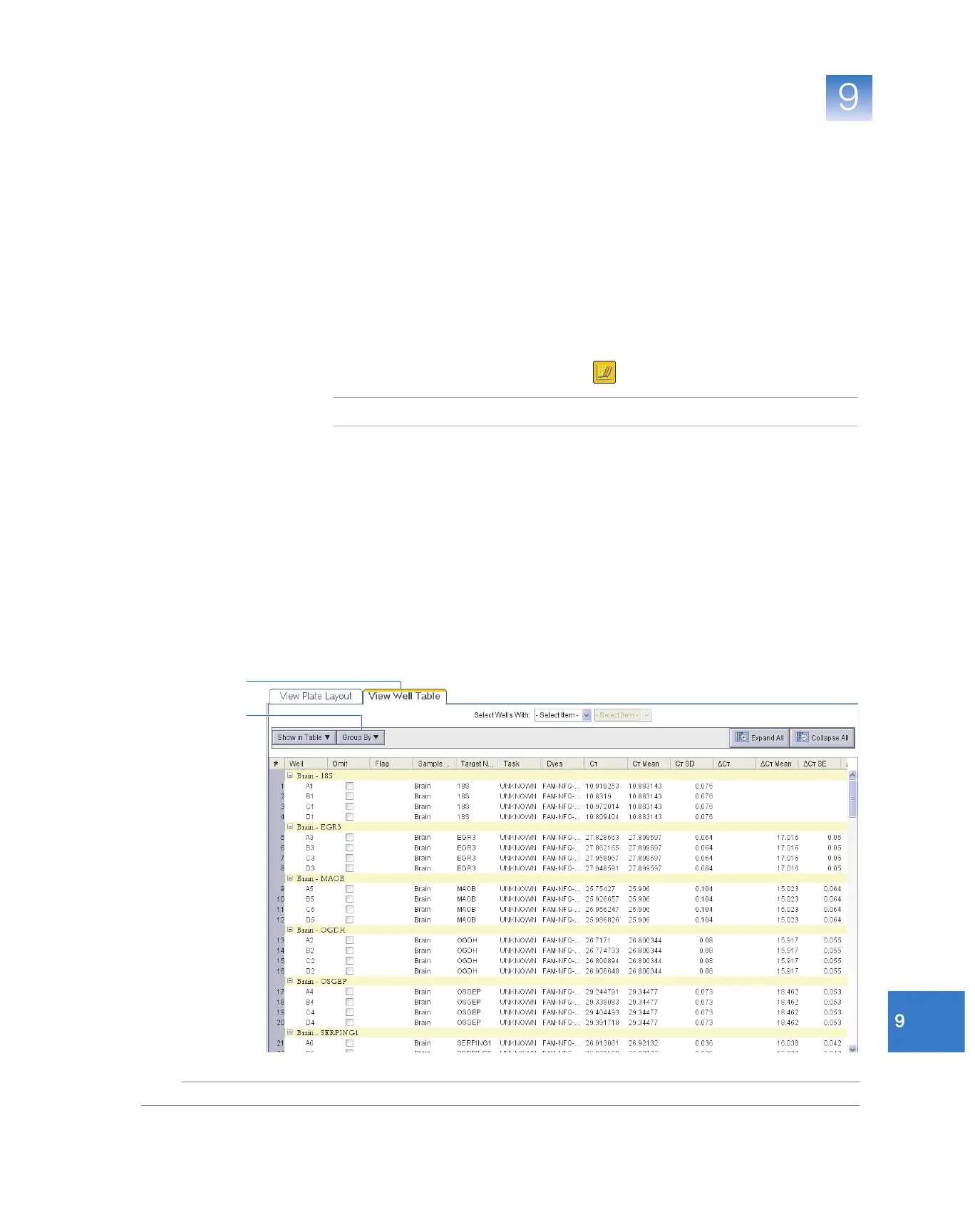
3. Click the upper left corner of the plate layout in the View Plate Layout tab to display
all wells.
4. Select the View Well Table tab.
5. In the Well Table:
a. In the Group By drop-down list, select Replicate.
b. Look for any outliers in the replicate group (be sure they are flagged). In the
example experiment, there are no outliers.
5a
4



 To Next Page