Chapter 9 Analyze the Comparative C
T
Experiment
View the Analysis Settings
Applied Biosystems 7500/7500 Fast Real-Time PCR System Getting Started Guide for Relative Standard Curve
and Comparative C
T
Experiments
178
Notes
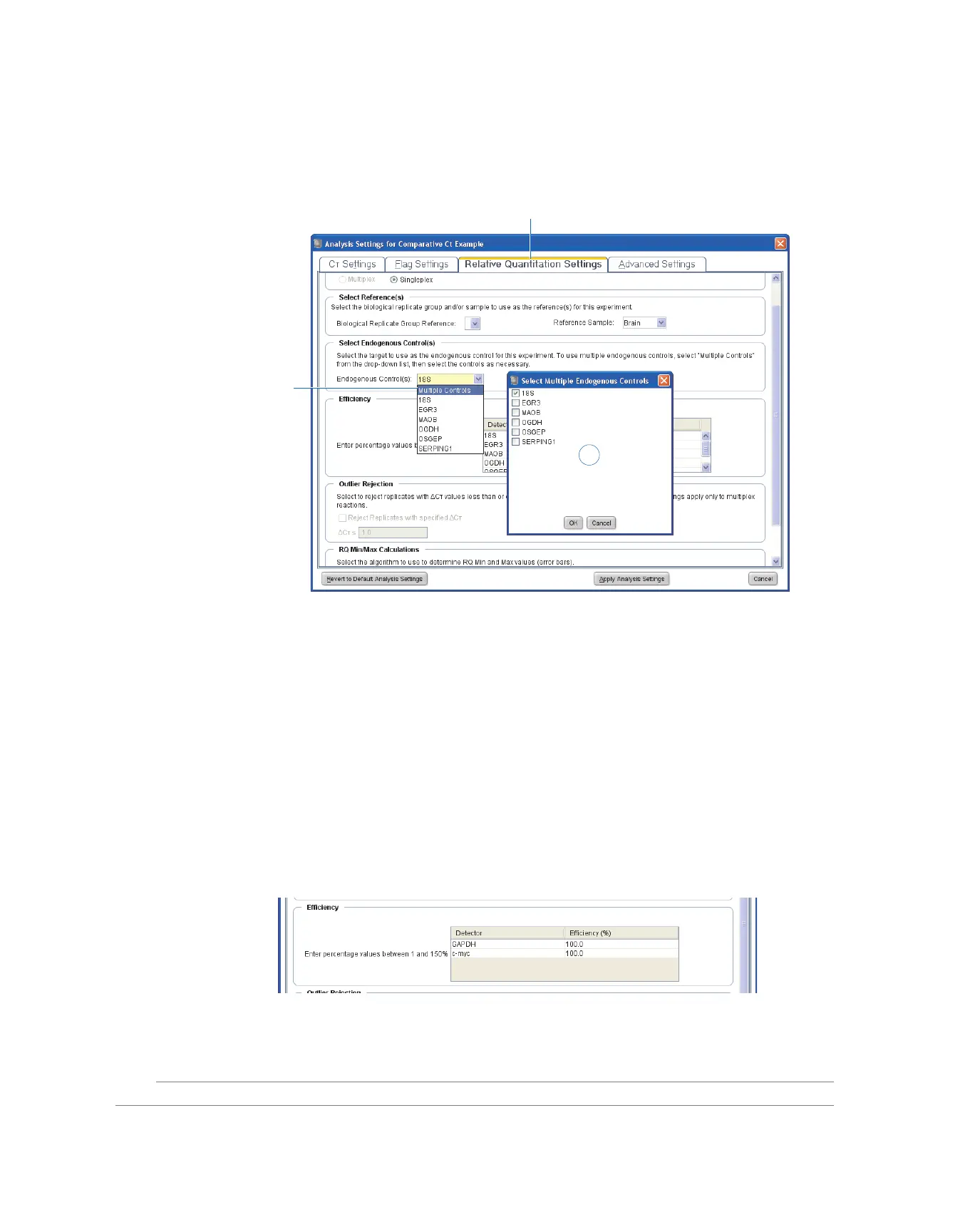
3. In the Select Multiple Endogenous Controls dialog box, select the targets that you
want to use as endogenous controls, then click OK.
Set Efficiency
You can specify efficiency on a per-assay basis. When you set an assay to have less than
100% efficiency, the 7500 software uses the relative standard curve algorithm.
By setting the correct assay efficiencies for your experiment, you enable the 7500
software to produce more precise quantitation results for reactions that do not amplify
with 100% efficiency. By default, the 7500 software calculates sample quantities based
on assays that have calculated amplification efficiencies of 100%. Applied Biosystems
TaqMan
®
Gene Expression Assays (Inventoried and Made to Order) have an
amplification efficiency of 100% +/- 10% when measured over a broad dynamic range
(6 logs) in samples that are free of PCR inhibitors. To determine efficiency of custom
designed assays, use at least 5-6 logs dilution range of template.
To set assay efficiency, click 100.0 in the Efficiency (%) column of an assay, then type a
percentage value between 1% and 100%.
For More
Information
For more information on the analysis settings, open the 7500 Software Help by pressing
F1 when the Analysis Settings dialog box is open.
1
2
3



 To Next Page