Chapter 9 Analyze the Comparative C
T
Experiment
Design a Study
Applied Biosystems 7500/7500 Fast Real-Time PCR System Getting Started Guide for Relative Standard Curve
and Comparative C
T
Experiments
190
Notes
Define Study Properties
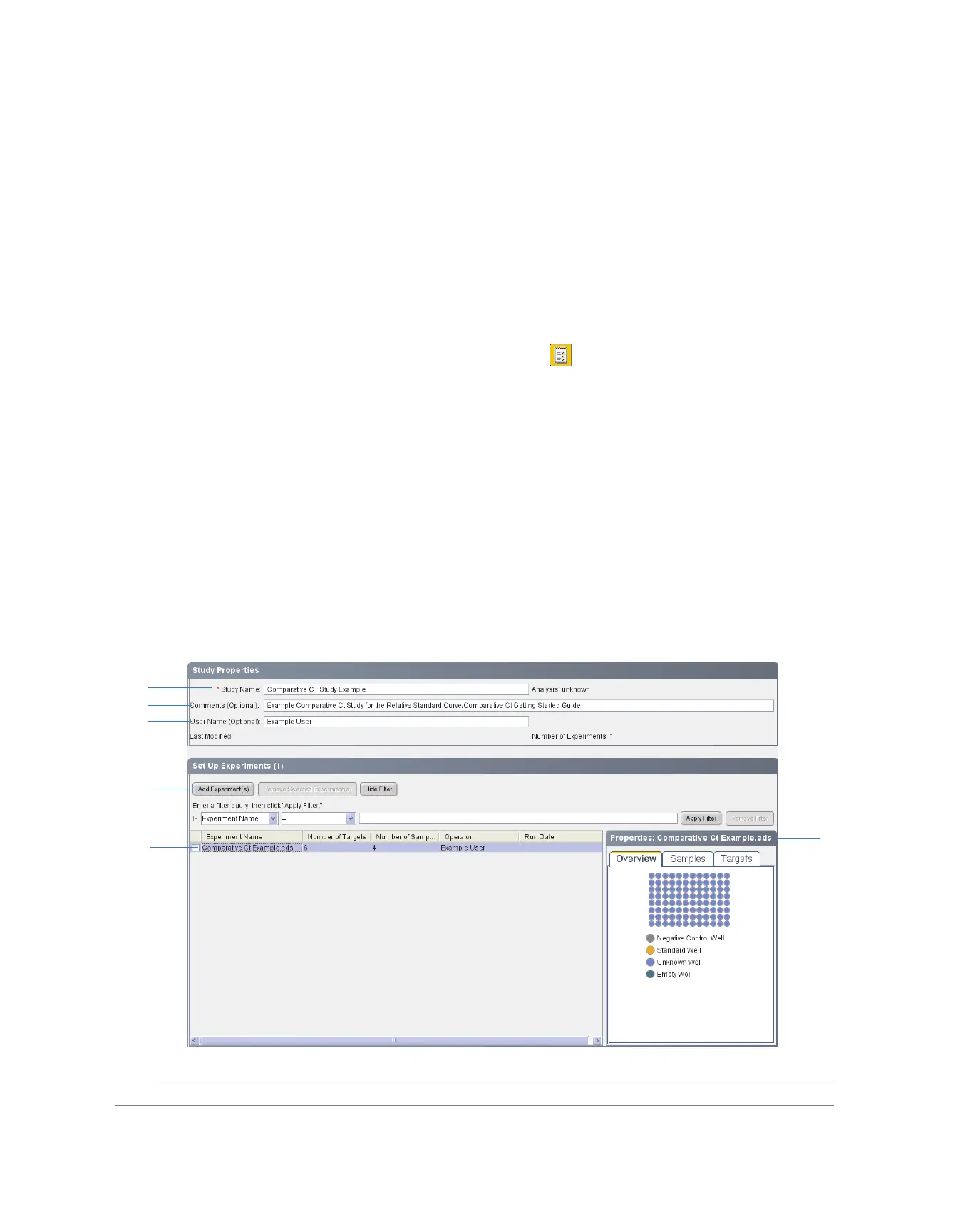
In the Experiment Properties screen, enter identifying information for the study, then add
experiments to the study.
About the
Example Study
In the example study, the:
• Study is identified as an example.
• Experiment that you add to the study is the same example experiment analyzed in
Section 9.1 and Section 9.2 of this chapter.
Complete the
Study Properties
Screen
1. In the navigation pane, select Setup Study Properties.
2. In the Study Properties pane, click the Study Name field, then enter Comparative
Ct Study Example.
3. Click the Comments field, then enter Example Comparative Ct Study for the
Relative Standard Curve/Comparative Ct Getting Started Guide.
4. Click the User Name field, then enter Example User.
5. In the Set Up Experiments pane, click Add Experiment(s).
6. In the Open dialog box, open the Comparative Ct Example.eds file at:
<drive>:\Applied Biosystems\<software name>\experiments\
7. In the Set Up Experiments table, select the Comparative Ct Example experiment.
The 7500 software displays the details of the experiment in the Properties pane.
2
3
4
5
7
7



 To Next Page