Chapter 9 Analyze the Comparative C
T
Experiment
Design a Study
193
Applied Biosystems 7500/7500 Fast Real-Time PCR System Getting Started Guide for Relative Standard Curve
and Comparative C
T
Experiments
Notes
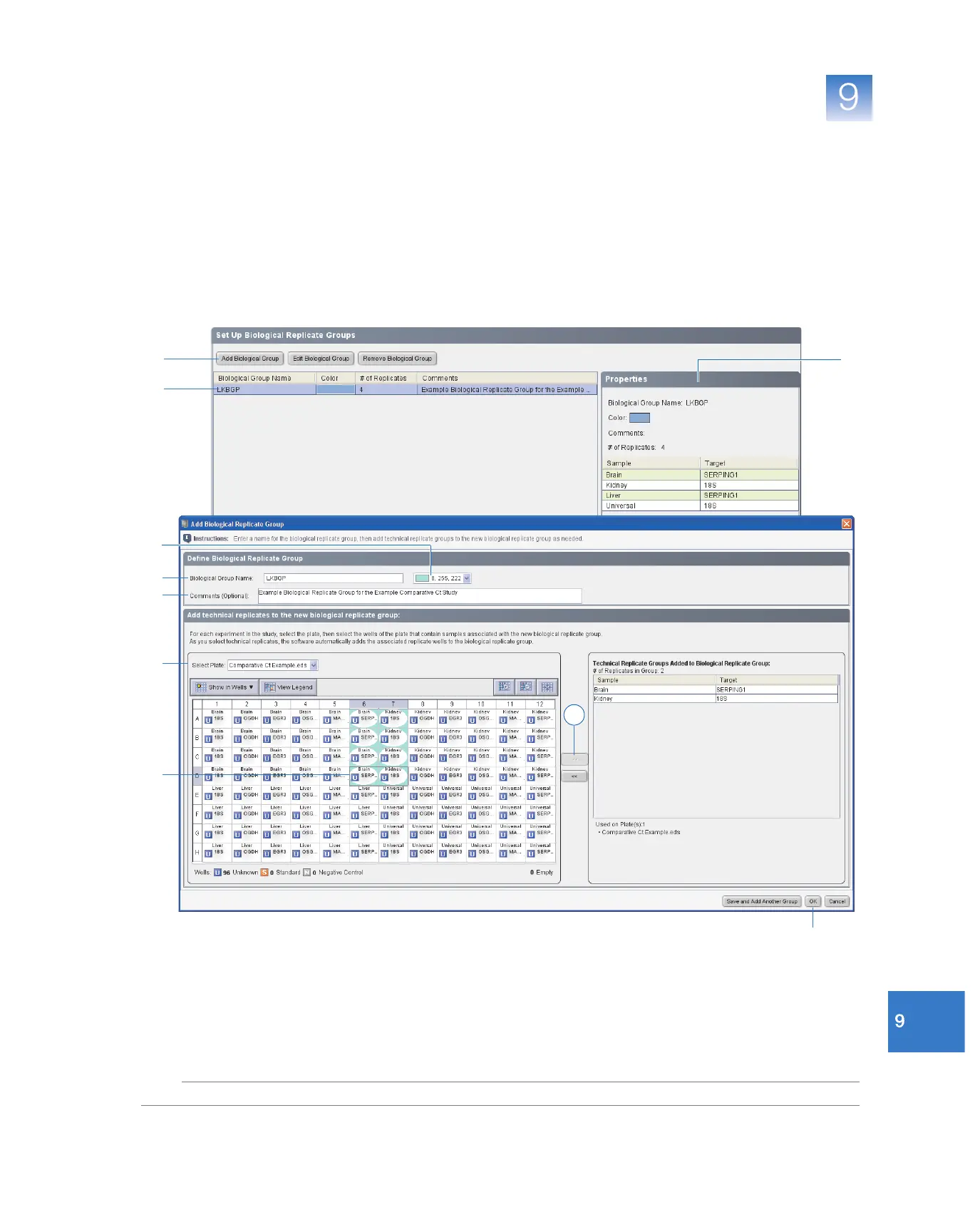
e. In the plate layout, select wells D6 and D7, then click >> to add the technical
replicate wells associated with the selected wells to the biological group.
The 7500 software automatically adds technical replicates of the selected wells
to the biological group.
f. Click OK.
4. Select the LKBGP group that you just added to the study. The 7500 software
displays the details of the biological group in the Properties pane.
o
2
3a
3b
3c
3d
3e
3f
4
4
3e



 To Next Page