Chapter 2 Design the Relative Standard Curve Experiment
Set Up the Samples
Applied Biosystems 7500/7500 Fast Real-Time PCR System Getting Started Guide for Relative Standard Curve
and Comparative C
T
Experiments
32
Notes
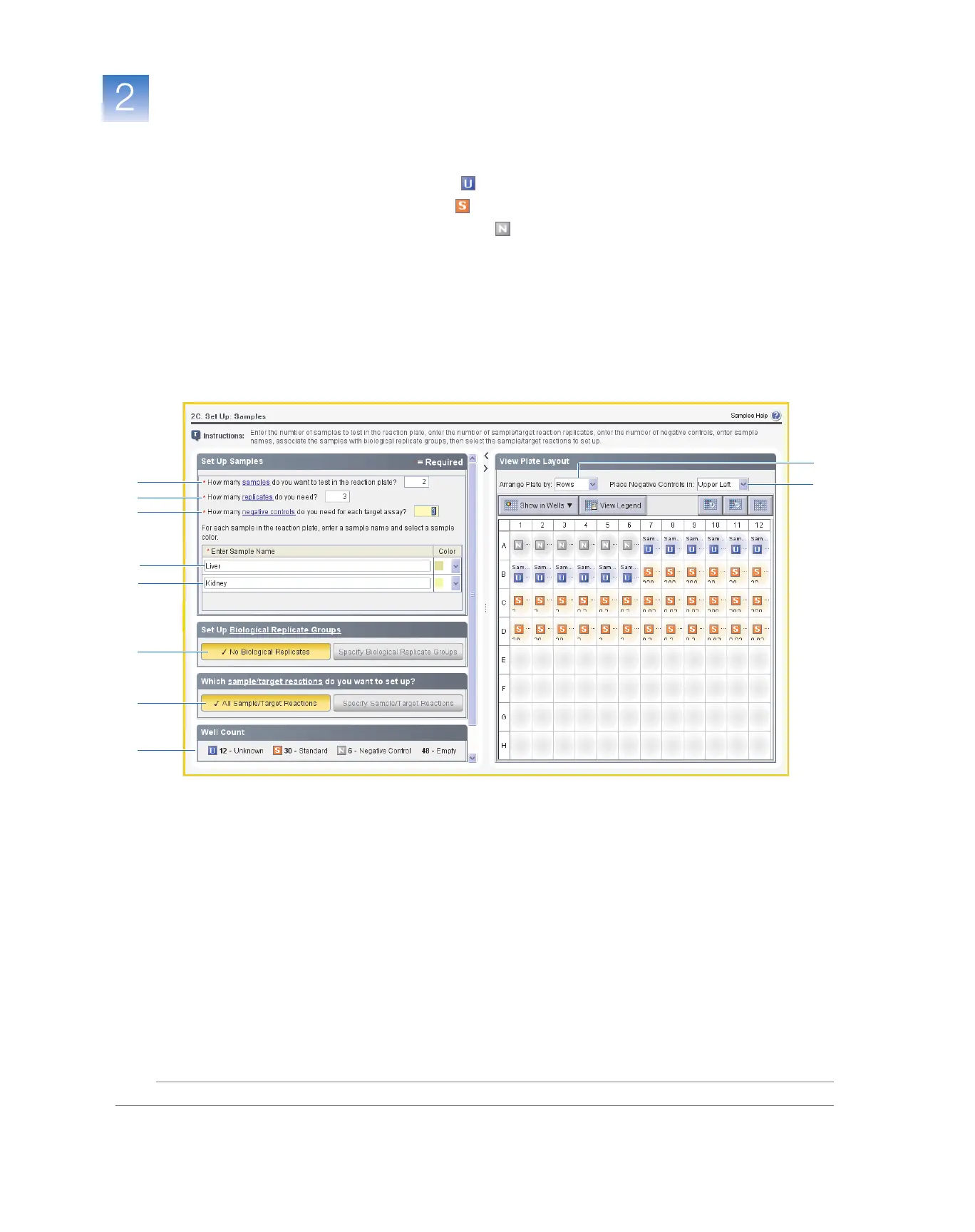
8. In the Well Count pane, verify that there are:
• 12 Unknown wells
• 30 Standard wells
• 6 Negative control wells
• 48 Empty wells
9. In the View Plate Layout tab:
a. In the Arrange Plate by drop-down list, select Rows (default).
b. In the Place Negative Controls in drop-down list, select Upper Left (default).
10. Click Next.
Design
Guidelines
When you design your own relative standard curve experiment:
• Identify each sample with a unique name and color. You can enter up to 100 characters
in the Sample Name field.
• Enter the number of replicates (identical reactions) to set up. Applied Biosystems
recommends three replicates for each sample reaction.
• Enter the number of negative control reactions to set up. Applied Biosystems
recommends three negative control reactions for each target assay.
• Set up biological replicate groups (see “Set Up Biological Replicate Groups” on
page 33).
Biological replicates allow you to assess the representative nature of your results as
they relate to the population being studied. Inclusion of biological replicates can
give insight into any natural variation that is present within the population.
1
2
3
4
5
7
8
9a
9b
6



 To Next Page