Chapter 4 Run the Relative Standard Curve Experiment
Enable the Notification Settings (Optional)
Applied Biosystems 7500/7500 Fast Real-Time PCR System Getting Started Guide for Relative Standard Curve
and Comparative C
T
Experiments
70
Notes
Set Up the
Notification
Settings
1. In the 7500 software, click Run in the navigation pane.
2. Click Notification Settings.
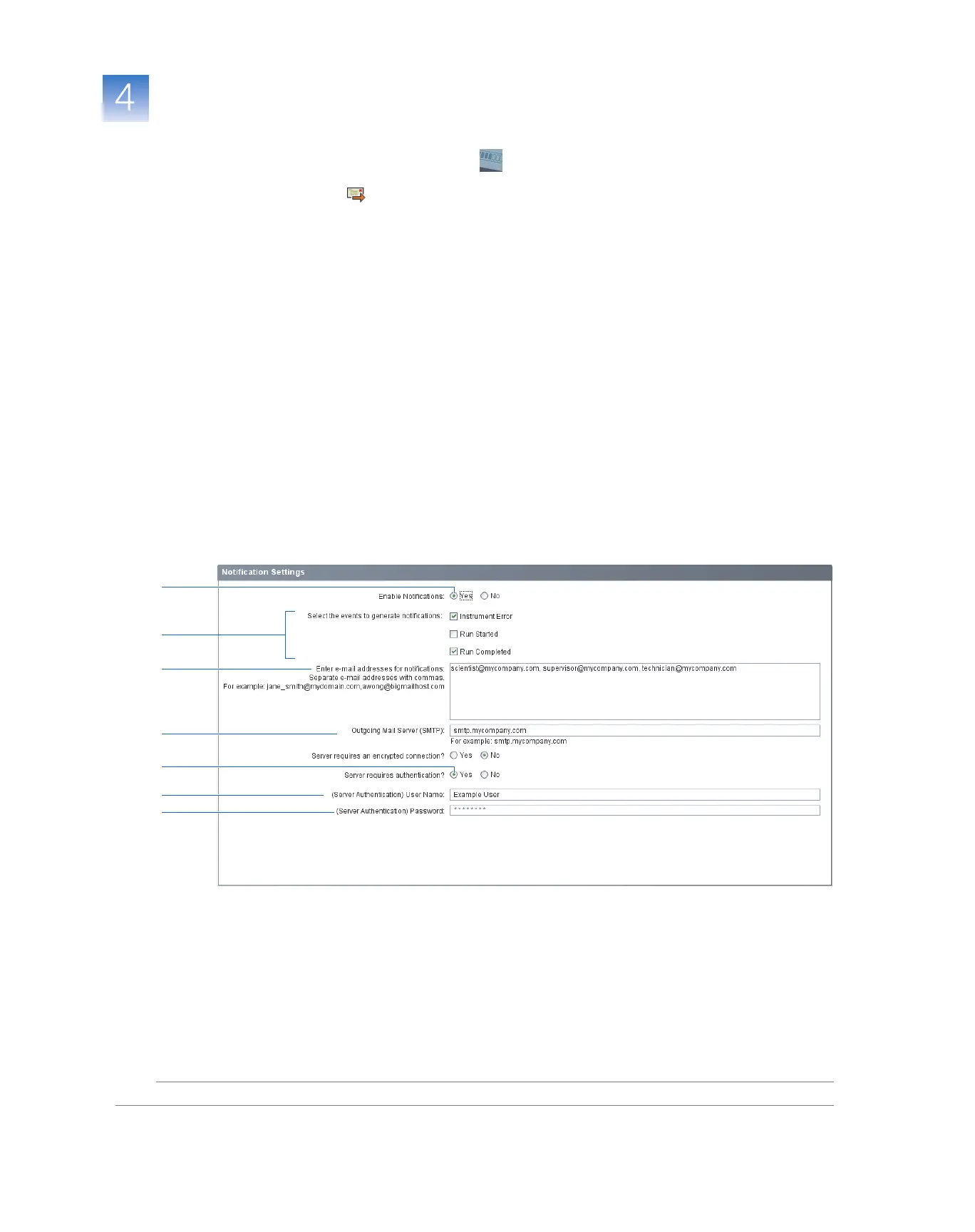
3. Select Ye s for Enable Notifications.
4. Select the events that will generate notifications:
a. Select Instrument Error.
b. Select Run Completed.
5. In the Enter e-mail addresses for notifications field, enter:
scientist@mycompany.com, supervisor@mycompany.com,
technician@mycompany.com.
6. In the Outgoing Mail Server (SMTP) field, enter smtp.mycompany.com.
7. Set the authentication settings:
a. Select Ye s for Server requires authentication.
b. In the User Name field, enter Example User.
c. In the Password field, enter password.
3
5
6
7a
4
7b
7c



 To Next Page