7
Common Screen Control Buttons
Most screens have one or more common control buttons. These are:
Help - Access
Help
screens
Screen Guard - Turn on Screen Guard to help prevent accidential changes to
the unit settings. Use this feature when cleaning the touch screen.
Exit - Leave the current screen.
Cancel - Stop the action in progress.
Next - Go to the next screen.
Back - Return to the previous screen.
OK - Confirm the selection.
Battery Charging Instructions
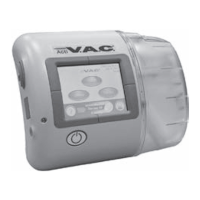
The ACTIV.A.C.
TM
Therapy Unit contains a rechargeable battery. This battery is charged using the power
supply and cord that comes with the unit.
The battery is not user accessible or serviceable.
To avoid damage to the therapy unit, use only the power supply and cord that come with the unit.
Static Electricity
Static electricity may build up on the unit when it is out of its carrying case and
plugged into a wall outlet. This happens most often when the humidity is very
low.
A static discharge may cause:
• The screen to darken
• The therapy unit to reset
• The therapy unit to turn off.
If this happens, turn the unit off then back on. If the unit will not come back on,
call KCI.
WARNING: If therapy stops or the unit shuts off for any reason,
call your doctor or nurse right away. Without active therapy,
your dressing will need to be replaced within two hours.


 To Next Page