17
SEAL CHECK™ Leak Detector
If the therapy unit detects a significant leak, the Leak Alarm will activate. See Alerts And Alarms - Leak
Alarm section.
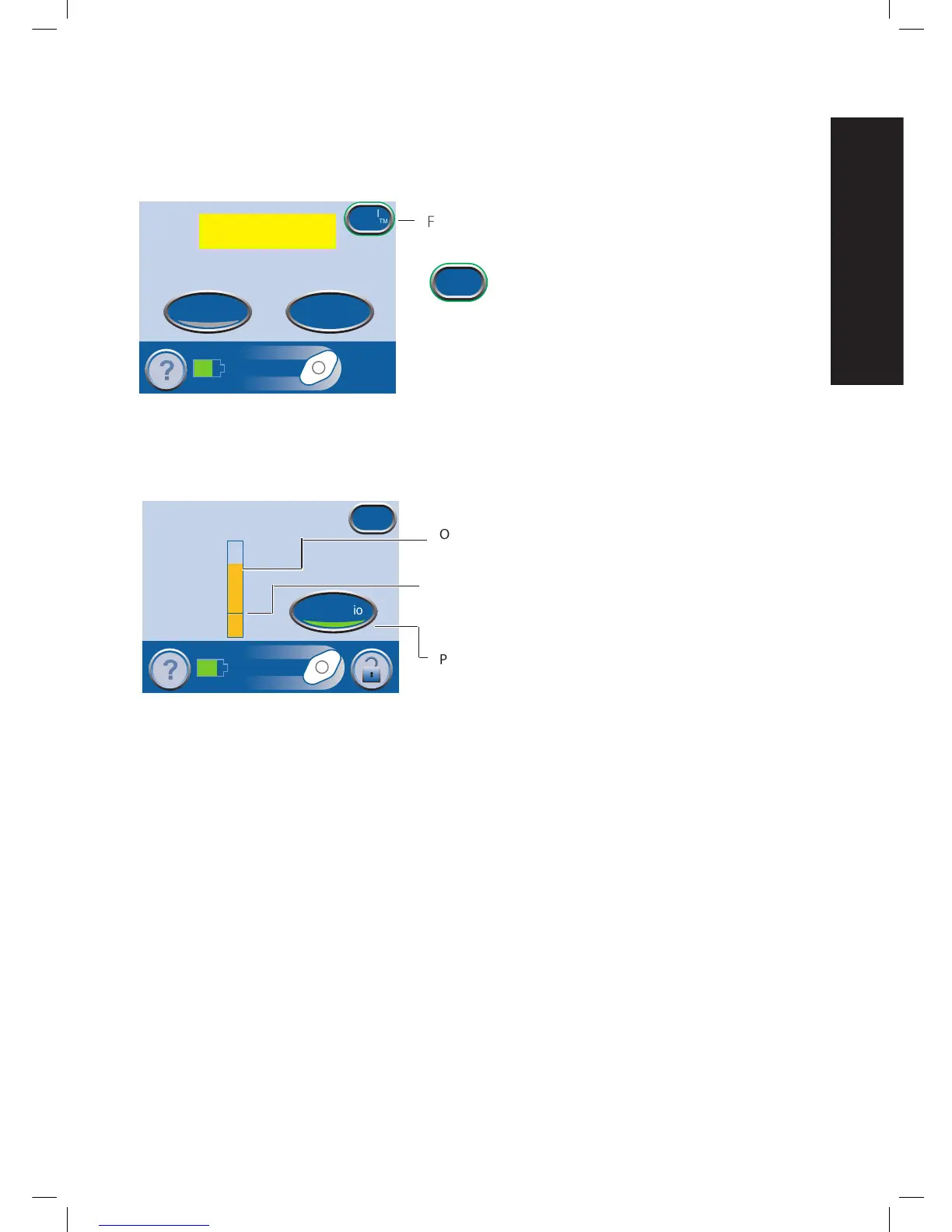
Press the SEAL CHECK™ button on the
Leak
Alarm
screen to use the SEAL CHECK™ Leak
Detector.
The SEAL CHECK™ Leak Detector feature uses an audible
tone and a bar graph to help find leaks. The frequency of the
audible tone and the height of the bar graph will reflect the
leak rate. The audible tone slows down and the bar graph
gets shorter as the leak is found.
Press ‘Seal Check
™
’ or ‘?’ for more information
Audio Pause
Reset
Seal
Check
TM
Leak Alarm
Flashing Green Oval
Seal
Check
TM
Seal Check
Low
High
Leak Rate
™
Exit
Seal Audio
Orange bar graph = a significant leak.
Green bar graph = the therapy unit is operating normally.
If the bar is below the line, the unit is operating normally.
If the bar is above the line, the unit is detecting a leak.
Press to turn the Seal Audio tone off.


 To Next Page