64
Utilities
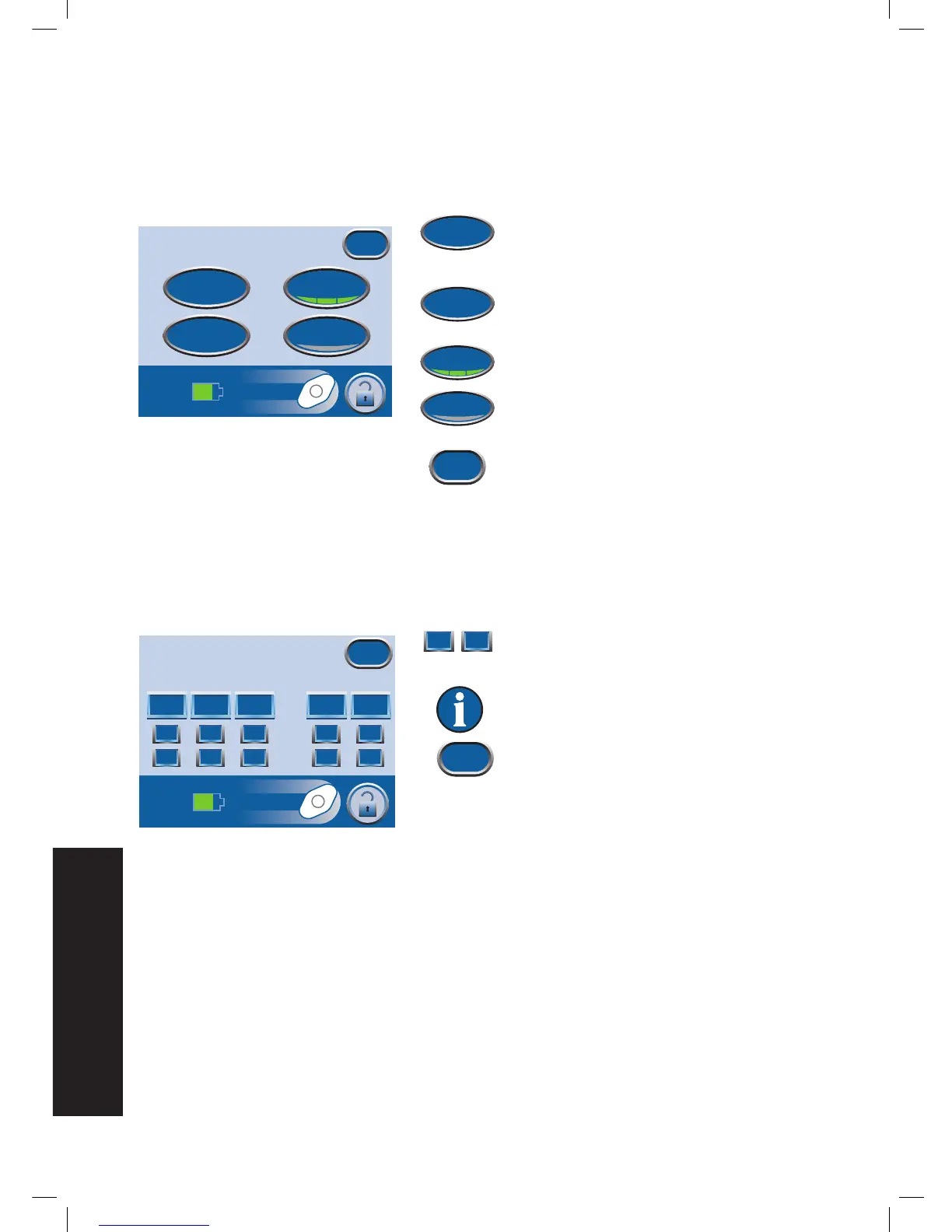
From the Clinician Mode
Home
screen, press Utilities to access this screen.
Press Time/Date to set the current time and
calendar date.
Press Region Settings to set the displayed
Pressure Unit and Date Formats.
Press Brightness to set the display brightness
of the touch screen.
Press AC Light to turn the AC Light on and
off.
Press Exit to return to the Clinician Mode
Home
screen.
Change Time and Date
From the Clinician Mode
Home
screen, press Utilities then Time/Date to access this screen.
1. Use + and - to set current time and
calendar date.
Hold + and - to rapidly scroll through
available selections.
2. Press Exit to return to the
Utilities
screen.
Utilities
Time/Date
AC Light
Exit
Brightness
Region
Settings


 To Next Page