59
View or Export Therapy History
Therapy History is a chronological log of dates and times for
therapy starts and stops, therapy settings, unit inactivity that
exceeds 15 minutes, alarm occurrences, and manually logged
canister / dressing changes.
Data can be reviewed on screen or transferred from the
ACTIV.A.C.
TM
Therapy Unit electronically in the form of a Therapy
History Report.
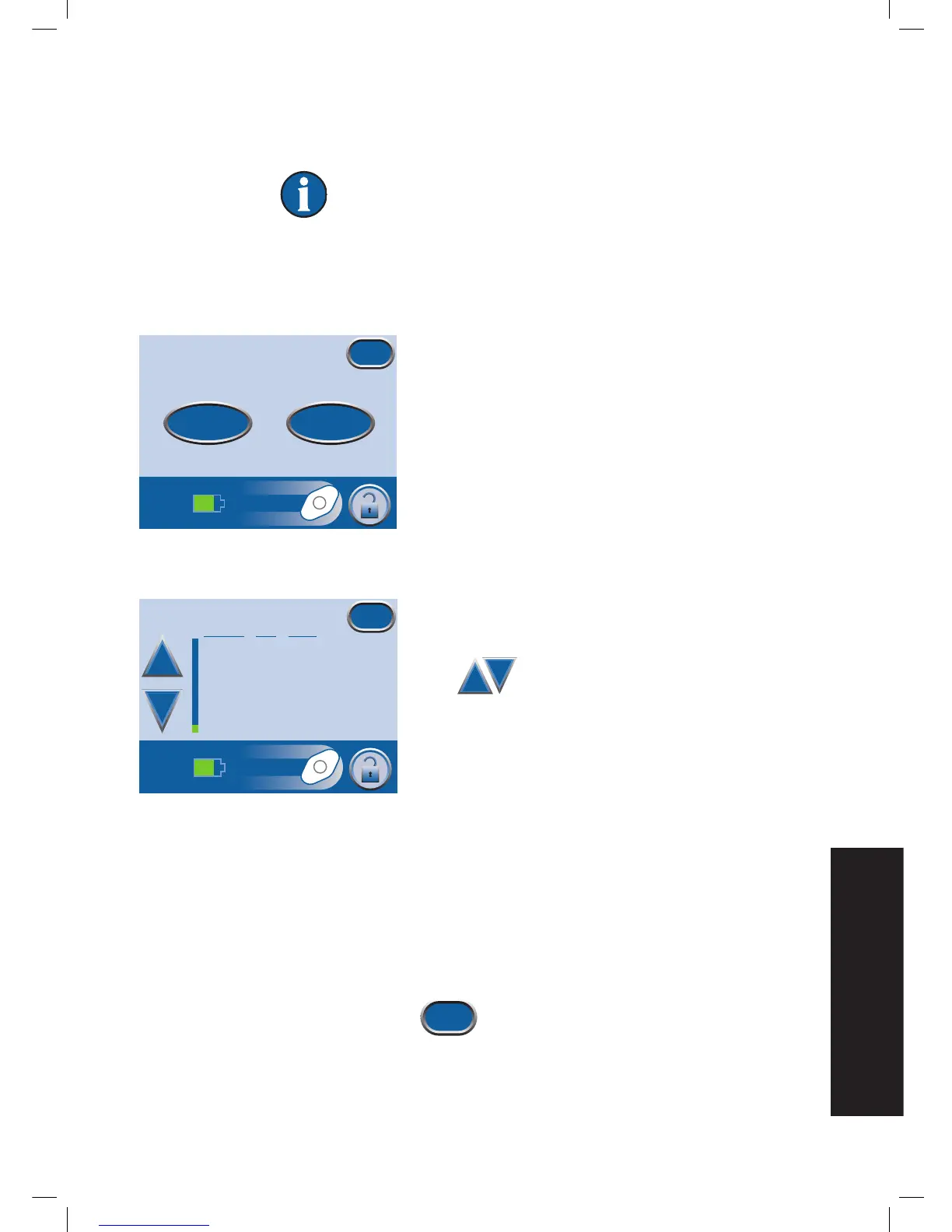
1. Starting from the Clinician Mode
Home
screen, press
Therapy, then Next then History to access the
Therapy
History
screen.
2. Select desired option on the
Therapy History
screen:
• View History - View Therapy History on screen.
• Export History - Access screens where the Therapy
History Report can be transferred via USB.
View Therapy History
1. Press View History on the
Therapy History
screen to
access the on-screen therapy history display.
2. Use + and - to scroll through the Therapy
History Report.
3. Hold the + and - buttons to rapidly scroll through the
recorded information.
Due to space limitations, the Therapy History Report
does not spell out wound types. A number is used
instead, according to the following chart:
1 = Acute/Traumatic
2 = Partial Thickness Burns
3 = Dehisced Wounds
4 = Meshed Grafts
5 = Pressure Ulcers
6 = Chronic Ulcers
7 = Flaps
8 = Other
4. Press Exit to return to the
Therapy
History
screen.
Therapy History
Exit
View History Export History
History
mm/dd/yy
Time
Event
12/06/08 15:48 Unit On
12/06/08 15:48 Therapy On
12/06/08 15:54 Canister Changed
12/06/08 15:55 Dressing Changed, 4
12/06/08 22:23 Canister Full
12/06/08 22:23 Therapy Off
12/06/08 22:27 Therapy On
12/06/08 22:29 Auto Therapy Off Leak
Exit
+
_


 To Next Page