65
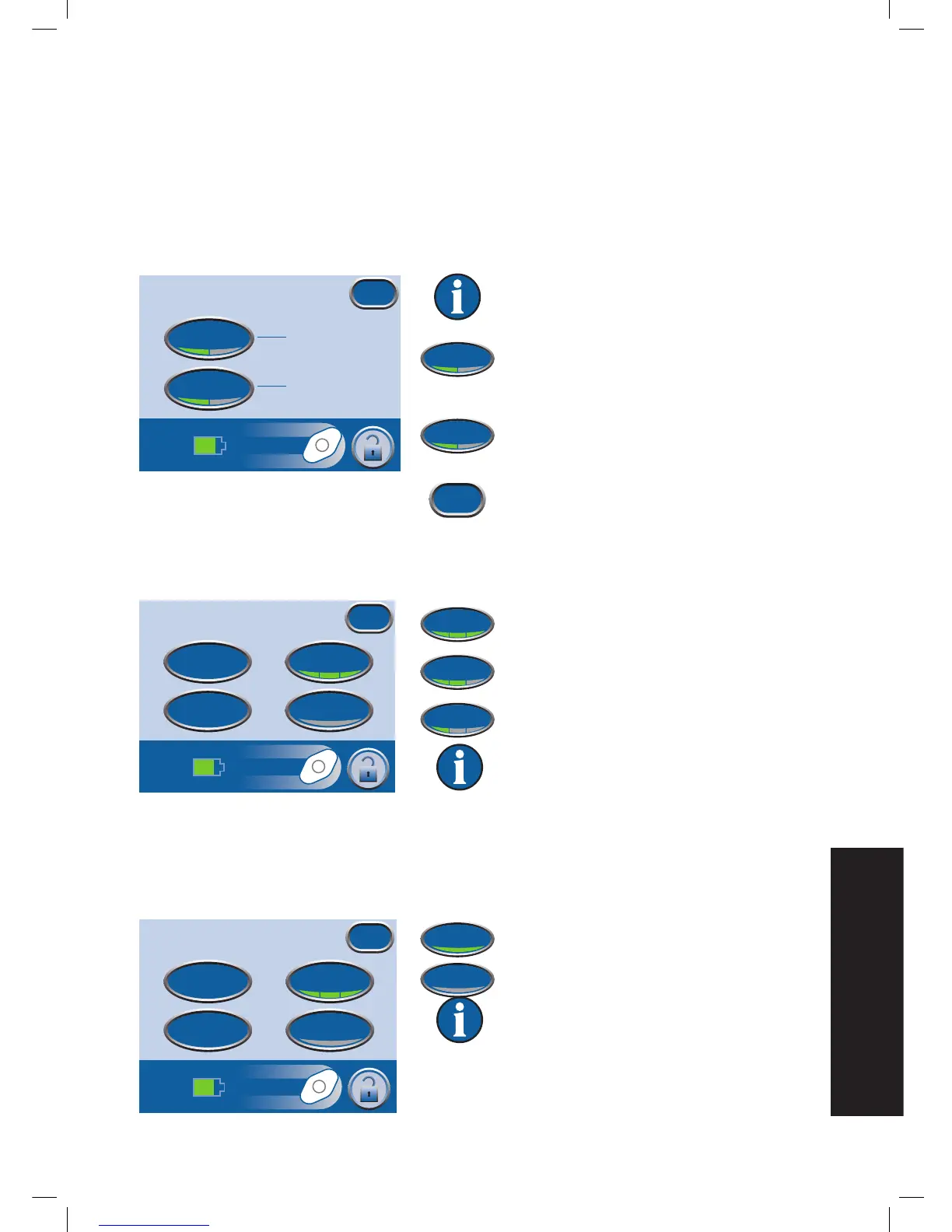
Change Pressure Units and Date Format
The ACTIV.A.C.
TM
Therapy Unit is designed to show two units of measure with mmHg (millimeters of
mercury) as the default. If you prefer kPa (kilopascals), follow the directions in this section to change the
Pressure Unit.
From the Clinician Mode
Home
screen, press Utilities then Region Settings to access the
Regional
Settings
screen.
Default settings are mmHg and MM DD
YY.
Press Pressure Unit to switch between mmHg
(millimeters of mercury) and kPa (kilo-pascals)
units of measurement.
Press Date Format to switch between DD MM
YY (Day-Month-Year) and MM DD YY (Month-
Day-Year) formats.
Press Exit to return to the
Utilities
screen.
Change Screen Brightness
Press Brightness to switch between three levels of screen brightness.
High
Medium
Low
Default setting is High.
Change AC Light
Press AC Light to force the touch screen backlight to remain bright when the unit is connected to the
ACTIV.A.C.
TM
Power Supply.
On
Off
Default setting is Off.
Regional Settings
mmHg
MM/DD/YY
Exit
Pressure Unit
Date Format


 To Next Page