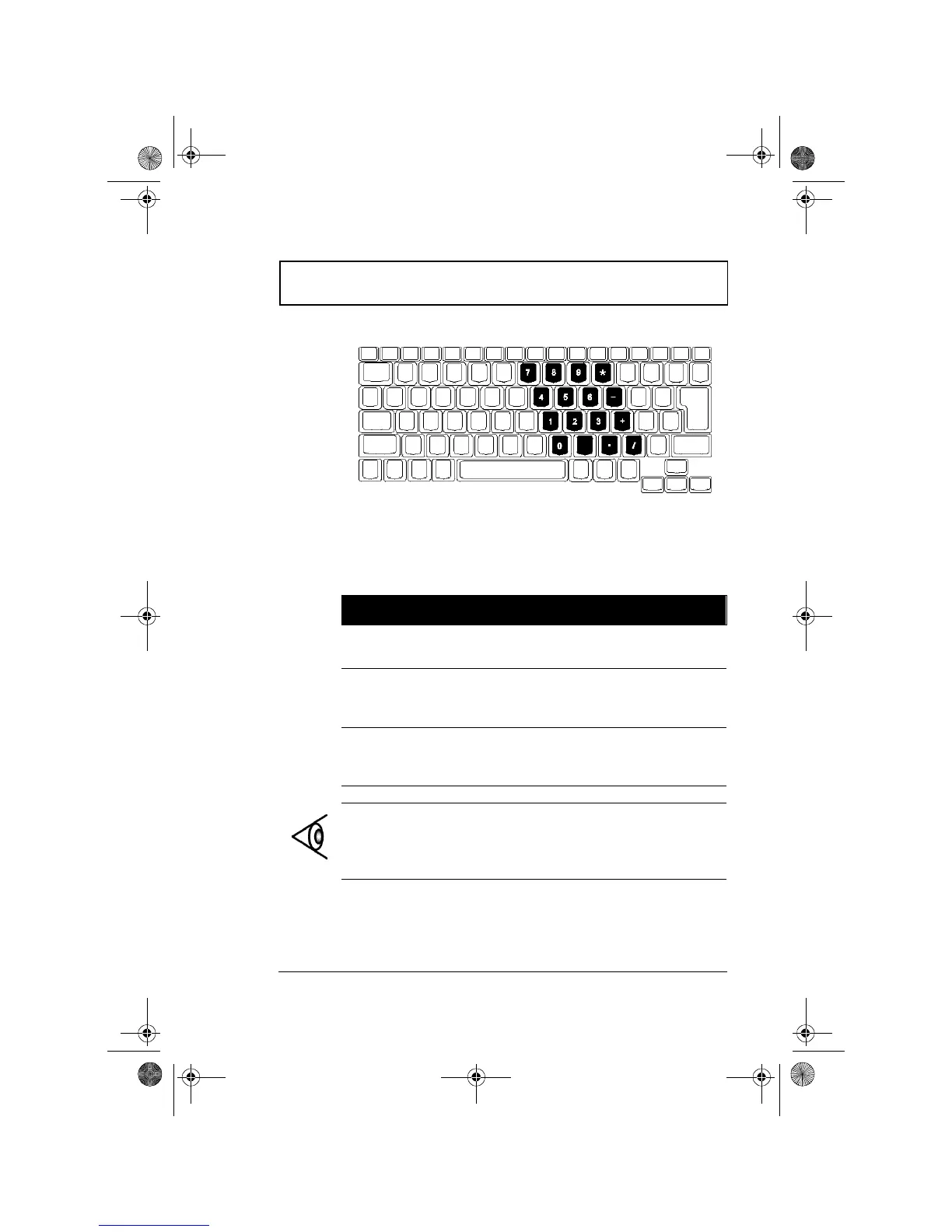
Keyboard
Chapter 1 Getting Familiar with your Computer 9
Embedded Keypad
The embedded keypad functions like a desktop numeric
keypad. It is indicated by small characters located on the
upper right corner of the keycaps. To simplify the keyboard
legend, cursor-control key symbols are not printed on the
keys.
Desired Access Num Lock On Num Lock Off
Number keys on
embedded keypad
Type numbers in a
normal manner.
Cursor-control keys
on embedded
keypad
Hold Shift while using
cursor-control keys.
Hold Fn while
using cursor-
control keys.
Main keyboard keys Hold Fn while typing
letters on embedded
keypad.
Type the letters
in a normal
manner.
Note: If an external keyboard or keypad is connected to
the computer, the numlock feature automatically shifts
from the internal keyboard to the external keyboard or
keypad.
310-e.book Page 9 Tuesday, October 27, 1998 5:17 PM














 To Next Page