Ports
Chapter 1 Getting Familiar with your Computer 19
Ports
Ports allow you to connect peripheral devices to your
computer as you would with a desktop PC.
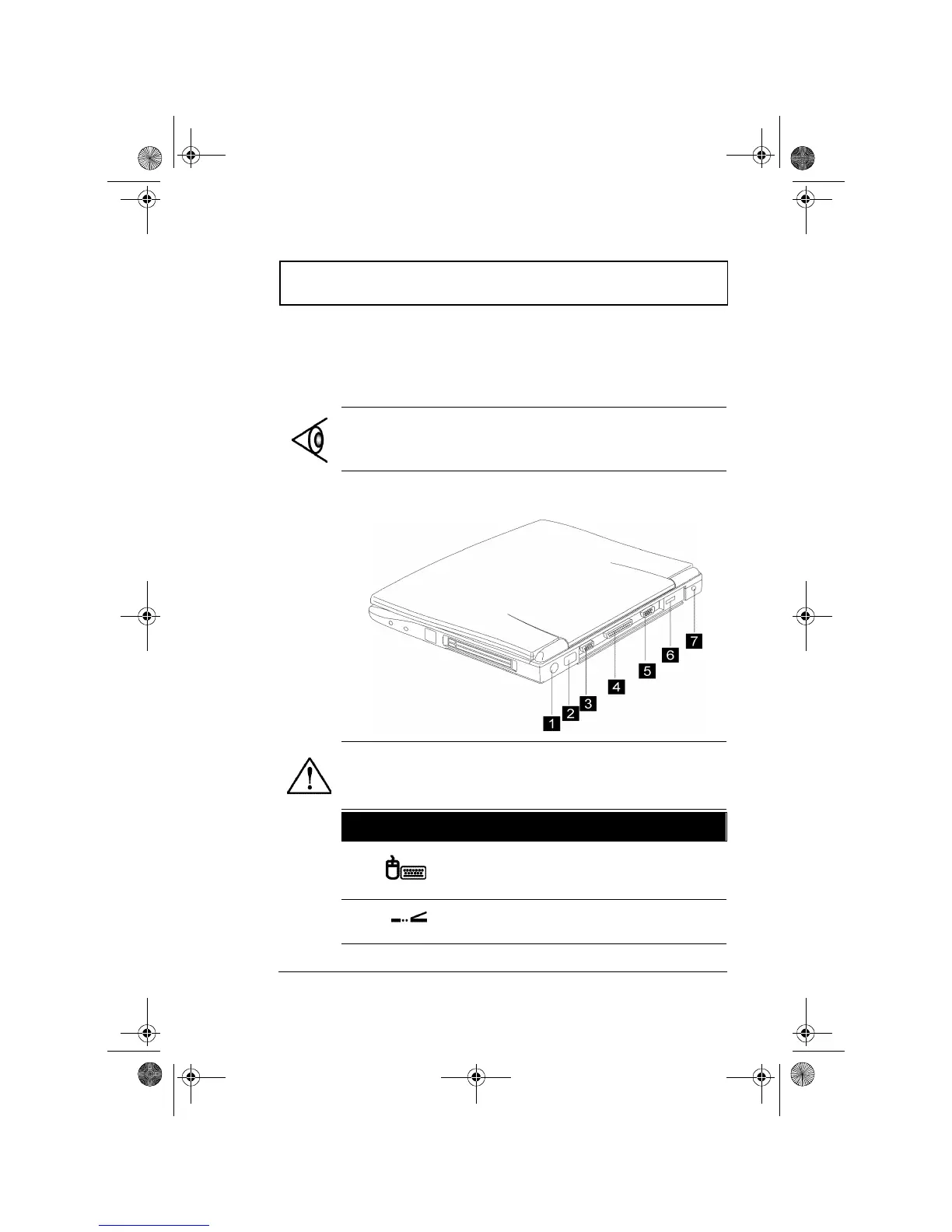
Rear Ports
Note: See Chapter 3 on how to connect external devices to
the computer.
Caution: When opening the rear port cover, carefully
slide it under the computer using both hands.
# Icon Port Connects to...
1
PS/2 Port PS/2-compatible devices (e.g.,
PS/2 keyboard, keypad,
mouse)
2
FIR Port Infrared devices (e.g., infrared
printer, IR-aware computers)
310-e.book Page 19 Tuesday, October 27, 1998 5:17 PM














 To Next Page