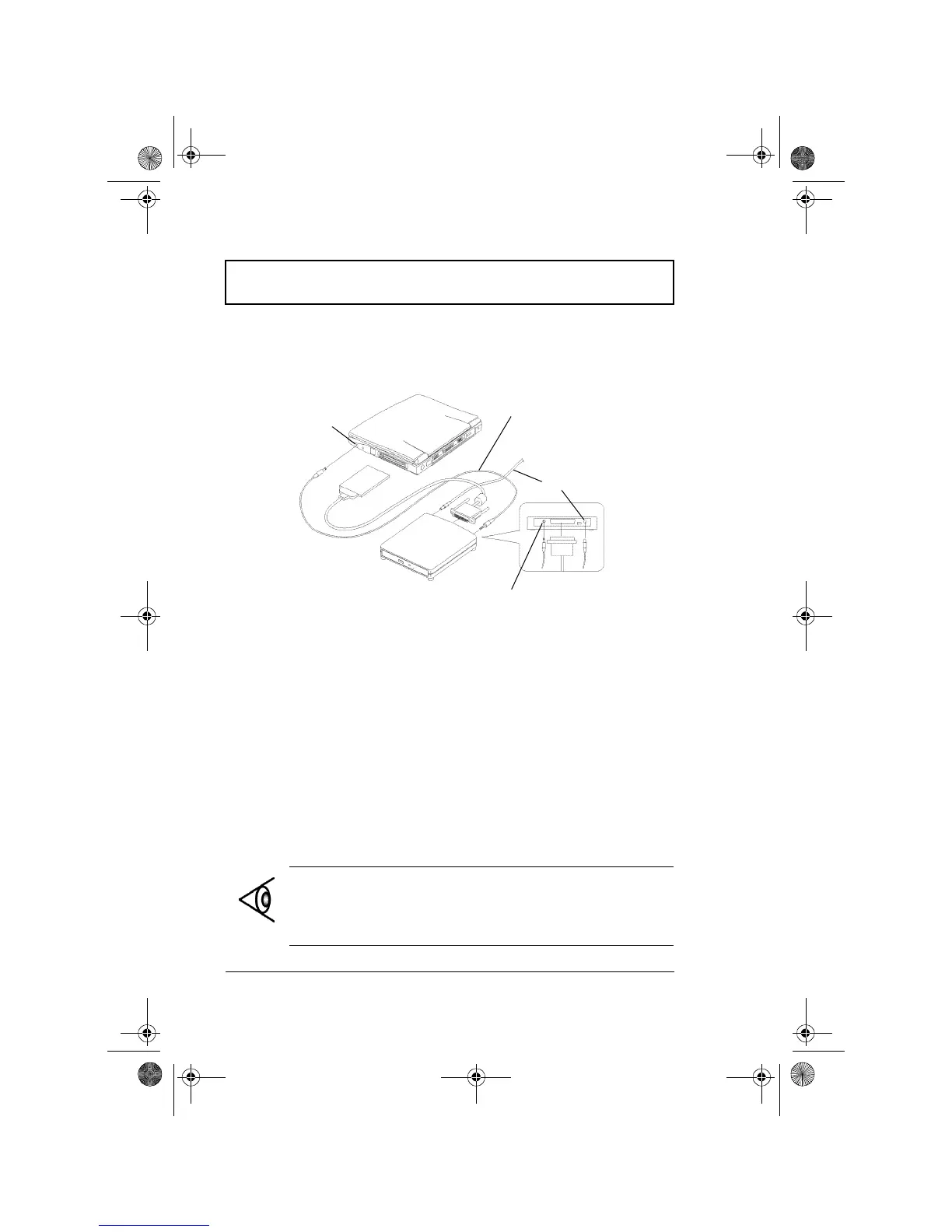
External PCMCIA CD-ROM (optional)
54 User’s Guide
External PCMCIA CD-ROM (optional)
You can also connect an external CD-ROM device using a
PC Card.
To connect an external CD-ROM drive:
1. Turn on your computer.
2. Plug the external CD-ROM’s power adapter into an
electrical outlet and turn the external CD-ROM on.
3. Insert the external CD-ROM PC Card into the PC Card
slot. The computer will automatically detect the PC
Card.
4. Insert one end of the audio cable into the external CD-
ROM and the other end into the microphone-in jack of
the computer
or
Insert an external speaker into the line-out jack of the
external CD-ROM drive.
Note: When you connect the audio to the computer, you
have to activate the sound by unchecking the mute
function or by increasing the volume control in Windows
95/98.
Audio cable
Line-out














 To Next Page