Troubleshooting
5 – 4 • • • • • • • • • • • • • • • • • • • • • • • • • • • • • • • • • • • • • • • • • • • • • • • • • • • • • • • • •
8
Battery Replacement
The Scan Tool requires 9V alkaline battery to operate without vehicle
power.
✓ When the battery needs to be replaced, the low-battery icon ()
displays.
✓ Rechargeable batteries do not last as long as alkaline types and
are not recommended.
✓ Non-rechargeable Lithium (Li) battery can be used. Though
Lithium types last longer than the alkaline types, and they are more
expensive.
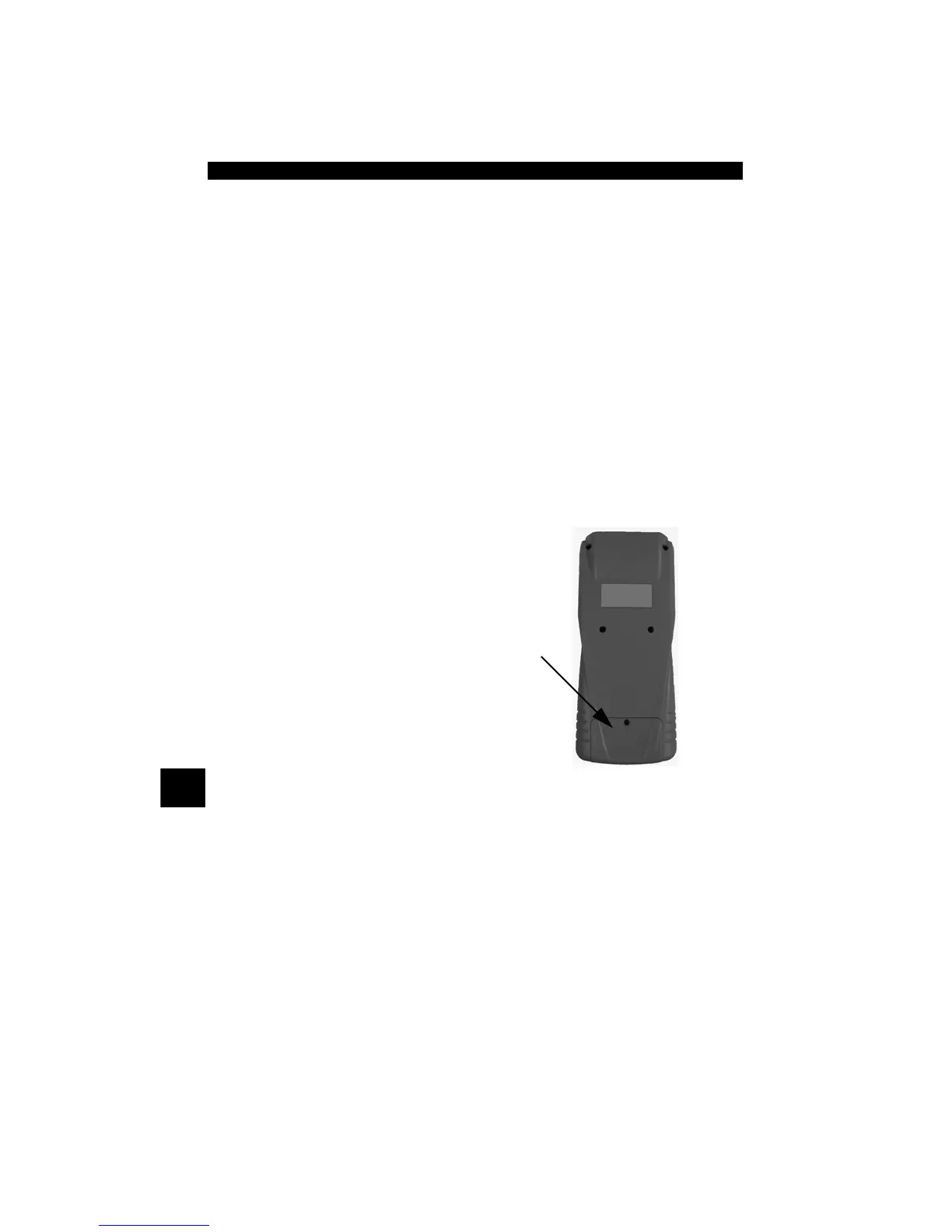
1.Place Display Face Down.
• On non-abrasive surface.
2.Remove Battery Cover.
• Turning phillips screw
counterclockwise.
• Slide battery cover off.
3.Remove Battery and Properly
Discard.
4.Install New Battery.
• 9V Alkaline Battery.
5.Reinstall Battery Cover.
• Slide battery cover on.
• Install phillips screw turning it clockwise.
• Do not overtighten screw.



 To Next Page