11
FUNCTIONS OF THE WIRED PANEL
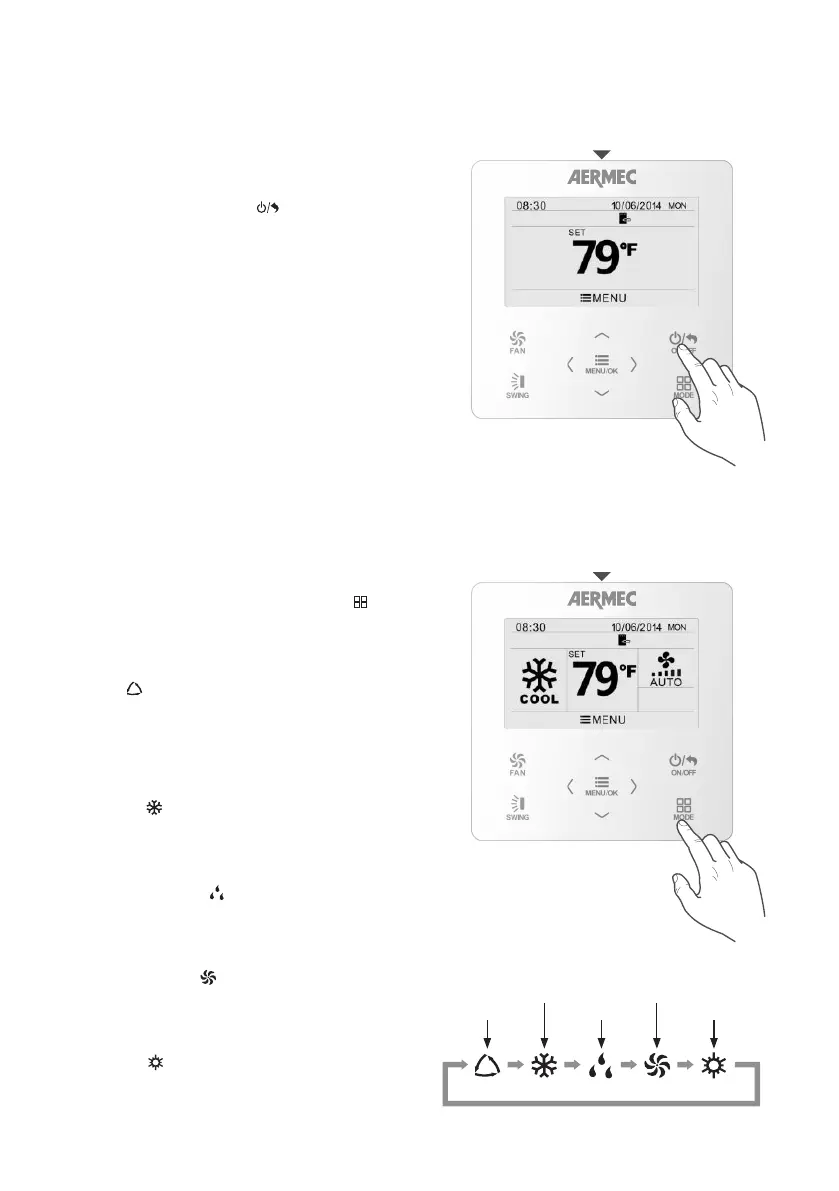
To switch the indoor unit managed via the wired
panel on or off, press the key
MENU/OK
FAN
ON/OFF
MODE
SWING
.
Auto
Cooling
Dehumidication
Ventilation Only
Heating
Selecting an operating mode
SWITCHING THE UNIT ON / OFF
Switching the unit on/off
To modify the operating mode of the indoor unit
managed via the wired panel, just press the
MENU/OK
FAN
ON/OFF
MODE
SWING
key;
every time it is pressed, the unit will switch from one
mode to the next.
The possible modes are:
• Auto ( ): this function automatically selects the
most suitable operating mode based on the indoor
temperature. The set-point cannot be altered, but
ventilation and other functions such as “swing” can
be set as normal (WARNING: this mode cannot be
selected if the SAVE function is active).
• Cooling (
): this mode cools the ambient air
until the temperature chosen as the operating set-
point is reached; this temperature may be between
16 °C and 30 °C.
• Dehumidification ( ): in a similar way to cooling
mode, this function dehumidifies the ambient air;
the operating temperature may be between 16 °C
and 30 °C.
• Ventilation Only ( ): the set-point cannot be
altered because the ambient air is not being either
cooled or heated, but ventilation and the swing
function can be set as normal.
• Heating ( ): this mode heats the ambient air
until the temperature chosen as the operating set-
point is reached; this temperature may be between
16 °C and 30 °C.
SELECTING AN OPERATING MODE



 To Next Page