9
USER INTERFACE
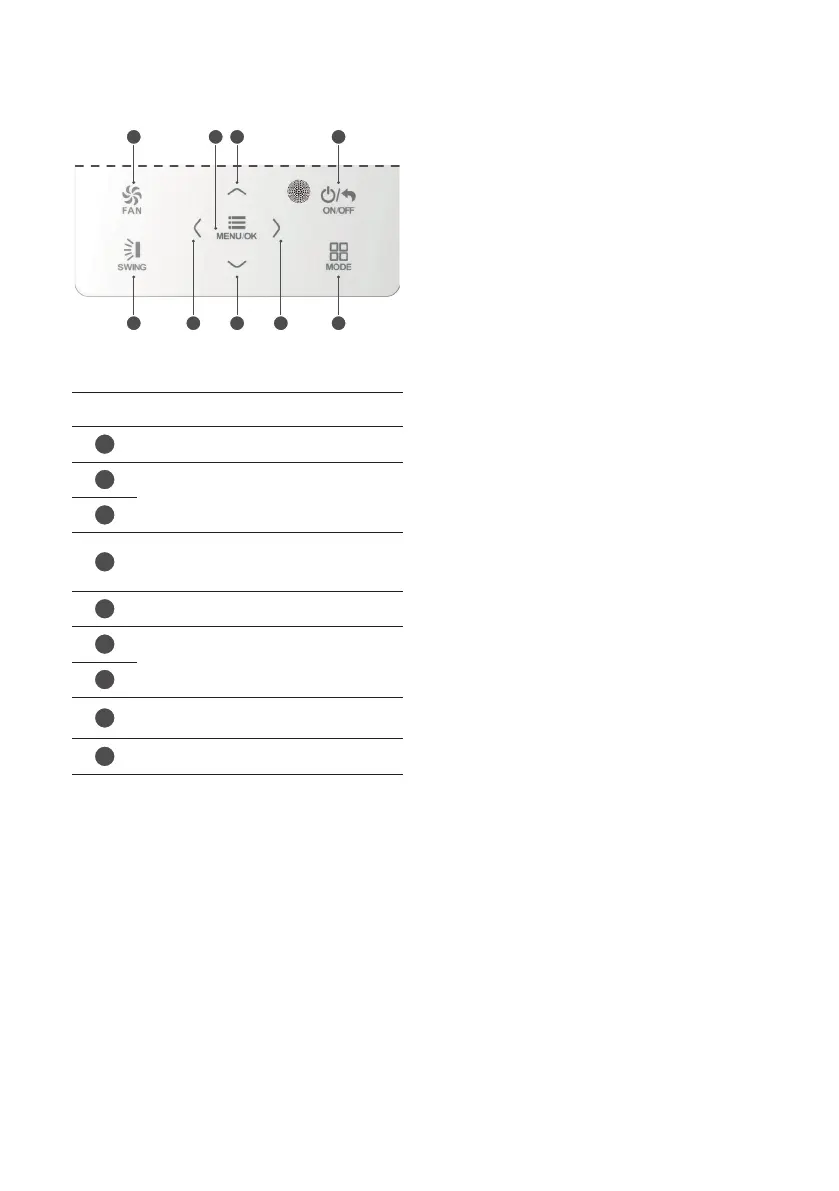
Icon Function
1
Sets fan speed
2
Used to increase or decrease the
selected data item, or move to the
previous/next item
3
4
Used to switch the indoor unit on or off,
or to return to the previous level when
scrolling through the menus
5
Sets the operating mode for the unit
6
Used to activate or deactivate a
function, or to move from one
parameter to another
7
8
Used to confirm the parameter settings
or access the selection menus
9
Sets automatic delivery fin swing
1 2 48
9 3 67 5



 To Next Page