23
WARNING:
If both a switch-on countdown and a switch-
o countdown have been set on the system,
the operations will be performed one after
the other, selecting which one to carry out
rst according to the current unit status (ON
or OFF).
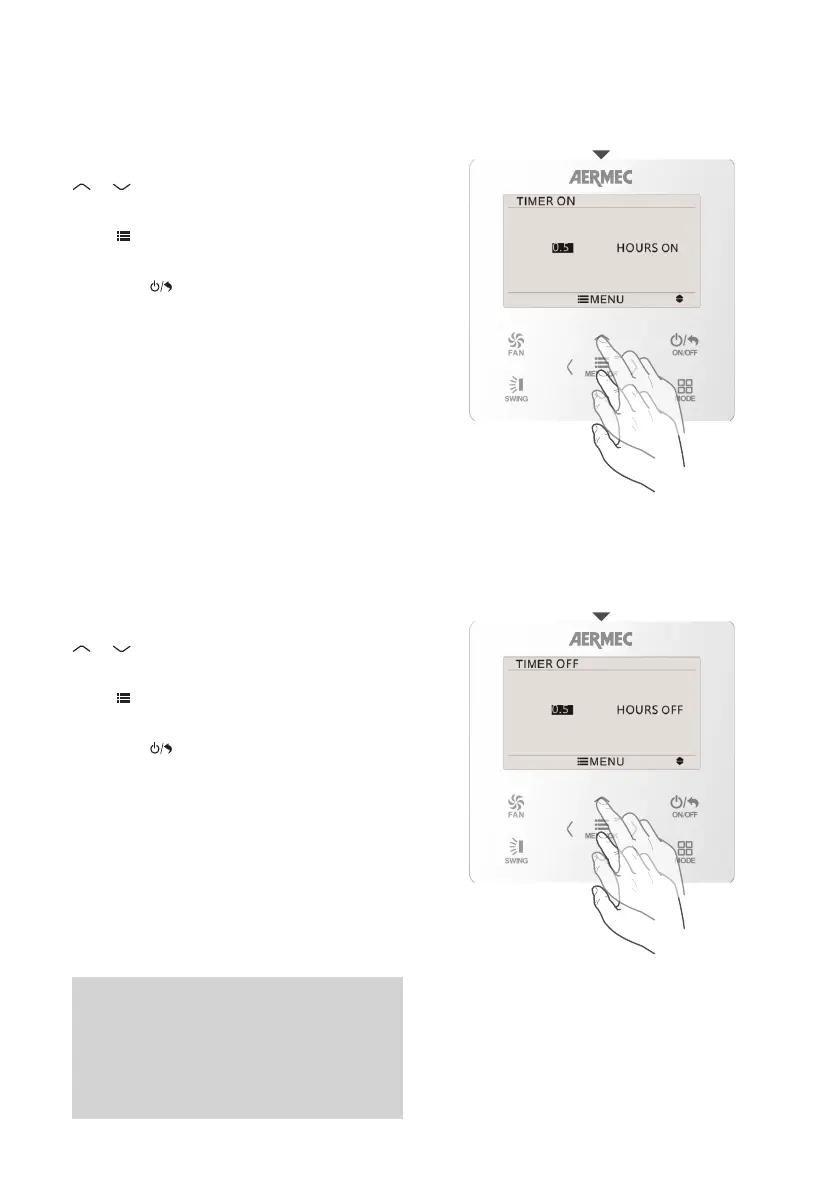
Setting countdown timer ON
Setting countdown timer OFF
COUNTDOWN TIMER ON
COUNTDOWN TIMER OFF
A countdown can be set for unit switch-on.
After selecting and entering the page of the TIMER
ON function, to set this system function use the
MENU/OK
FAN
ON/OFF
MODE
SWING
or
MENU/OK
FAN
ON/OFF
MODE
SWING
button to set the required value for the
selected number (the value being defined is shown
in black).
Press
MENU/OK
FAN
ON/OFF
MODE
SWING
to save the settings.
To quit the sub-menu and return to the previous
levels, press
MENU/OK
FAN
ON/OFF
MODE
SWING
.
A countdown can be set for unit switch-off.
After selecting and entering the page of the TIMER
OFF function, to set this system function use the
MENU/OK
FAN
ON/OFF
MODE
SWING
or
MENU/OK
FAN
ON/OFF
MODE
SWING
button to set the required value for the
selected number (the value being defined is shown
in black).
Press
MENU/OK
FAN
ON/OFF
MODE
SWING
to save the settings.
To quit the sub-menu and return to the previous
levels, press
MENU/OK
FAN
ON/OFF
MODE
SWING
.



 To Next Page