12
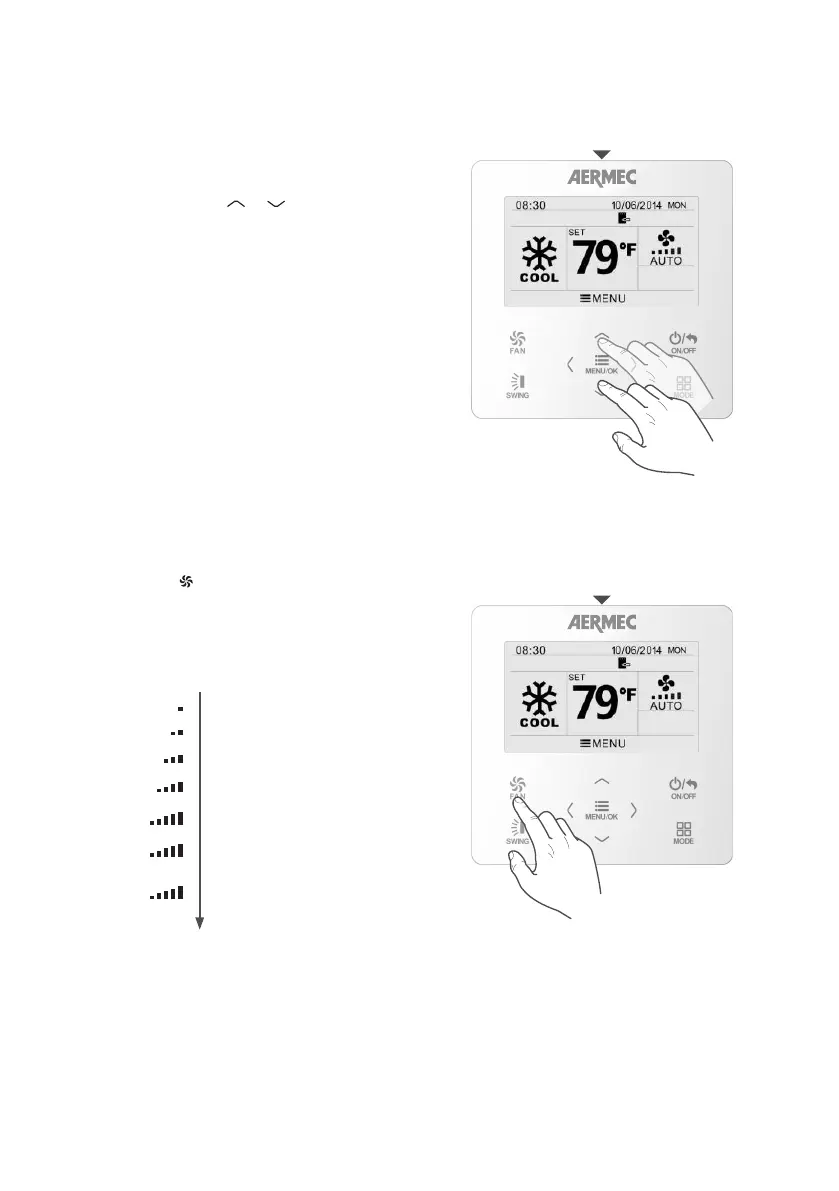
All the operating modes (except the automatic one)
require an room air temperature value to control to:
this is called the operating set-point.
If the unit is on (and the automatic mode is not
selected), just press the
MENU/OK
FAN
ON/OFF
MODE
SWING
or
MENU/OK
FAN
ON/OFF
MODE
SWING
arrow keys to
decrease or increase the operating setting by 1 °C. A
long press will increase or decrease the value by 1 °C
every 0.3 seconds.
Press the button
FAN
to modify the fan speed. In the
DRY mode operation (dehumidification), the fan will
automatically change to the minimum speed..
SETTING THE OPERATING SETPOINT
Operating set point
Setting the ventilation speed
SETTING THE VENTILATION SPEED
MINIMUM speed
LOW-MEDIUM speed
TURBO speed
AUTOMATIC speed
TURBO
AUTO
MEDIUM speed
MEDIUM-HIGH speed
HIGH speed



 To Next Page