14
SETTING THE SYSTEM FUNCTIONS
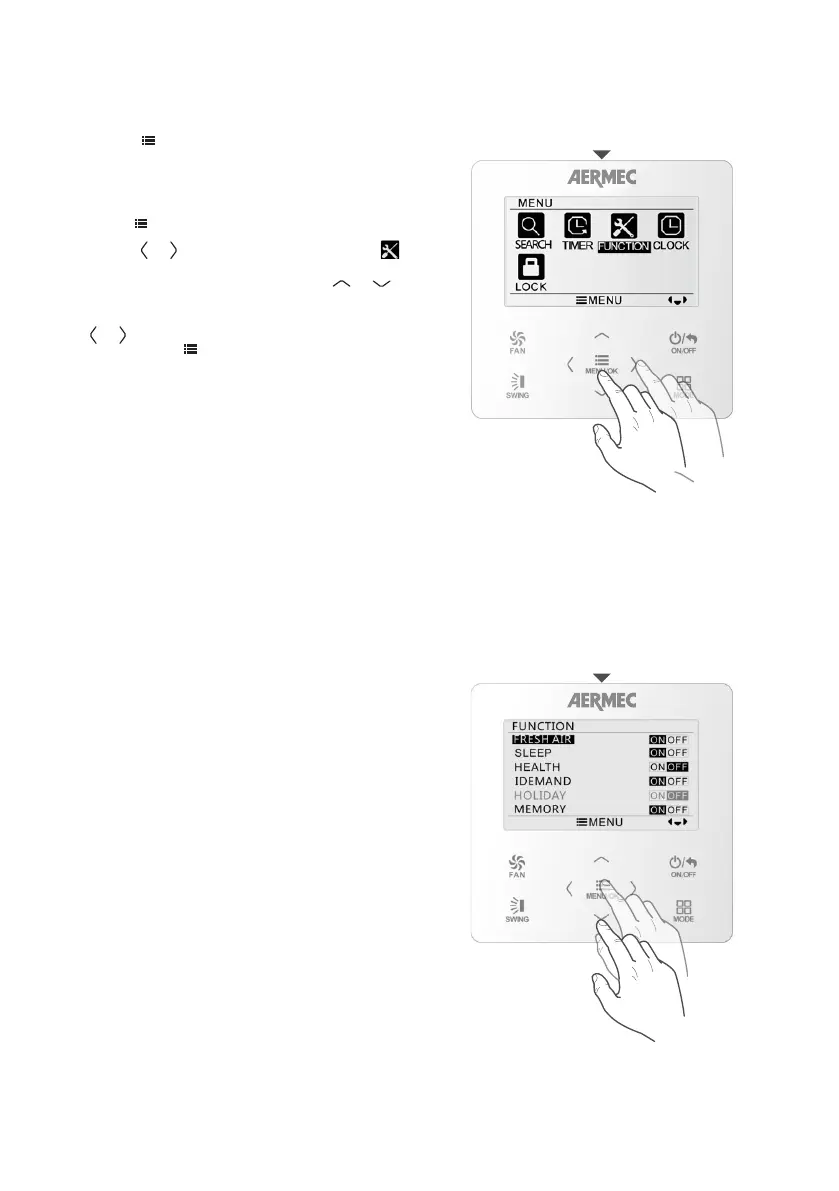
Accessing the settings menu
Setting the system functions
Press the
MENU/OK
FAN
ON/OFF
MODE
SWING
button to access the main menu
where the functions are grouped into sub-menus,
each represented by a different icon.
To access timer programming, proceed as follows:
• Press
MENU/OK
FAN
ON/OFF
MODE
SWING
to access the functions menu.
• Use the
MENU/OK
FAN
ON/OFF
MODE
SWING
or
MENU/OK
FAN
ON/OFF
MODE
SWING
button to select the FUNCTION
icon and enter the functions menu.
• Select the required function using the
MENU/OK
FAN
ON/OFF
MODE
SWING
or
MENU/OK
FAN
ON/OFF
MODE
SWING
button.
• To activate or deactivate the functions, press the
MENU/OK
FAN
ON/OFF
MODE
SWING
or
MENU/OK
FAN
ON/OFF
MODE
SWING
button. If the selected function offers this
option, press
MENU/OK
FAN
ON/OFF
MODE
SWING
to access the sub-menu.
FUNCTIONS SYSTEM
FUNCTION NOT AVAILABLE.
The SLEEP function enable or disable night-time
operation The operating setting and fan speed are
calculated automatically to ensure the best night-
time comfort.
In cooling or dehumidification: the temperature
set is gradually increased to guarantee maximum
comfort combined with energy saving.
In heating: the temperature set is gradually
decreased to guarantee maximum comfort
combined with energy saving.
The SLEEP function is automatically cancelled if
the operating mode is changed, or if the unit is
switched off.
FRESH AIR FUNCTION
SLEEP THE NIGHT WELLNESS FUNCTION



 To Next Page