DD+DIS155
.11E
Repair and Service
Tools and auxiliary Means
DOCUMENT CONTROL NOTE:
The controlled version of this document is available from the Agfa HealthCare Library. Any printed copy of this document is uncontrolled.
2.4 Install & Configure
2.4.1 Software Installation
Purpose
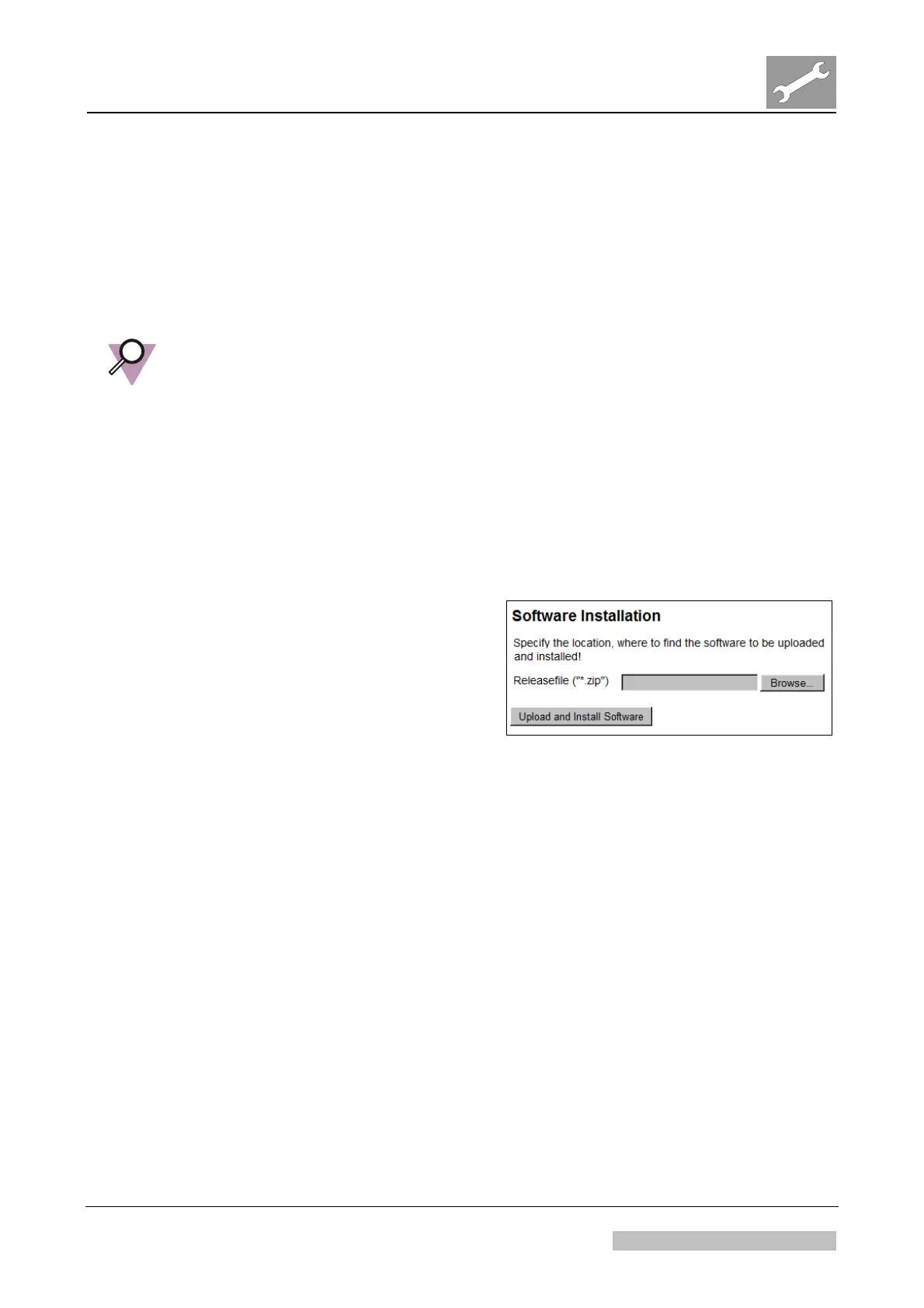
The menu “Software Installation” allows to upload and install software for the digitizer.
IMPORTANT:
Software installation can be performed via USB flash drive (checked to be virus-free) or
via any PC with network connection to the digitizer.
For software installation via USB flash drive:
Preferably use the USB flash drive which is connected in the rear of the digitizer. When
using a different USB flash drive be aware that the digitizer only accepts USB flash
drives with a certain specification (e.g. maximum size 4 GB).
Usage
For software update via network proceed
as follows:
(1) Select service menu <Software
Installation> to perform the
software installation via browser.
(2) Follow the instructions which are
enclosed to the digitizer software on
the Agfa HealthCare Library.
Figure 9
Edition 1, Revision 1 CR 10-X / CR Reader / CR 12-X / CR Advanced ReaderChapter 3.2 / Page 13 of 31
03-2013 Type 5151 / 100 / 110 / 200 / 210 Agfa Company Confidential


 To Next Page