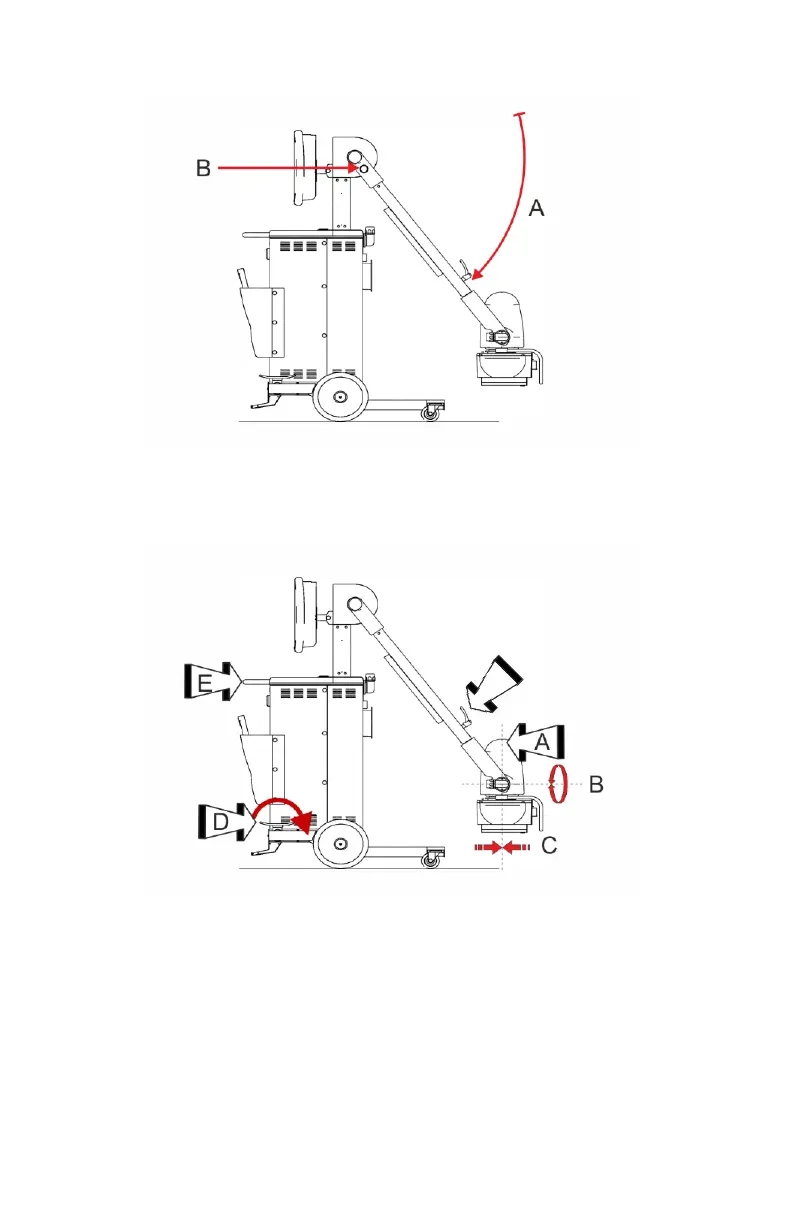
3. Lower the arm (A) to locked position.
The lock (B) activates with a click. To assert that the arm is locked, turn
the knob with the arrow towards the red dot.
4. Put the X-ray tube (A) in vertical position on both rotation axes (B and C).
5. Turn the X-ray tube rotation handle (F) clockwise.
The device is now in transport position.
6. Release the brake.
• On a system with rotating column, release the brake by pulling the
lever on the handlebar.
• On a system with fixed column, release the brake pedal.
7. Move the unit holding the handlebar.
8. To overcome obstacles or small drops, press with the foot on the pedal for
the tilting and, at the same time, pull the handlebar.
66
| DR 100e (Digital Radiography) | Basic Workflow
0365B EN 20181015 0853



 To Next Page