4
Chapter4 Client Program 109
CA certificate needed to check gateway certificate (ignore when using public CA certificate)
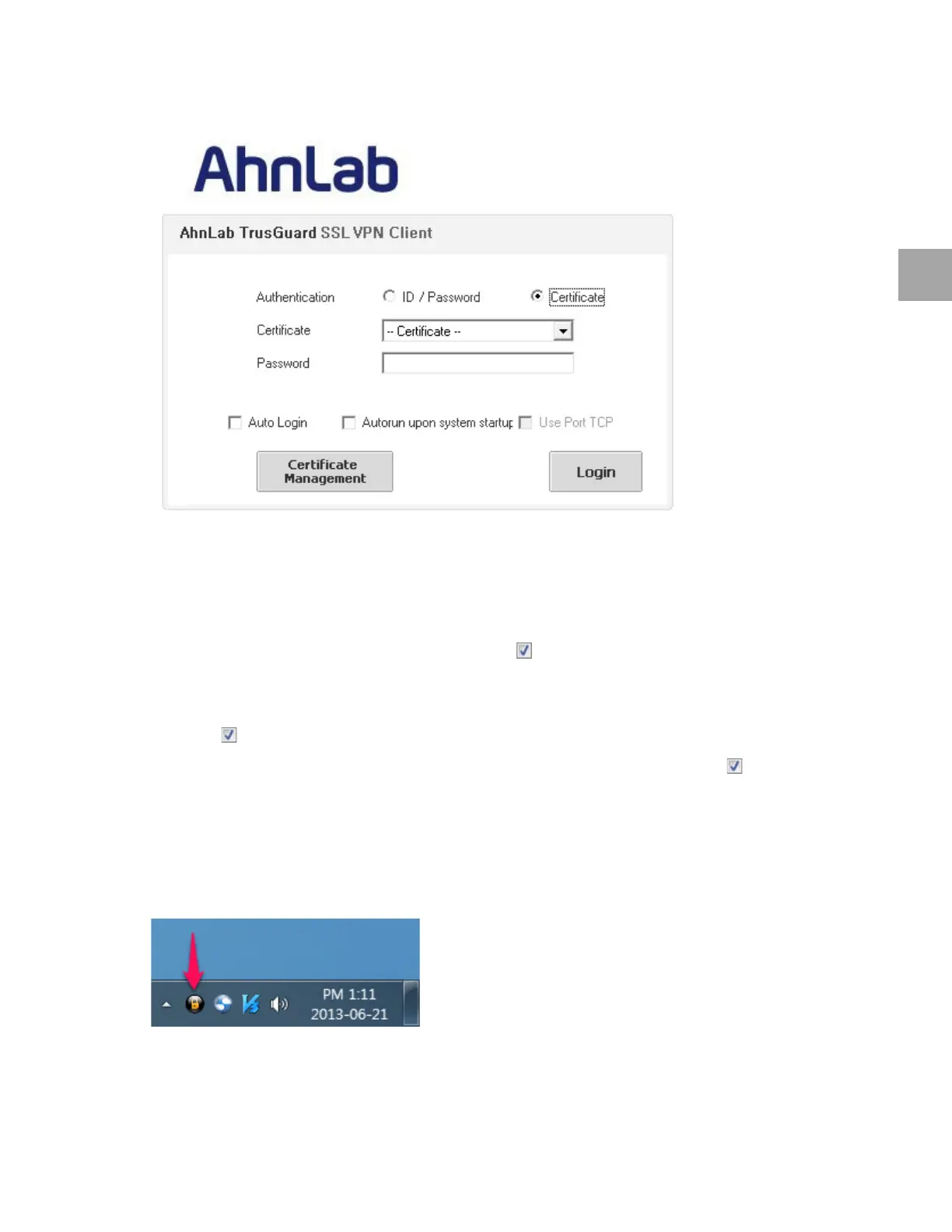
Click Certificate Management and register your certificate first.
From th
e certificate list, select the certificate to use to log in, and enter the Password.
Other Options
Enter all fields, and check the Auto Login checkbox ( ), to automatically log in without entering
your password.
To run
TrusGuard SSL VPN Client at system startup, check the Autorun upon system startup
checkbox (
).
If there is a
problem in SSL VPN communication, check the Use Port TCP checkbox ( ). This option
will get disabled when you restart TrusGua
rd SSL VPN Client.
Step 3: Check Program Status
If you log in successfully, the TrusGuard SSL VPN Client icon will appear in the Windows notification
area.



 To Next Page