ProST Hardware Installation User Guide
Page 33 Commercial in Confidence UWB-D00111 Rev L
4.4.2 Ports
The SDA-4SDC adapter provides ports on the front panel, which are described in the table below:
Table11‐SDA‐4SDCports
Port Interface
4 x 8-pin RJ-45 10/100BaseT with subscriber's network (supports Auto
Negotiation and MDI/MDI-X automatic crossover, allowing
connection of straight-through or crossover cables)
15-pin D-type (female) 10/100BaseT with BSR
DC power socket DC power outlet (10-52 VDC, 24W)
4.4.3 LEDs
The SDA-4S (all Types) adapters (referred to as SDA-4S) provide LED indicators on their top
panels, which are described in the table below:
Table12‐SDA‐4SLEDs
LED Color Status Meaning
UPLINK Yellow
(100BaseT) or
Orange
(10BaseT)
On Physical link (10BaseT or 100BaseT) between
SDA-4S adapter and ProST
Blinking Traffic currently flowing between SDA-4S and
ProST
Off No link between SDA-4S and ProST
1, 2, 3, 4 Yellow
(100BaseT) or
Orange
(10BaseT)
On Physical link (10BaseT or 100BaseT) between
SDA-4S and subscriber's Ethernet network
Blinking Traffic currently flowing between SDA-4S and
subscriber's Ethernet network
Off No link between SDA-4S and subscriber's
Ethernet network
POWER Green
On Power received by SDA-4S
Off No power received by SDA-4S
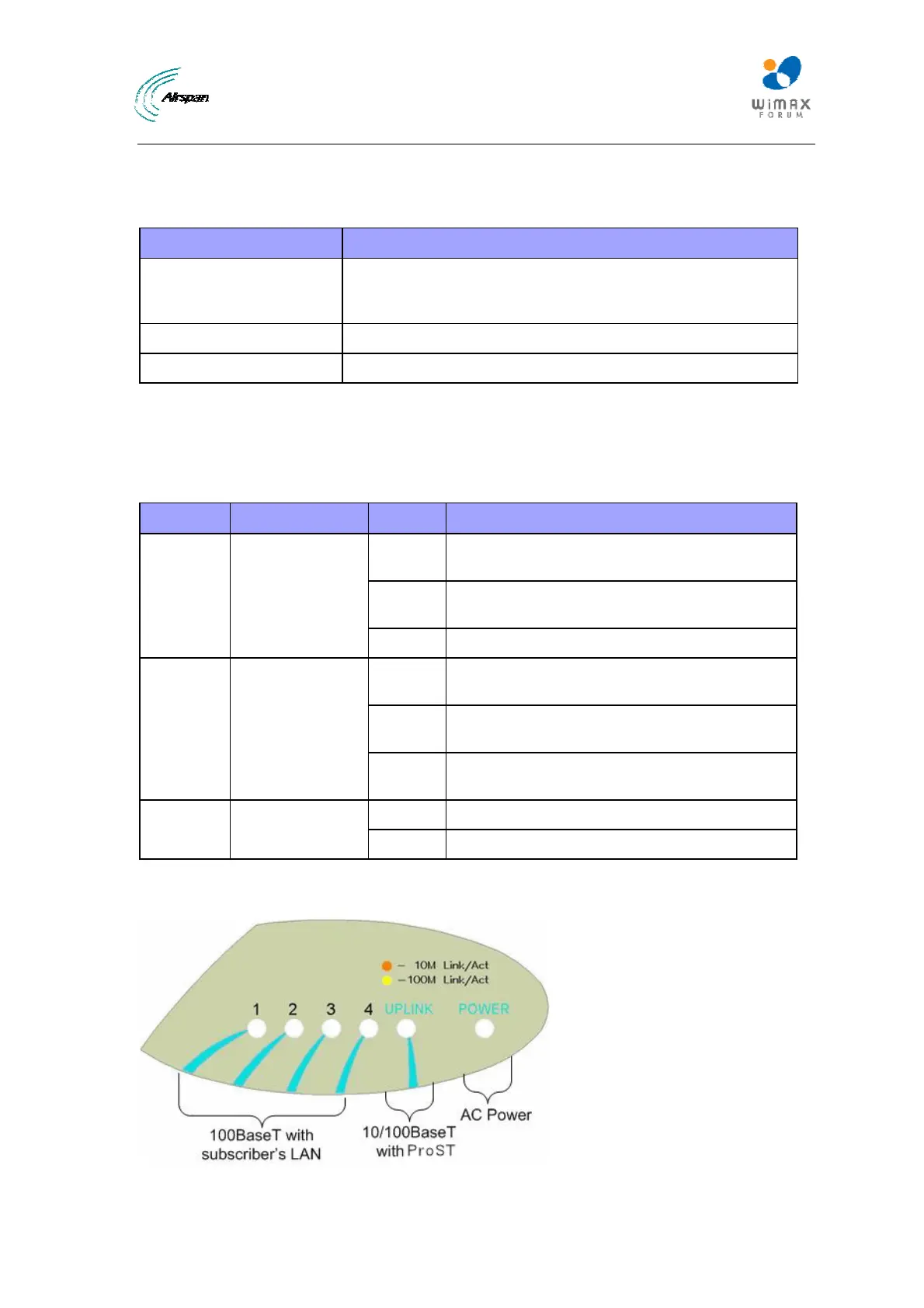
The figure below displays the LEDs which are located on the top panel of the SDA-4S Type II,
SDA-4S/VL Type II, and SDA-4SDC Type II adapters:
Figure15‐SDA‐4Stoppanel



 To Next Page