ProST Hardware Installation User Guide
Page 45 Commercial in Confidence UWB-D00111 Rev L
Note: A DB15-to-RJ45 (gray colored) adapter for plugging into the ProST's
15-pin D-type port (pins 7 & 8 disconnected) is included, replacing previous
(black colored) adapter.
Note: Only pins 1 to 6 are used.
• When using previous black adapter (outdoor DB15-to-RJ45), pins 7 and 8
must not be wired to either end.
• The wire color-coding described in the table is Airspan's standard for wire
color-coding. However, if you implement your company's wire color-coding
scheme, ensure that the wires are paired and twisted according to pin
functions listed in the table above (e.g. Rx+ with Rx-).
• The maximum CAT 5Ee cable length for ODU/IDU connectivity is 100
meters.
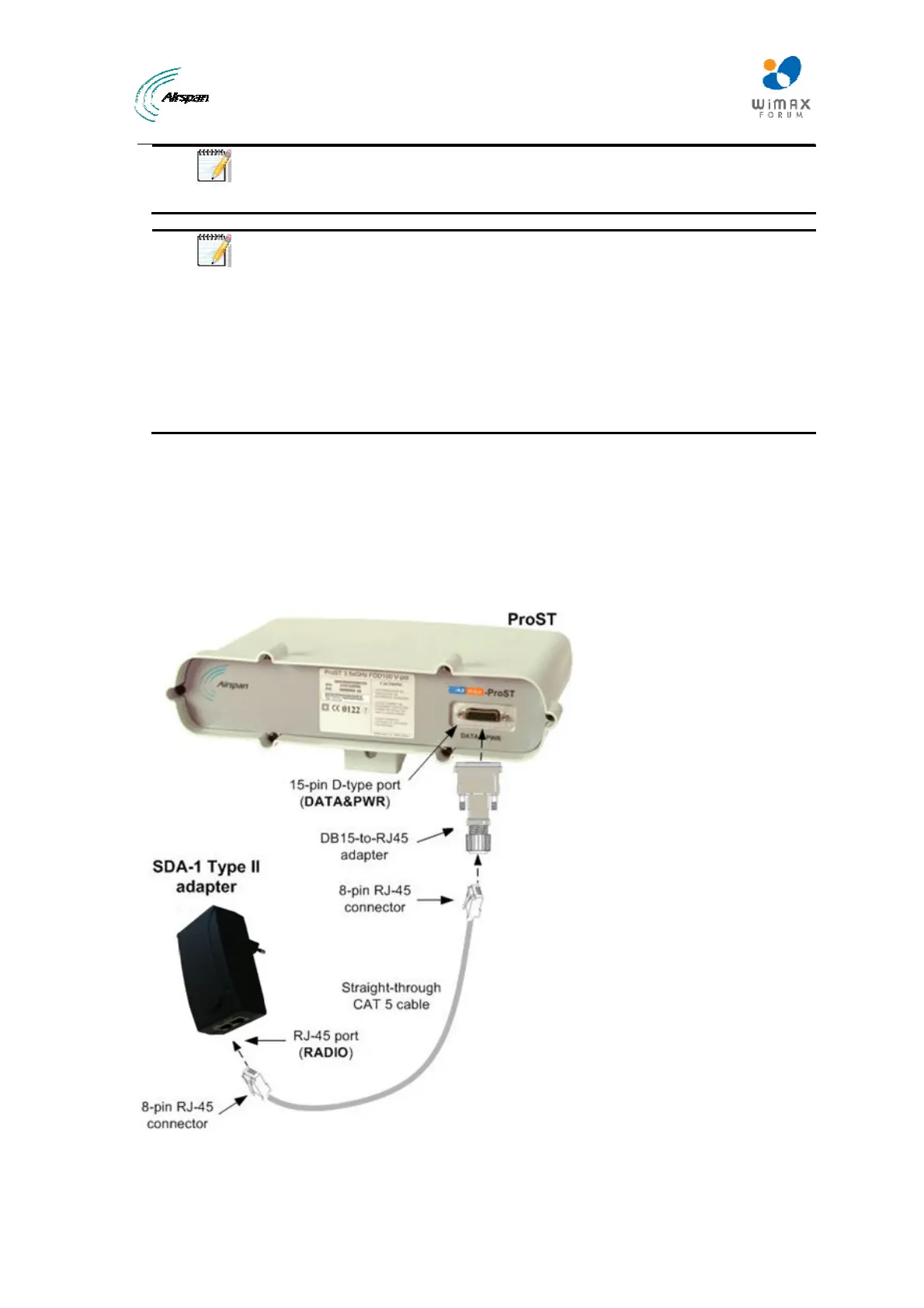
To connect the ProST to the SDA-1:
1. Attach the DB15 side of the DB15-to-RJ45 adapter to the ProST's 15-pin D-type port
(female), labeled DATA & PWR.
2. Plug the RJ-45 connector of the Category 5 Ethernet cable (not supplied) into the RJ-45 port
of the DB15-to-RJ45 adapter.
3. Plug the RJ-45 connector, at the other end of the Category 5 Ethernet cable, into the SDA-
1's RJ-45 port labeled RADIO.
Figure33‐ProST&SDA‐1



 To Next Page