ProST Hardware Installation User Guide
Page 56 Commercial in Confidence UWB-D00111 Rev L
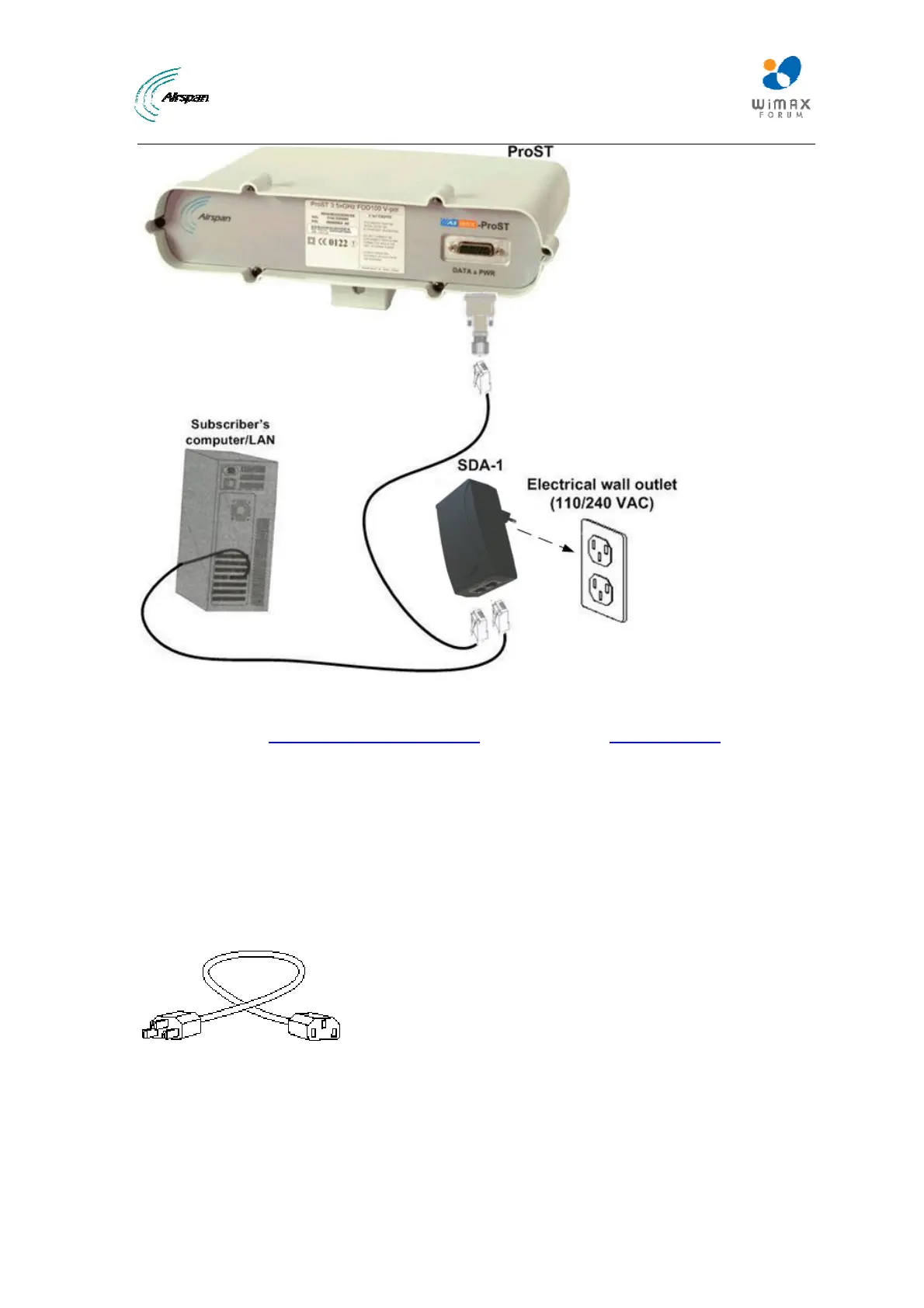
Figure43‐ProSTtopower
Verify that your SDA-1 Type II is on and receiving power by checking that the LED labeled
POWER is lit (see
2SDA-1 Type II LED description). If it is not lit, see 2Troubleshooting.
7.3.1.3 Using SDA-4S Type II and SDA-4S/VL Type II
The SDA-4S adapters are plugged into a standard electrical wall outlet (110/240 VAC) using an
AC power cord. The appropriate AC power cord is supplied according to the country of use.
The cable setup between the SDA-4S and power outlet includes the following:
¾ Connector: AC IEC 60320 type (female)
¾ Plug: The appropriate plug type is supplied according to the country of use
¾ Cable: 3x1.z0 mm, 10A / 250 VAC (maximum length is 180 cm)
Figure44‐Powercord
To connect the SDA-4S to the AC power supply:
1. Connect the power plug female, at the end of the AC power cord, into the AC power socket
located on the left panel of the SDA-4S.
2. Plug the power plug male, at the other end of the AC power cord, into the AC power outlet
(110-240 VAC).



 To Next Page