ProST Hardware Installation User Guide
Page 42 Commercial in Confidence UWB-D00111 Rev L
5.3 Mounting the SDA-4S
The SDA-4S Type II adapters (all types) can be mounted either horizontally on a desktop or
vertically on a wall.
5.3.1 Desktop Mounting
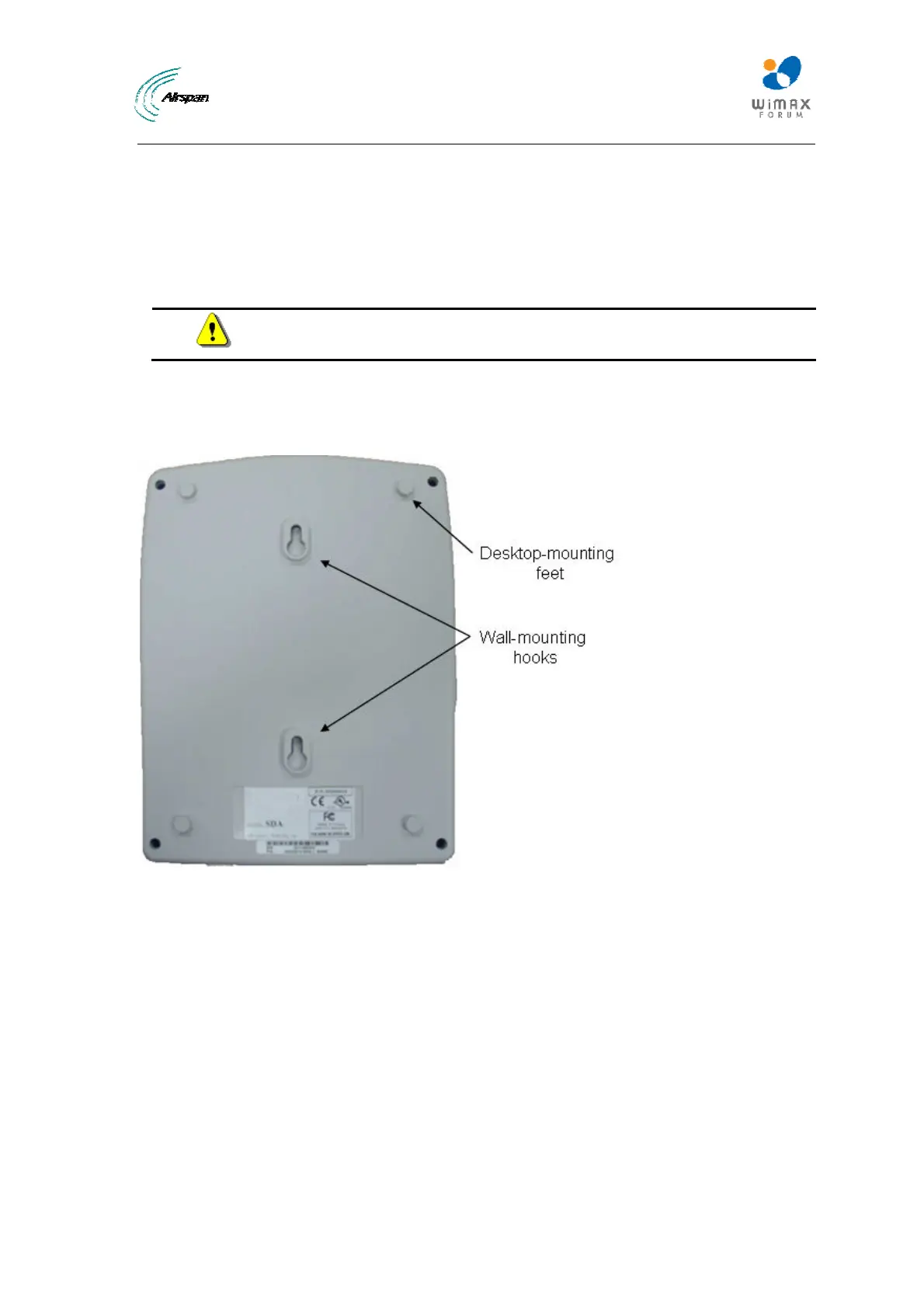
Desktop mounting is made possible by the existence of four feet, each located on the four corners
of the SDA-4S bottom panel. Therefore, no installation is necessary for desktop mounting.
Caution: To prevent a fire hazard caused by overheating, do not place the
SDA-4S on a carpeted surface where airflow is restricted.
5.3.2 Wall Mounting
Wall mounting is made possible by the existence of two mounting hooks molded into the SDA-
4S's bottom panel, as displayed in the figure below.
Figure30‐Wallmount
To wall mount the SDA-4S:
1. On the wall, mark the position of the two mounting hooks. The dimensions of the wall-
mounting hooks are displayed in the template below.



 To Next Page