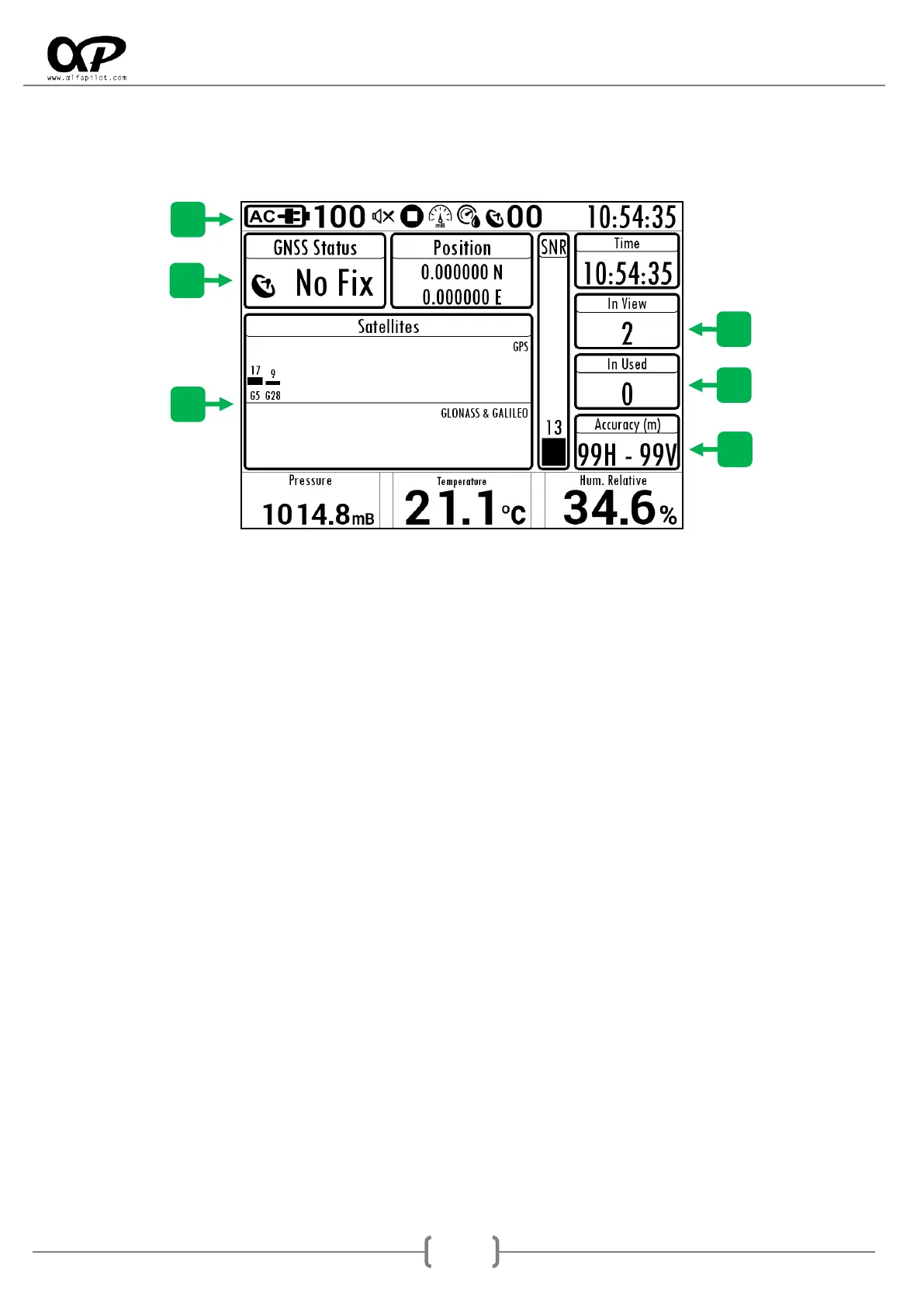
5.3 GNSS STATUS
It will show us a screen to visualize the GNSS status, as well as satellites seen, in use, etc. The information of
the Pressure and Humidity sensors will also be shown.
5.3.1 Status Bar
It shows information and icons related to the status of sensors, battery charge, numbers of satellites in use,
etc.
5.3.2 GNSS Fix Status
The current state can be No Fix (without positioning), 2D Fix (Positioned without altitudes), 3D Fix
(Positioned with altitudes).
5.3.3 In View
It is the total number of satellites that the GNSS module is scanning or using.
5.3.4 In Used
It is the number of satellites currently used to obtain the positioning.
5.3.5 Accuracy
It indicates the current accuracy of our position, the value H is the Horizontal precision and the value V is
the Vertical precision, both expressed in meters.
5.3.6 Satellites
They are separated into two blocks, GPS satellite network (USA) and satellite network GLONASS (Russian) &
GALIELO (European). It will show us information of each satellite, in the lower part we see its identifier, G
for GPS, R for GLONASS, and E for GALIELO, in the upper part it indicates the SNR of each satellite (Signal
strength).
Next we indicate the meaning of the SNR values:
Less than 22: it is a low signal and this satellite will hardly be used for positioning.
22 a 29: is an acceptable signal, and will be used for positioning.
30 a 35: it is a good signal, and will be used for positioning.
36 o más: it is an excellent signal, and will be used for positioning.



 To Next Page