1. Introduction
Thank you for using Alfapilot device. This is a navigation device, which has a Android system by extending
its functionality, and allowing install third party applications. If you have any questions or comments about
using our device, you can visit our website www.alfapilot.com or contact by mail with the Support
Department (support@alfapilot.com)
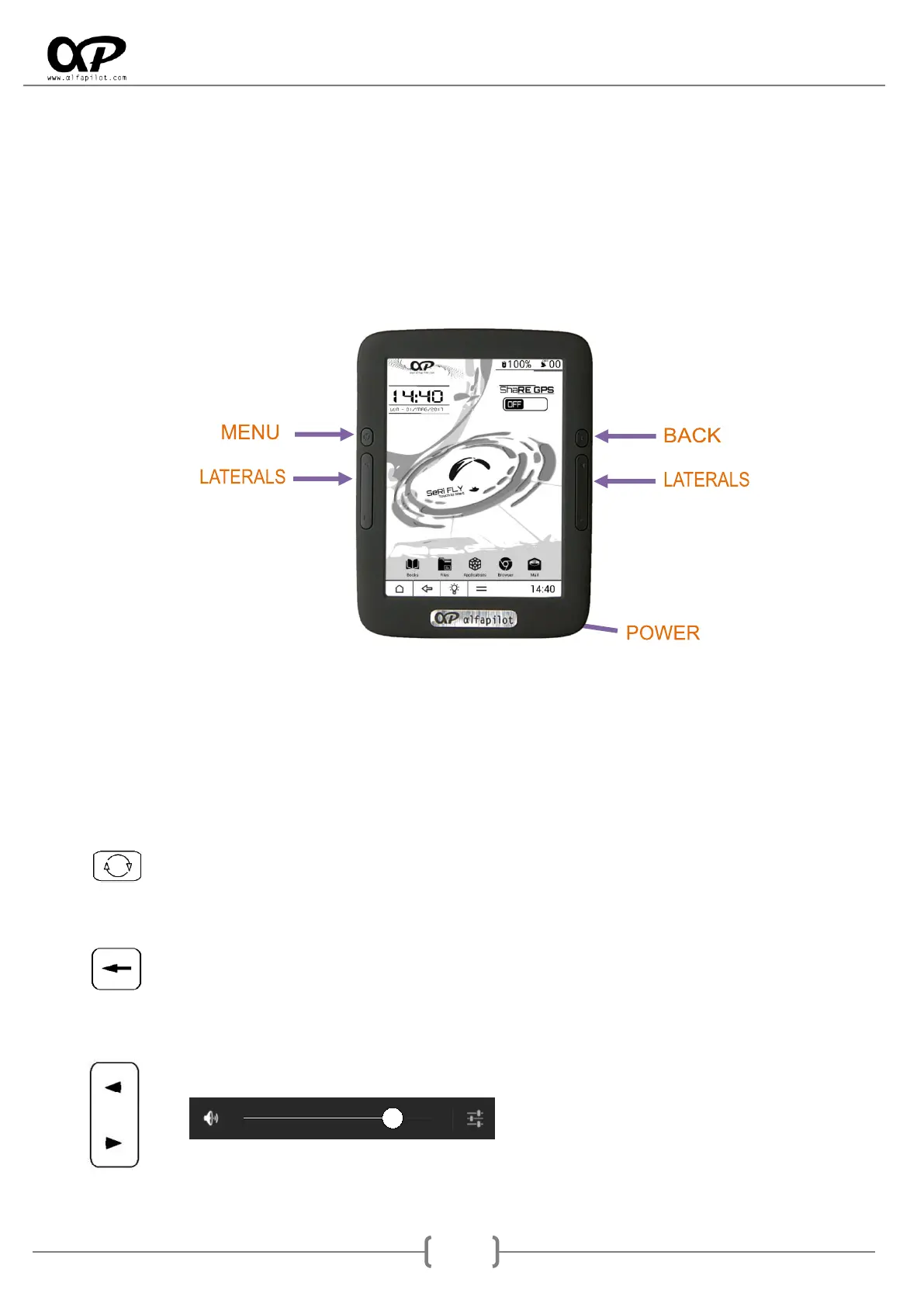
2. General Buttons
The physical buttons can acquire different functions depending on the application (see sections 7.1 y 8.1),
for a general use their functions are:
2.1 Power Button
We will use it for the turn on/off the device, as well as toggle the mode Stand By.
To power on, press for 3 seconds this button.
To switch off press this button until it shows the dialog "Turn off" (4 seconds).
With a short while on press enters Stand By mode, and with another short press exits this mode.
By long press (around 10 seconds), we'll force the full shutdown.
2.2 Menu Button
Displays a menu if it exists on the screen in which we find ourselves.
2.3 Back Button
It allows to go back to a State or previous screen.
It allows to hide the keyboard on some screens.
2.4 Lateral Buttons
They serve to increase or decrease the volume of the system, it will display the volume bar.



 To Next Page