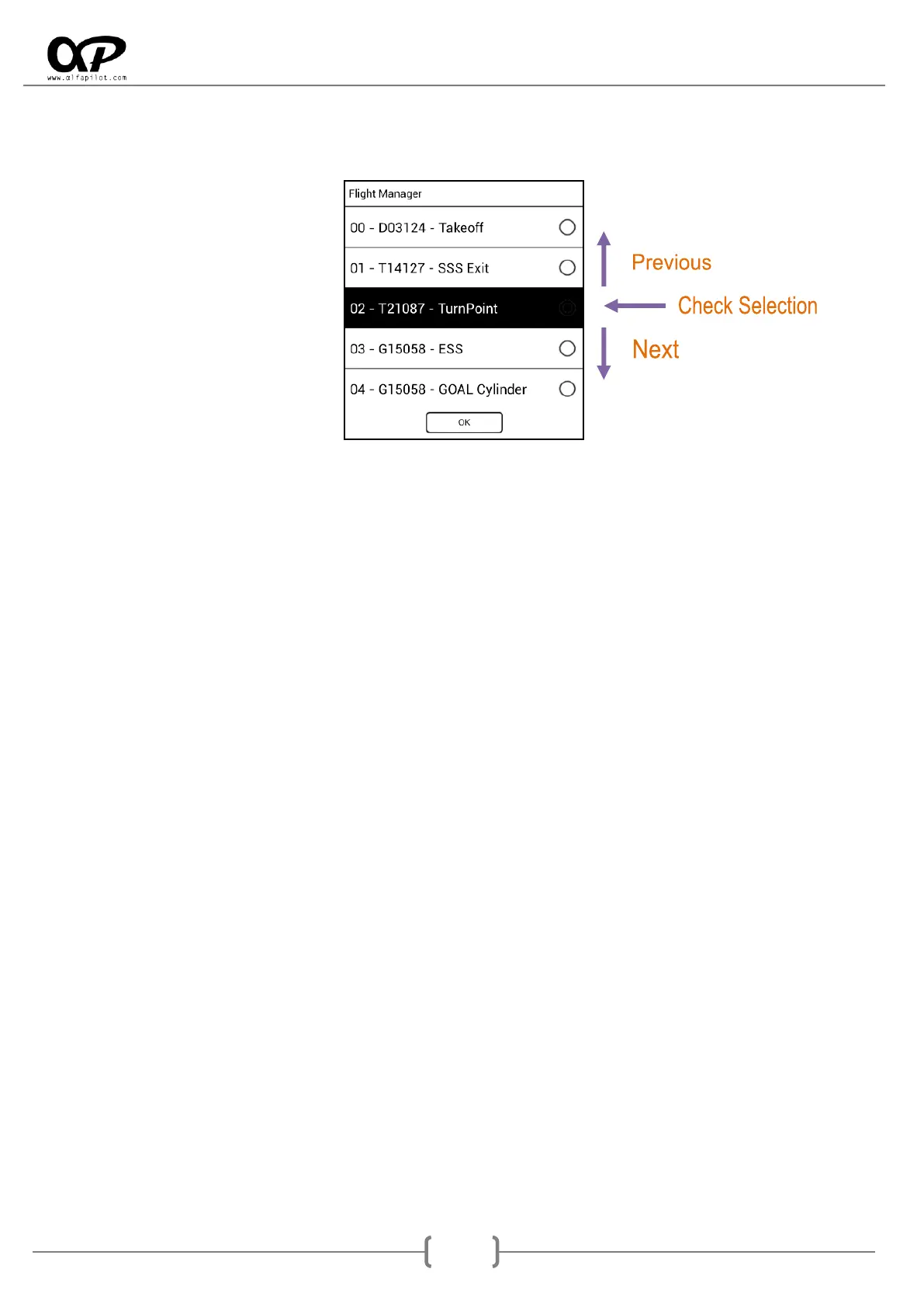
8.3 Route or Competition Modality
In Flight Route or Competition the flight manager will allow us to move forward or backward between the
WayPoints of the active Route or Task, showing the WayPoints available in your order. With the Previous
and Next buttons we can change the next WayPoint that we want to perform (shown with black
background), to validate the WayPoint we will use the Validate button, if on the contrary we want to
cancel we will press the Back button. Once a new WayPoint is selected the route or task will establish this
WayPoint as the next WayPoint.
9. Widgets List
They are available to be added through the screen edition (see section 7.6.1), then we give an explanation
of the functionality of the different Widgets:
* In some widgets it is possible to change the system of used units, for example Km/h or Mi/h (see section 6.3.6).
9.1 System
Status Bar, shows the status bar.
Time, shows the current Time.
9.2 Xi+ Widgets
Linear Acceleration G, shows the absolute acceleration in G, regardless of the angle.
G Force, shows the acceleration with respect to the earth in G.
9.3 Flight
GPS Speed, shows the GPS speed.
Glide Ratio, shows the current glide ratio.
Avg Glide Ratio, shows the average glide of the time period that we have configured.
Digital Vario, show digital vario in m/s.
Analog Vario, show analog vario bar in m/s.
Analog and Digital Vario, Show a analog and digital vario, with the altitude gained on the thermal.
Barometric Altitude QNH, is the compensated barometric altitude, according to the QNH.
Barometric Altitude QNE (Competition), is the absolute barometric altitude (Uncompensated).
Altitude Zero, shows a field with altitude, this can be set to 0, to have a reference with respect to a
point, for example the takeoff.
Altitude GNSS, show the altitude based on WS84 geoid, this altitude is used for IGC File.



 To Next Page