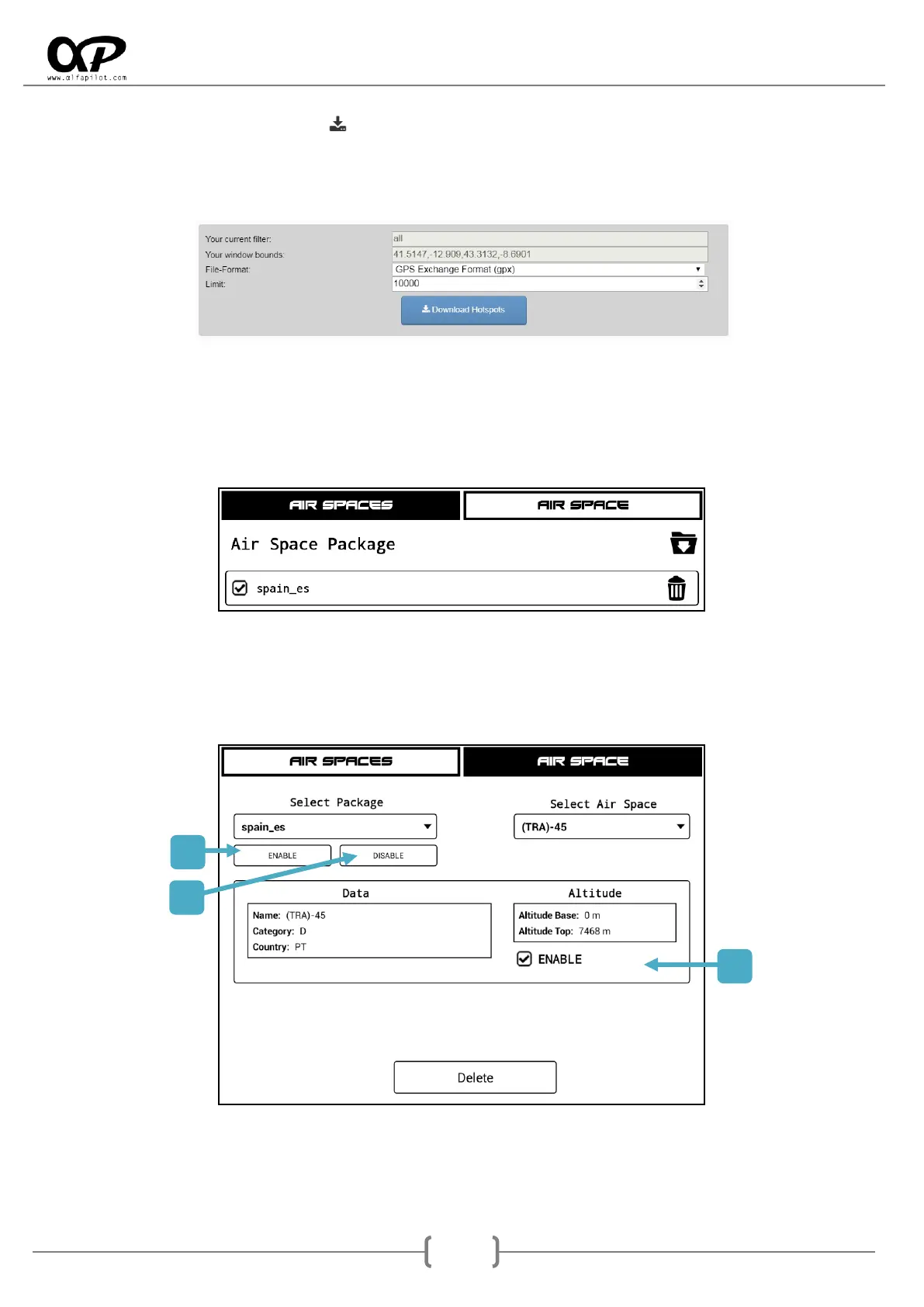
Then click on the download icon and it will show us the panel, it is important in "File-Format" to use
GPS Exchange Format (gpx), and in "Limit" not to exceed 10000. Once the parameters are set, proceed to
"Download Hotspots" to download the package, this will be a file in ".gpx" format that we can rename and
we must copy to the "Thermals" folder of our alfapilot to be imported.
6.7.4 Manage Air Spaces
Air Spaces: It allows you to import airspace packages from the "AirSpaces" folder in OpenAip
format with extension ".aip" or OpenAir with extension ".txt". In our web section "Support" you
have links to web pages for downloading airspaces.
Air Space: Allows managing air spaces, individually or the entire package.
1. Enable: activates all the airspaces contained in the selected Package.
2. Disable: disable all the airspaces contained in the selected Package.
3. Enable: individually activate or deactivate the selected airspace.



 To Next Page