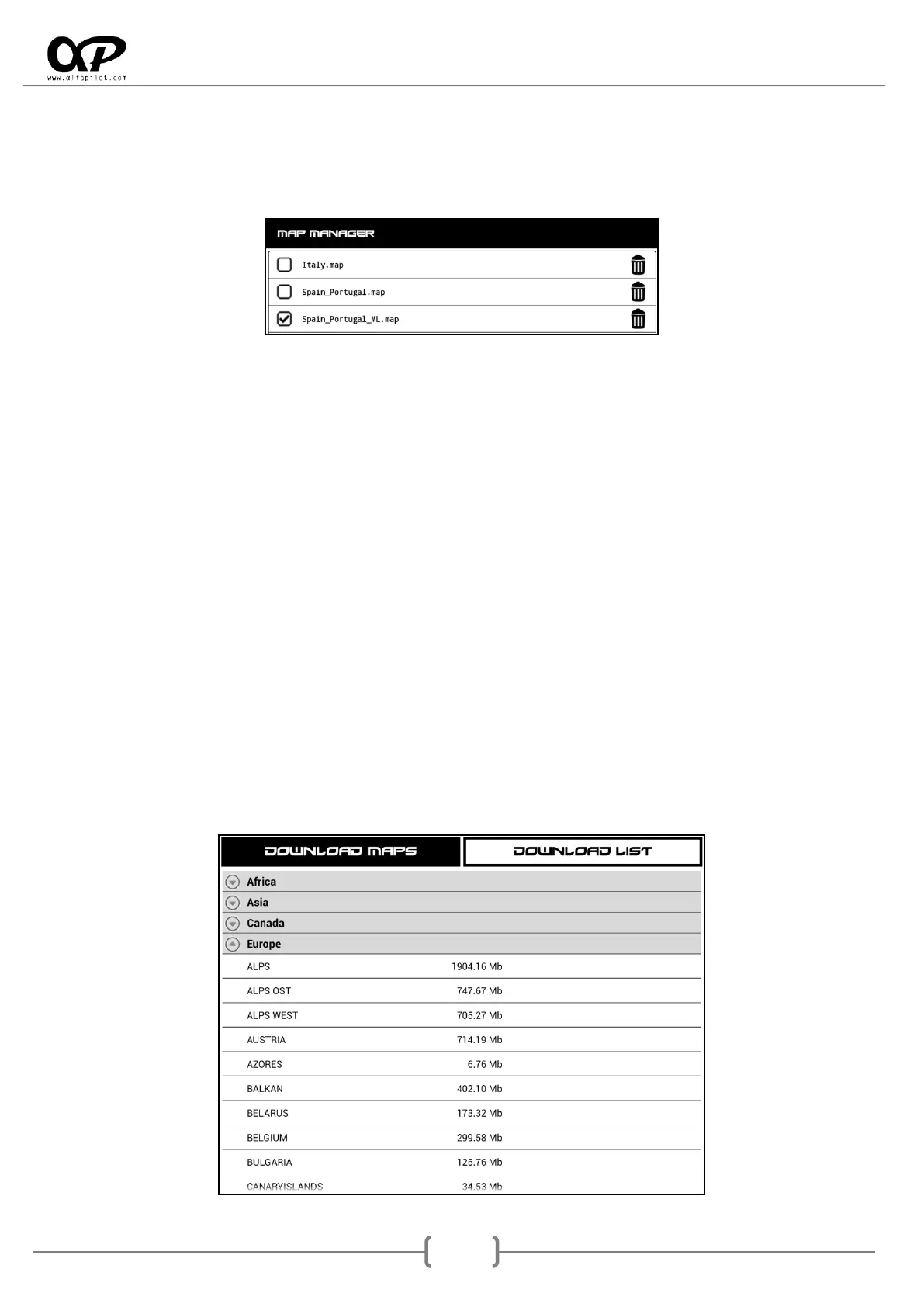
6.7.5 Map Manager
It allows activating, deactivating the maps that are in the "Maps" folder, both those that are in the internal
memory and in the MicroSD. The maps must have a ".map" extension and can be downloaded from the
support section of our website http://www.alfapilot.com
6.7.6 Map Settings
We can activate or deactivate the following map options, these will allow showing or hiding icons or text on
the map referring to the following elements:
Size Text, modify the size of the text shown on the map (Normal, small, large).
Show Hamlet Names, shows or hides the names of small towns.
Show Power Lines, shows or hides the electrical power lines.
Show or hides the icons:
o Show Fuel Stations.
o Show Hospitals.
o Show Bus Stations.
o Show Bus Stops.
o Show Water Fountains.
o Show Fire Stations.
o Show Wind Generators.
o Show Nuclear Reactors.
o Show Alpine Huts.
o Show Camp Sites.
o Show Hostels.
o Show Hotels.
6.7.7 Download Maps
Download Maps: will show us a list of available maps organized by Region. We can display the
regions to select and download the map we want. Once the map to be downloaded is selected, it
will be displayed in the Download List.
* It is essential to have WIFI internet connection.



 To Next Page