6.7.2 Manage WayPoints
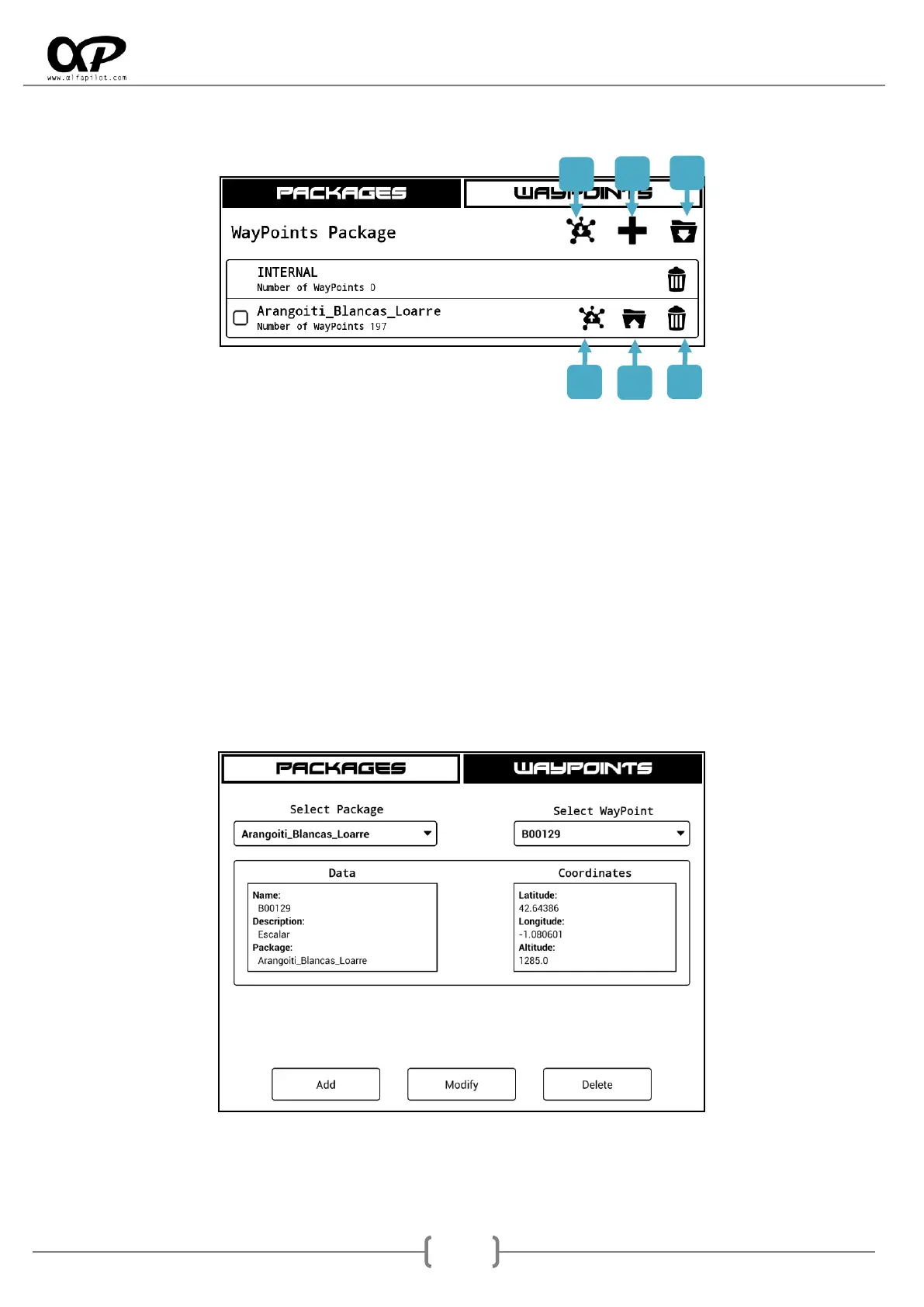
Packages: Here we find the packages currently loaded in the system, we can also perform the
following actions:
1. Receive pack of WayPoints from another alfapilot device.
2. Create a new package, we can define the name.
3. Import an existing package, the accepted formats with WPT extension are WGS84, UTM,
and Ozi Explorer, as well as with GPX extension with GPS eXchange format. The WayPoints
package files must be previously loaded in the Waypoints folder.
4. Send packet of WayPoints to another alfapilot device.
5. Export the WayPoints package to a file in GPS eXchange format, GPX extension.
6. Remove the Waypoint package from the database, the file will remained in the folder.
WayPoints: Here we can individually manage the WayPoints of each package, being able to
eliminate, modify or add new ones.



 To Next Page