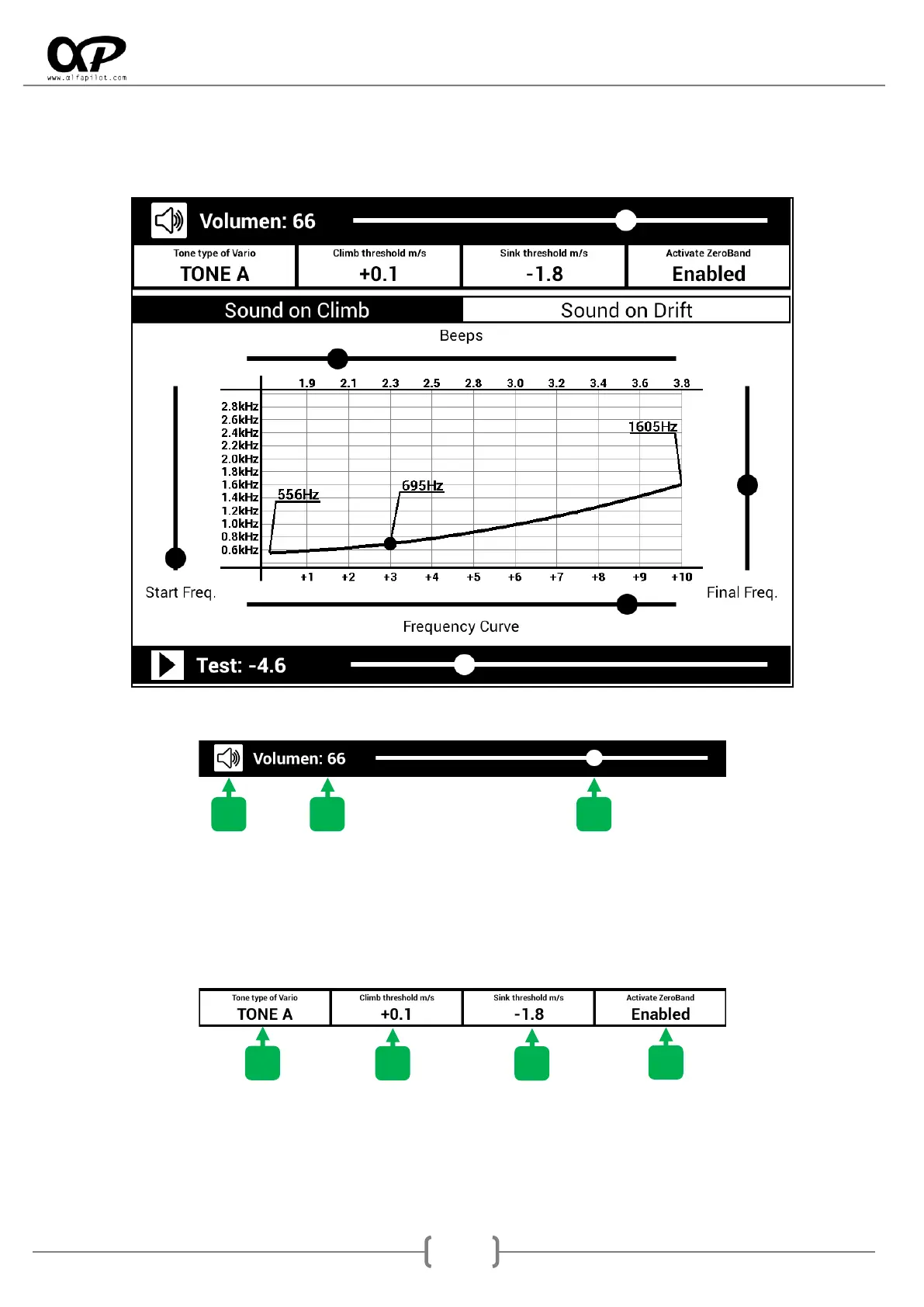
6.4.1 Vario Settings
Through this configuration screen we can adapt the sound of the vario to our tastes, as well as perform
tests.
Volume of the Vario
1. Sound icon, can be activated or deactivated.
2. Volume, current value of the Vario.
3. Control Bar, of the Vario volume.
General adjustments
1. Tone type of Vario, we can select the type of tone we want for the Vario Sound. We have 3
options, TONE A, TONE B and TONE C. It is preferable to test the three options to listen to their
differences.



 To Next Page