7.6.3 Configuration and Specifics of Widgets
Some Widgets have a more extensive configuration, which we describe below:
Status Bar
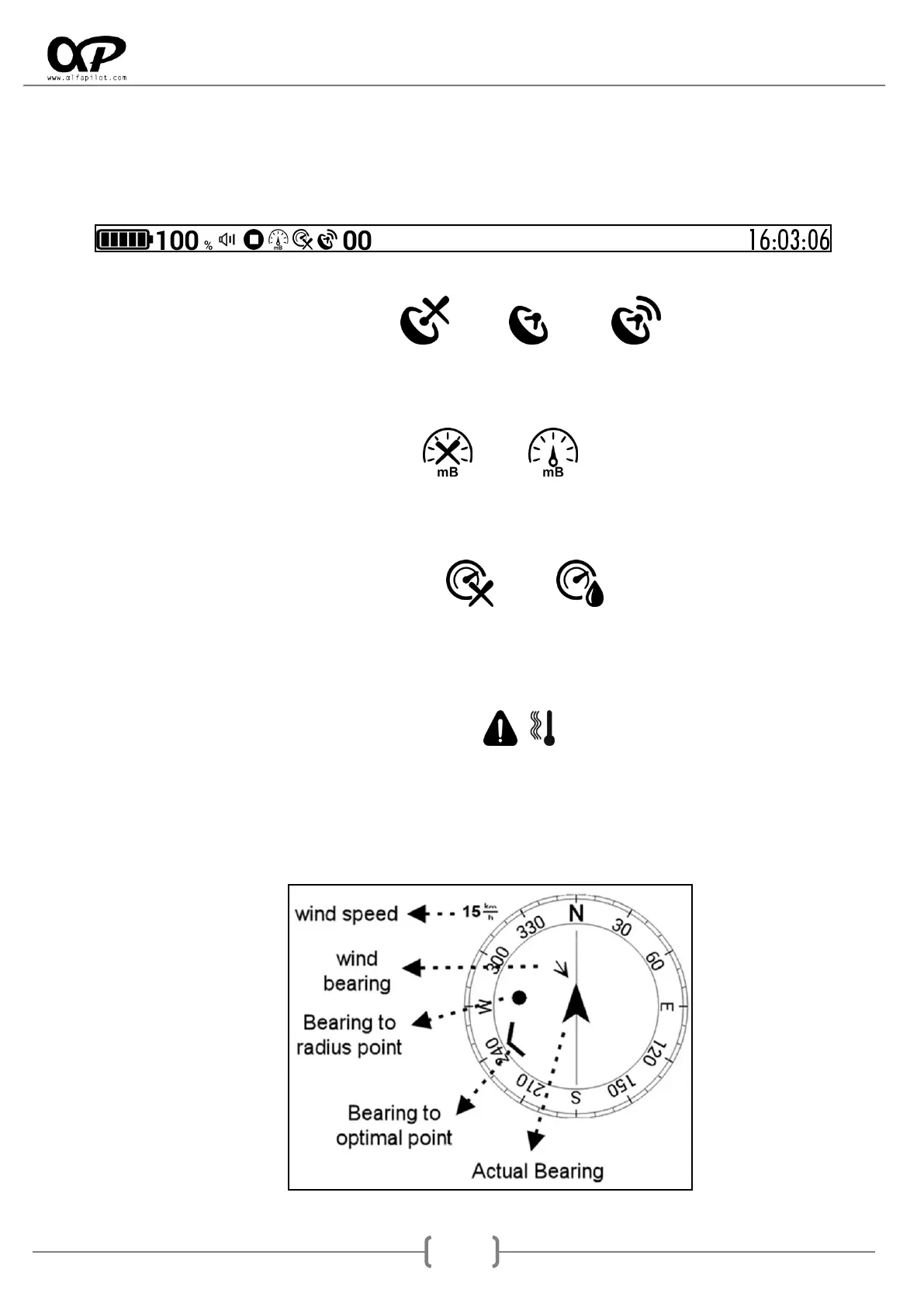
o Activate GPS status, shows the GPS status icon. This may vary between:
Disconnected Without Signal With Signal
o Activate Pressure Sensor Status, shows the status icon of the Pressure Sensor. This may
vary between:
Disconnected Connected
o Activate Humidity Sensor Status, displays the Humidity status icon. This may vary
between:
Disconnected Connected
o High Temperature Alert, in case the height of our alfapilot exceeds the limit of 48ºC,
instead of the battery icon we will see the Alert icon:
o It will also show icons in which we can see the status of the battery, the volume of the
vario, whether or not it is recording the flight and the current time.
Navigation Compass



 To Next Page