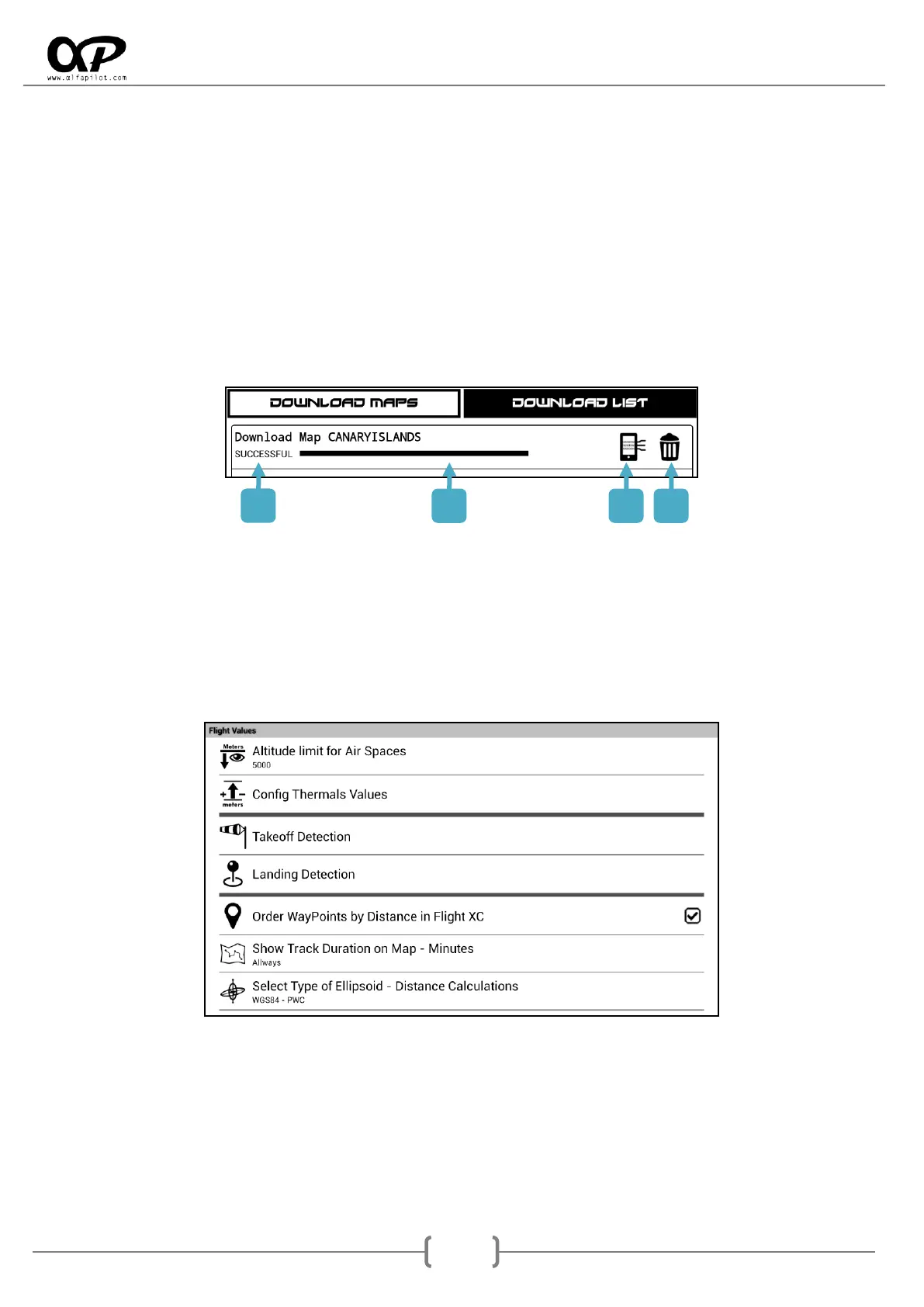
Download List: will show us the list of map downloads, during your download we will see your
progress in the bar, once the download will show the icon to process the map.
We must bear in mind that the maps are downloaded temporarily in the internal memory in ZIP
format, when we select the icon, the map will be decompressed (it may take more than 10 minutes
depending on the size of the map), and it will be stored or in the folder "Maps" of the internal
memory or if we have MicroSD and the option to use it (see section 6.3.3) will be stored in the
"Maps" folder of the MicroSD memory.
* If we lose the Wi-Fi connection, these downloads will be paused and continue when we have a connection again.
*We must take into account the space we have in memory to download both the temporary file and once the map is
decompressed.
1. Download status.
2. Progress Bar.
3. Icon to process map (Decompress).
4. Icon to Delete (delete the download even if it is incomplete).
6.8 Flight Values
6.8.1 Altitude limit for Air Spaces
The airspaces have "Altitude Bottom" and "Altitude Top", through this option we can delimit the air spaces
that will be shown in the map. To do this, when indicating an altitude, all airspaces whose "Altitude
Bottom" is greater than the indicated altitude value will not be shown.



 To Next Page