7.6 Menu Options - Edit Screen
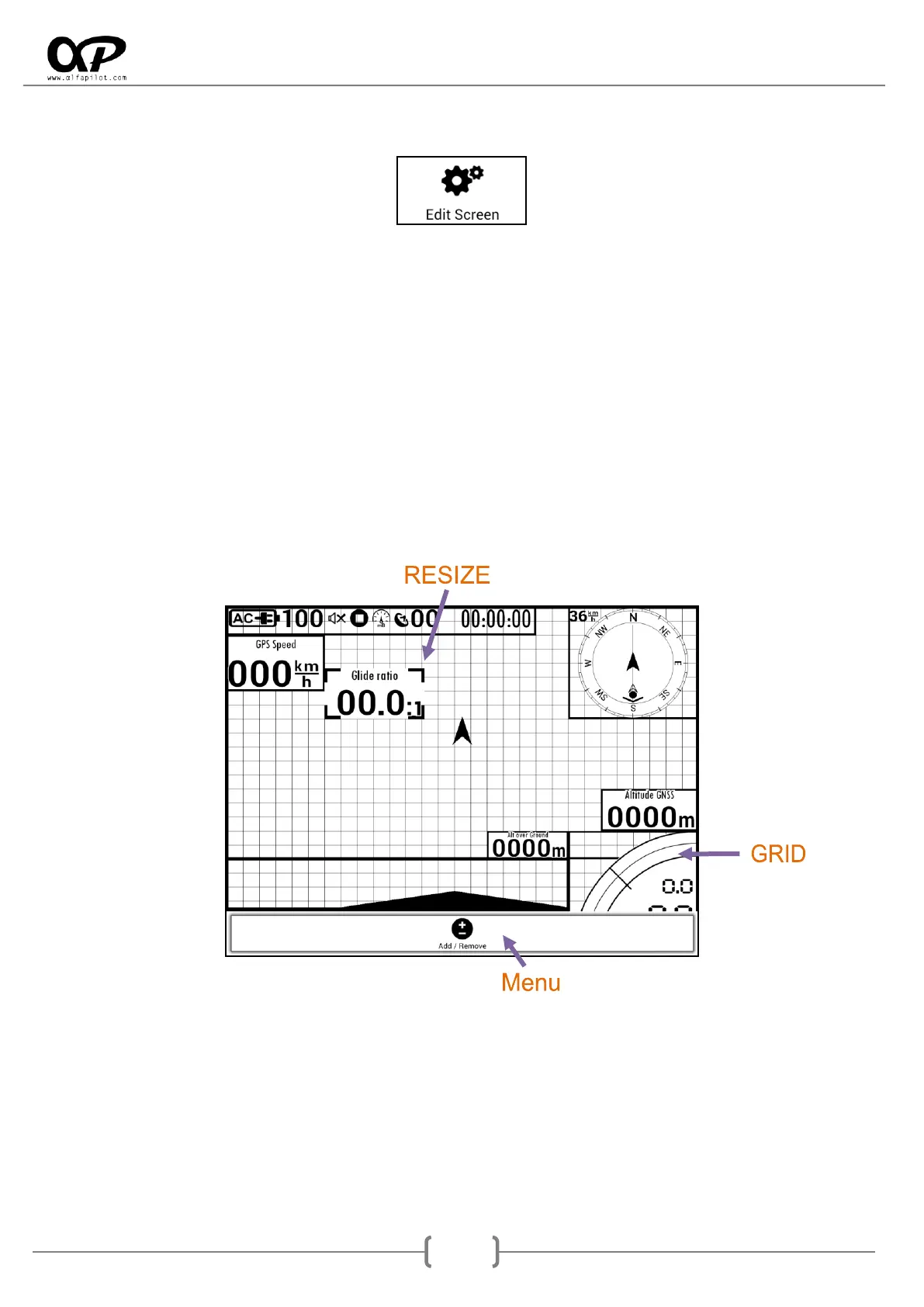
Being in a flight screen, through "Edit Screen" we access its edition. The system shows us a new screen, in
which we have a Grid that will facilitate the displacement and resize of Widgets.
Move/Resize: By clicking on the center of a Widget we can drag it and move it on the screen, also by
clicking on its corners we can resize it.
Configuration of Widget: To access the configuration of a widget, we must double-tap on the center of the
widget for which we want to show its configuration.
Add/Remove: To add or remove widgets, we must press the "Menu Button" and select this option, it will
show us a list with all the widgets, as well as those that are activated or not.
To exit the Edit mode, click on the "Back button".
If we have several flight screens, these are configured individually. For this we must change to the screen
that we want to configure (see section 7.1) and then "Edit Screen".



 To Next Page