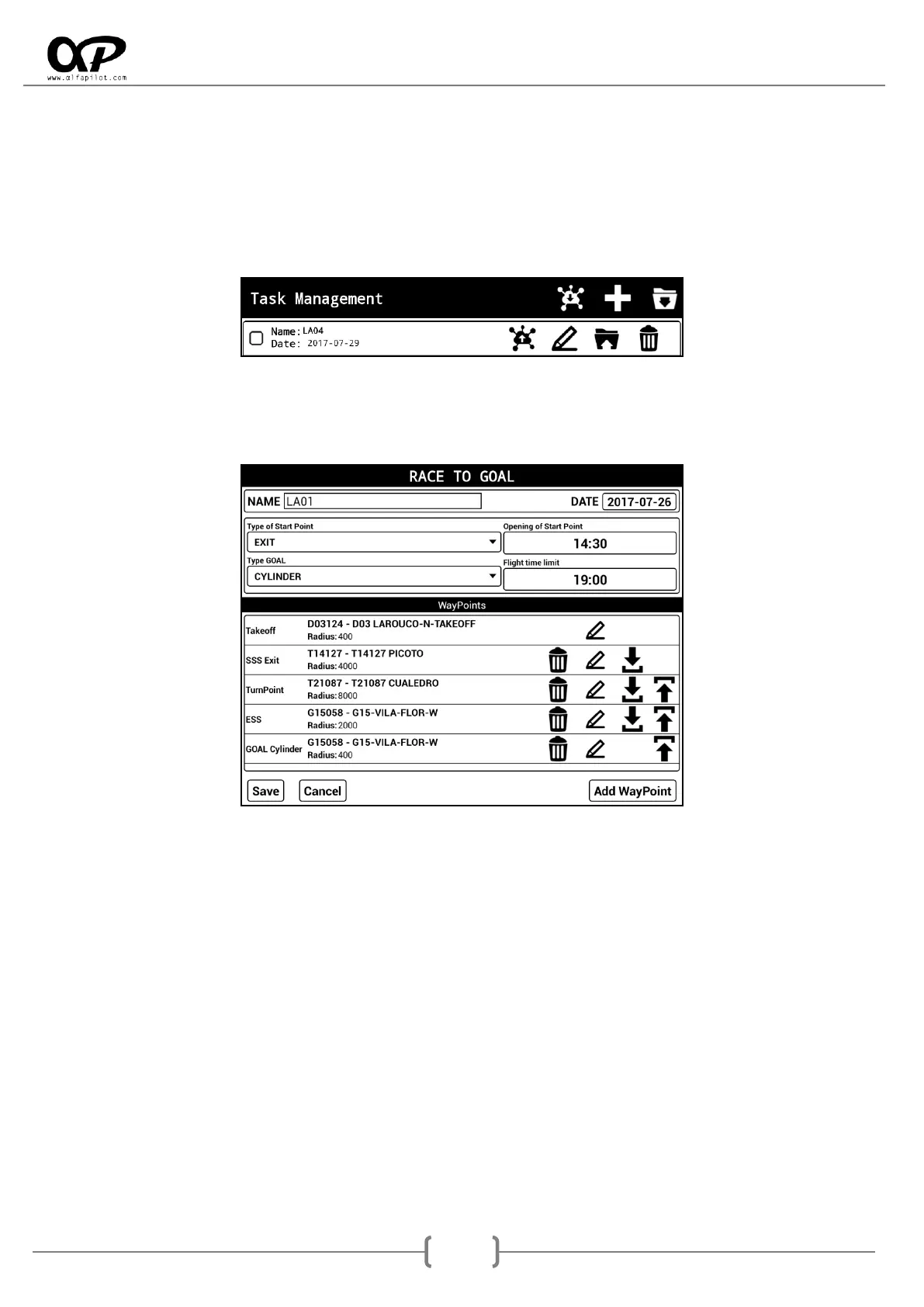
7.5.2 Task Management
It will be available in "Competition" flight mode. Through the icons above, we can receive, create or import
a task.
It also shows us a list of existing tasks, which can be activated or deactivated, as well as Send, Edit, Export,
or Delete.
* For more information about the send and receive options (see section 6.7.1).
When creating or editing a task, a new screen will open where we will have the options to configure this
Manga with the following elements:
* It is necessary to have a waypoint package already defined and activated (see section 6.7.2).
Name: Name for the Task.
Date: Date for the Task.
Type of Start Point: It can be Enter or Exit.
Type Goal: It may be the type Cylinder or Line. For line it is considered its total length as twice the
radius assigned. For example for a radius of 100 meters, the line will have a length of 200 meters.
Open of Start Point: Set the opening time of Start Point.
Flight time limit: Establishes the time limit for flight.
WayPoints: Establishes the Waypoints and here order for the Competition Task, and there must be
at least the following elements: Takeoff -> Start Speed Section -> End Speed Section -> Goal,
between these elements can be inserted many TurnPoints as necessary.
Add WayPoint: It opens a dialog to add WayPoint * (see section 7.5.3).



 To Next Page