Bearing
o Show bearing in letters, default heading is shown in degrees from 0 to 359, if you activate
this option we will show the heading in cardinal (letters), N-S-E-W, and its intermediates.
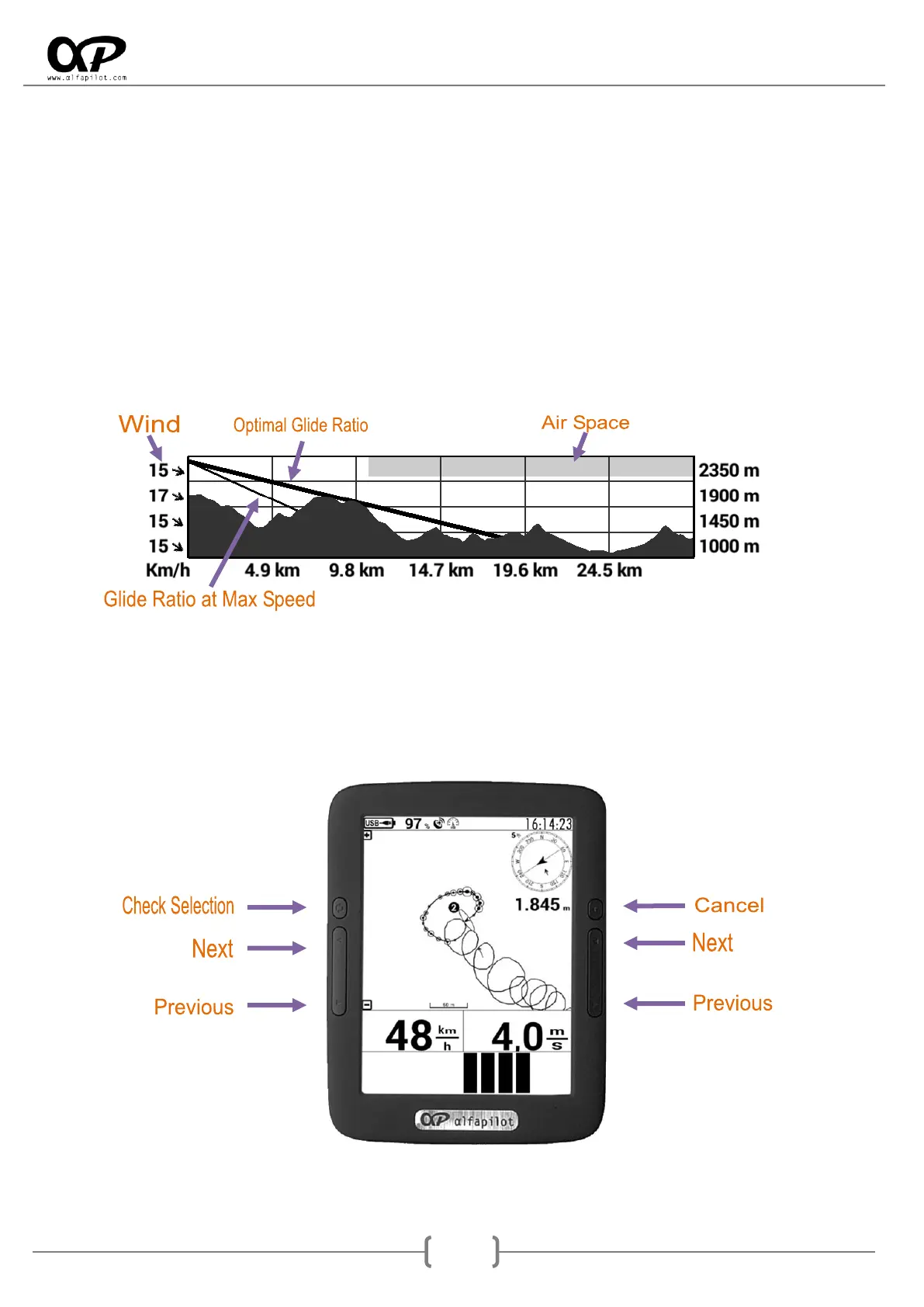
Relief Graph
o Show Air Spaces, will graphically show us the airspace section if it exists between our
position and the target point.
o Show Wind Information, it will show us by arrows the direction and speed of the wind at
different altitudes, it will always be with respect to the direction with the objective.
→ Back Wind; ↑ Lateral right Wind; ↓ Lateral Left Wind; ← Front Wind.
8. Flight Manager
8.1 Buttons in Flight Manager
In the three modes of flight, SeRi Fly has a "Flight Manager" to access it will use the "Back button" once
deployed manager buttons acquire the following functionality:



 To Next Page