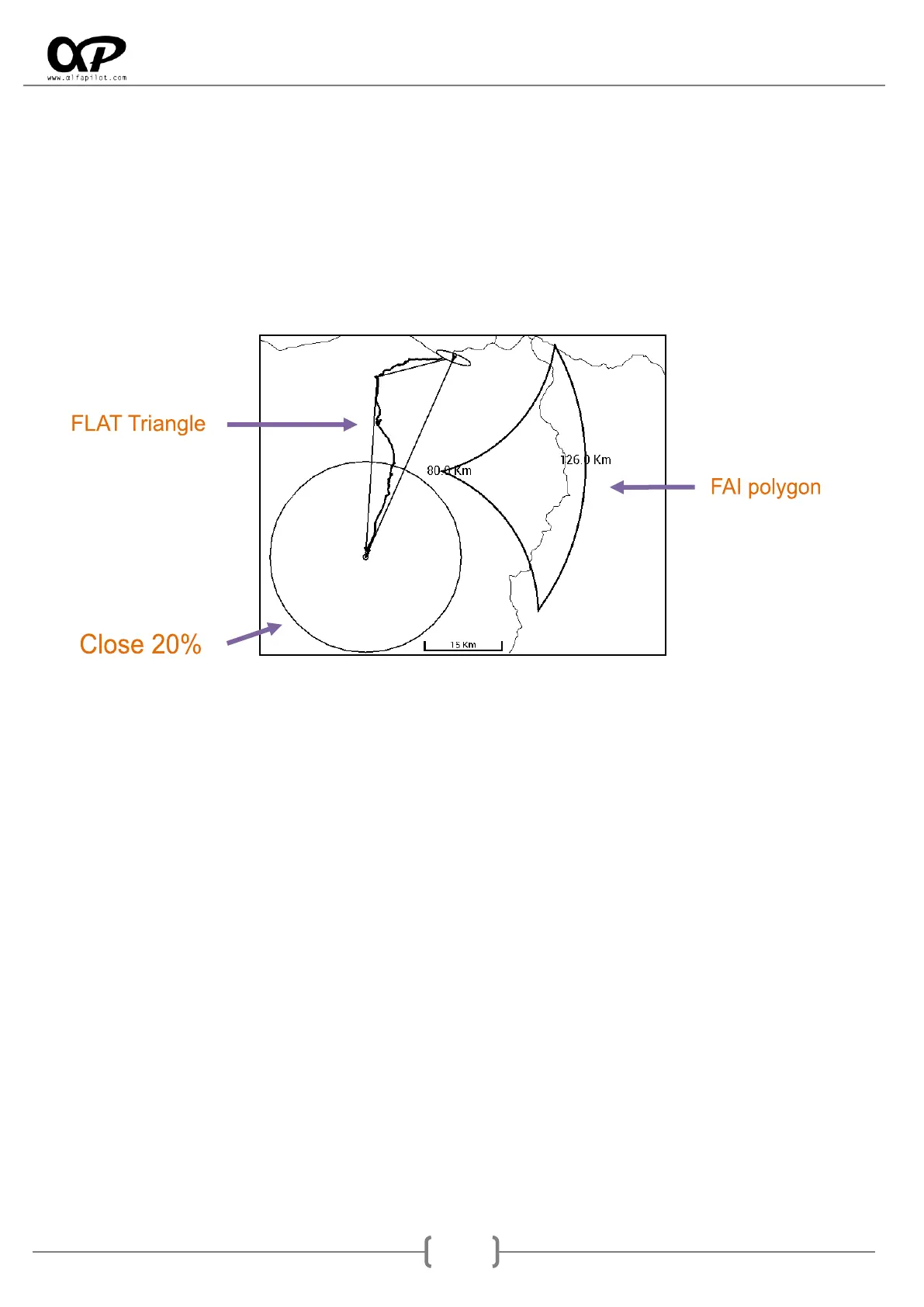
o Show Assistant Triangles FAI/Flat, It shows us assistant that helps us make the Triangles
FAI or FLAT, this information we have:
The FAI polygons that define the area for a triangle FAI, This polygon indicate any
valid point to form a FAI triangle and indicate the lesser and greater distances as
possible.
Lines Triangle Flat, They will be visible at the time that can form a flat triangle and
its closing point.
Closing circumference, it is set to 20% of the distance calculated triangle.
Navigation Map in Route/Competition (specific options):
o Auto Zoom when approach to WayPoint, activating this option will perform an automatic
zoom when we approach a WayPoint, this zoom will be incremental, the closer to the radio
the greater the zoom. Once the WayPoint is done, the zoom will return to its previous scale
after a few seconds.
o Show WayPoint number, show us on the map the order numbers of the Waypoints.
Glide and Average Glide Ratio
o Glide Average Seconds, It allows us indicate seconds to perform the average. If we indicate
a less second the glide ratio may fluctuate more quickly and be more approximate to the
instantaneous glide ratio, if indicate more seconds it fluctuates less and is approximately
the average glide ratio at the all time.
Glide Ratios
o Use two decimals, the glide ratio widgets, allow us to select if they should show one or two
decimals. This function is more interesting for necessary glide to a destination, if activate
two decimals we will see more instantaneously if our planning is improving or getting
worse.



 To Next Page