4. SeRi FLY APP
This is the application that we have developed for the flight in paragliding, it has different flight modes,
multiple options, being these totally configurable by the user, to adapt the application to your needs, both
in functions, assistants, and in the configuration of the data fields can be resized, moved, etc.
All this will be described in the following sections.
5. Main Menu
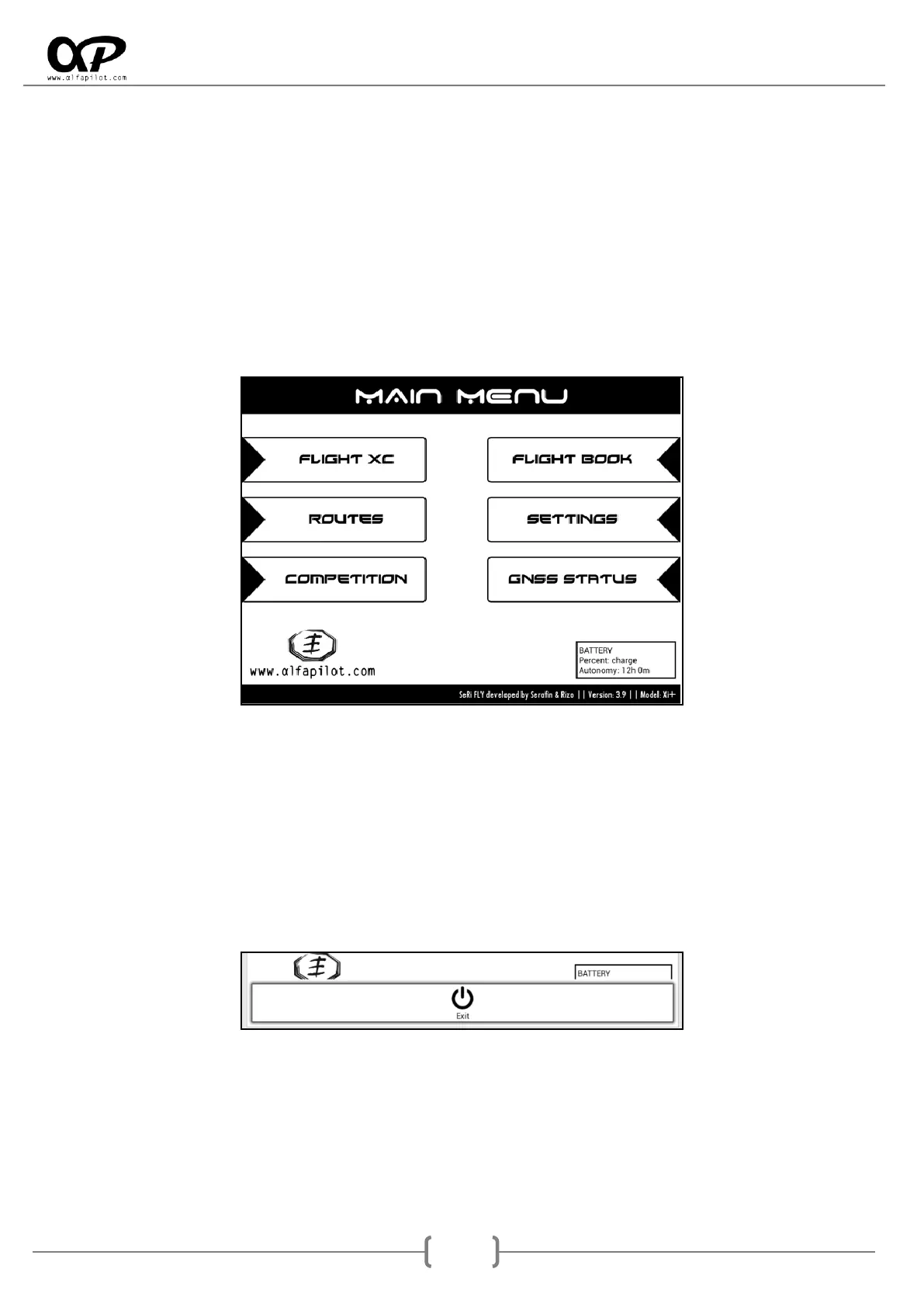
When you start the application, the Main Menu screen is displayed, in this screen you can choose the flight
modes, access the flight book, enter the settings of the application and see the status of the GNSS and
other sensors.
In the lower part it shows the information of the developers as well as the current version, also if we touch
on this zone it shows a dialogue with the "List of Changes" of the different versions.
We also have information on the status and percentage of the battery, this information is the most reliable
and may differ from the battery percentage indicated by the system, because it is based on the voltage and
temperature of the battery.
To exit the application from the Main Menu screen, by pressing the Menu Button, it shows the "Exit"
option.
5.1 Flight Modes
Through these buttons we will initiate the different flight modalities, we have XC Flight, Routes and
Competition. The characteristics of each modalities are described in section 7.



 To Next Page