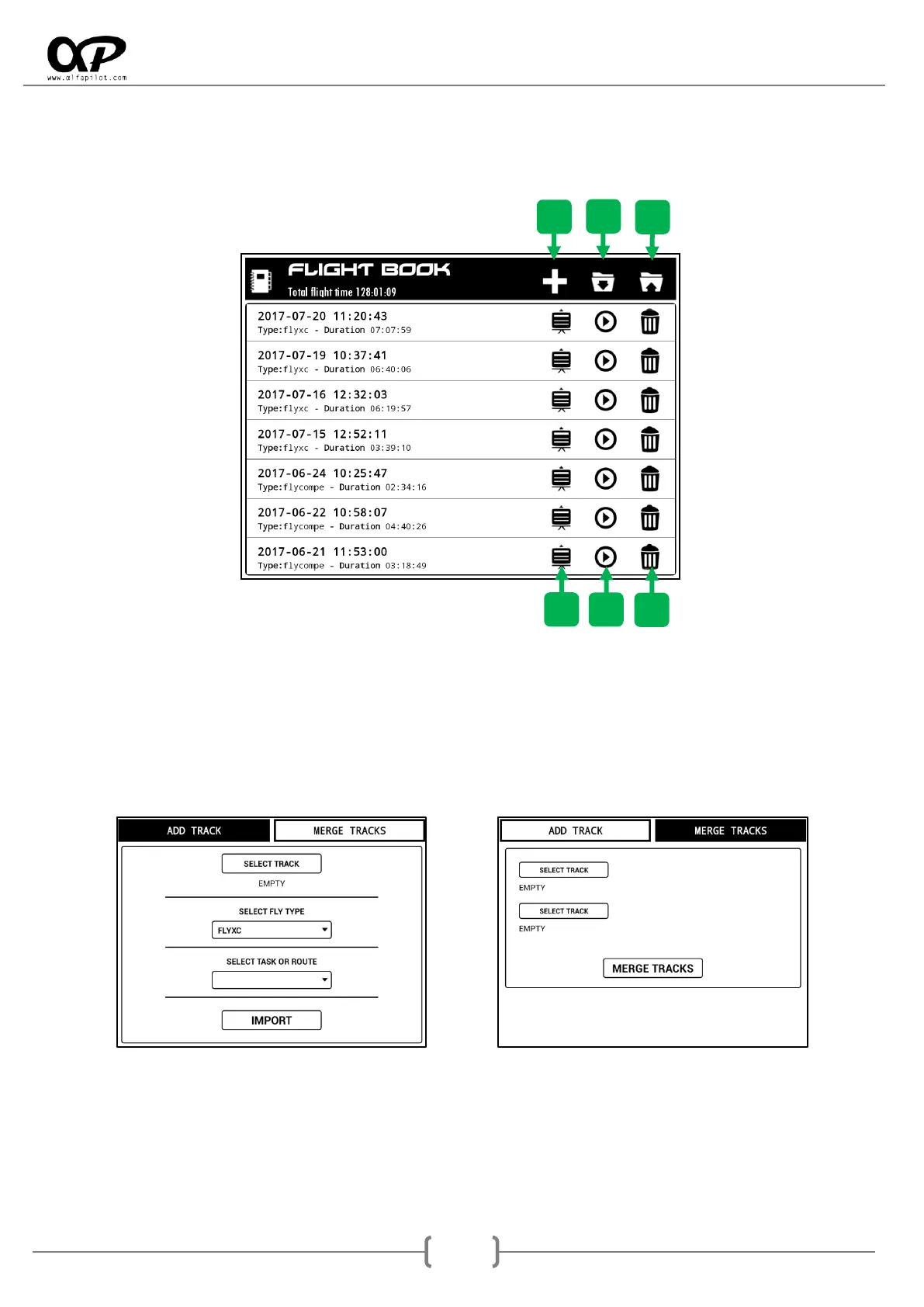
5.2 Flight Book
In the flight book we will find a list of the flights we have made, ordered by date, and indicating the type of
flight we have made (flight mode), also shows us several options:
5.2.1 ADD/MERGE Track
With the Add Track option we can select an IGC file and add it to our flight book, choosing the modality in
which it was made, as well as if we have a task or route stored for that flight.
Merge Tracks, in some cases the recording of a flight can be interrupted momentarily due to a bug, in these
cases the recording will be stored in two separate track files, through this option we can merge them.
5.2.2 Import
It allows us to recover a flight book file previously exported (Backup), when clicking on this option it will
show us a dialog to select the file.



 To Next Page