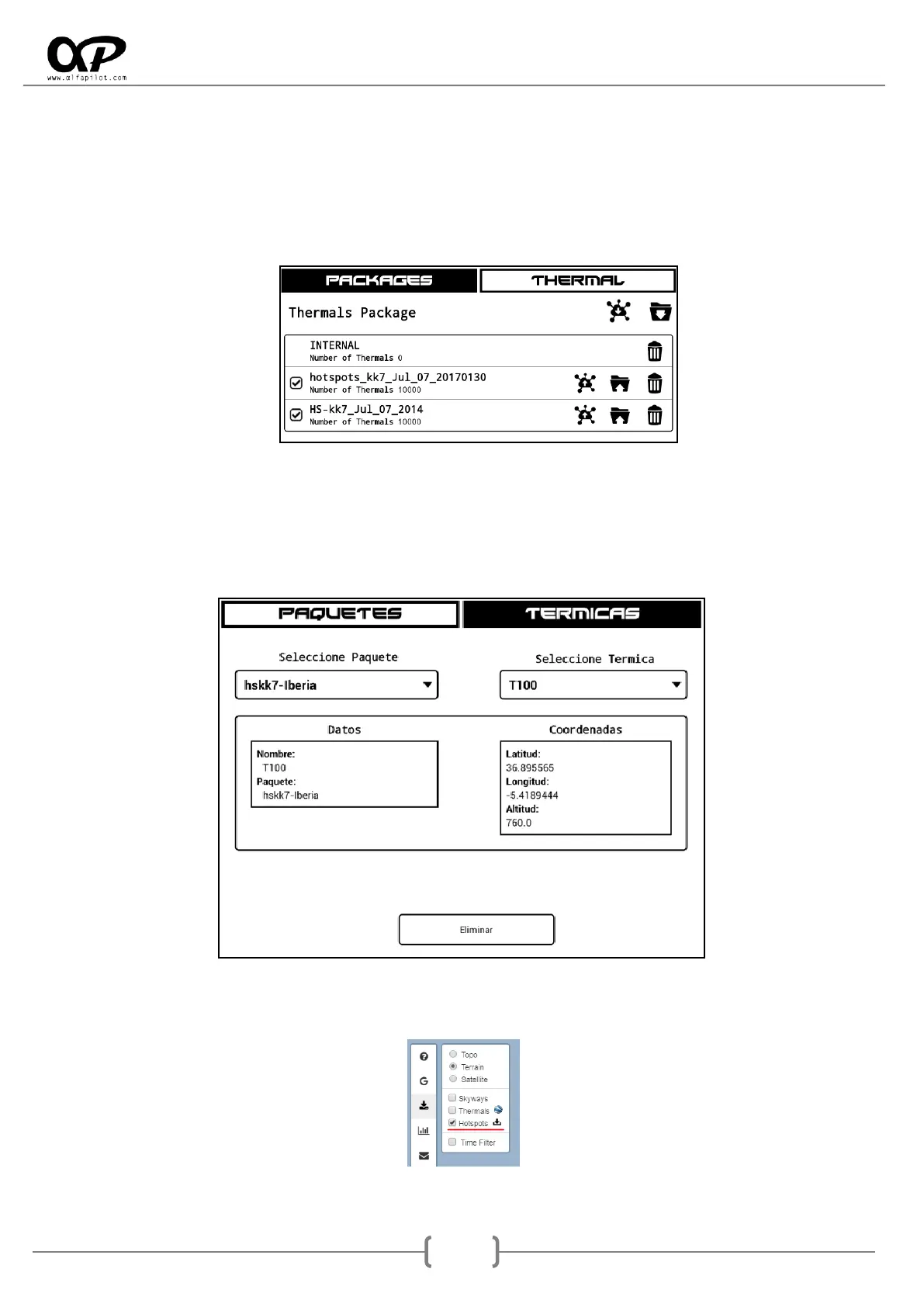
6.7.3 Manage Thermals
Packages: It allows to add thermal packages (HotSpots) to show them in the map widget, it also
keeps a history of Thermal detected in flight (INTERNAL Package), from this option we can manage
these thermal, as well as add, modify or eliminate new HotSpot packages. It should be noted that
for the thermals of the INTERNAL package, there is an optimization option to merge thermals that
are less than 300m radius from each other.
* Can be used the send/receive function (see section 6.7.1).
Thermal: in this tab we can consult the data of each Thermal individually (HotSpot) and we have
the option to eliminate it.
For the download of HotSpots packages we access the web http://thermal.kk7.ch/ and we must center the
map in the area for which we want to download the HotSpots, in the panel of the Left select only
"Hotspots".



 To Next Page