7.4 Menu Options - Common Elements
7.4.1 SetQNH
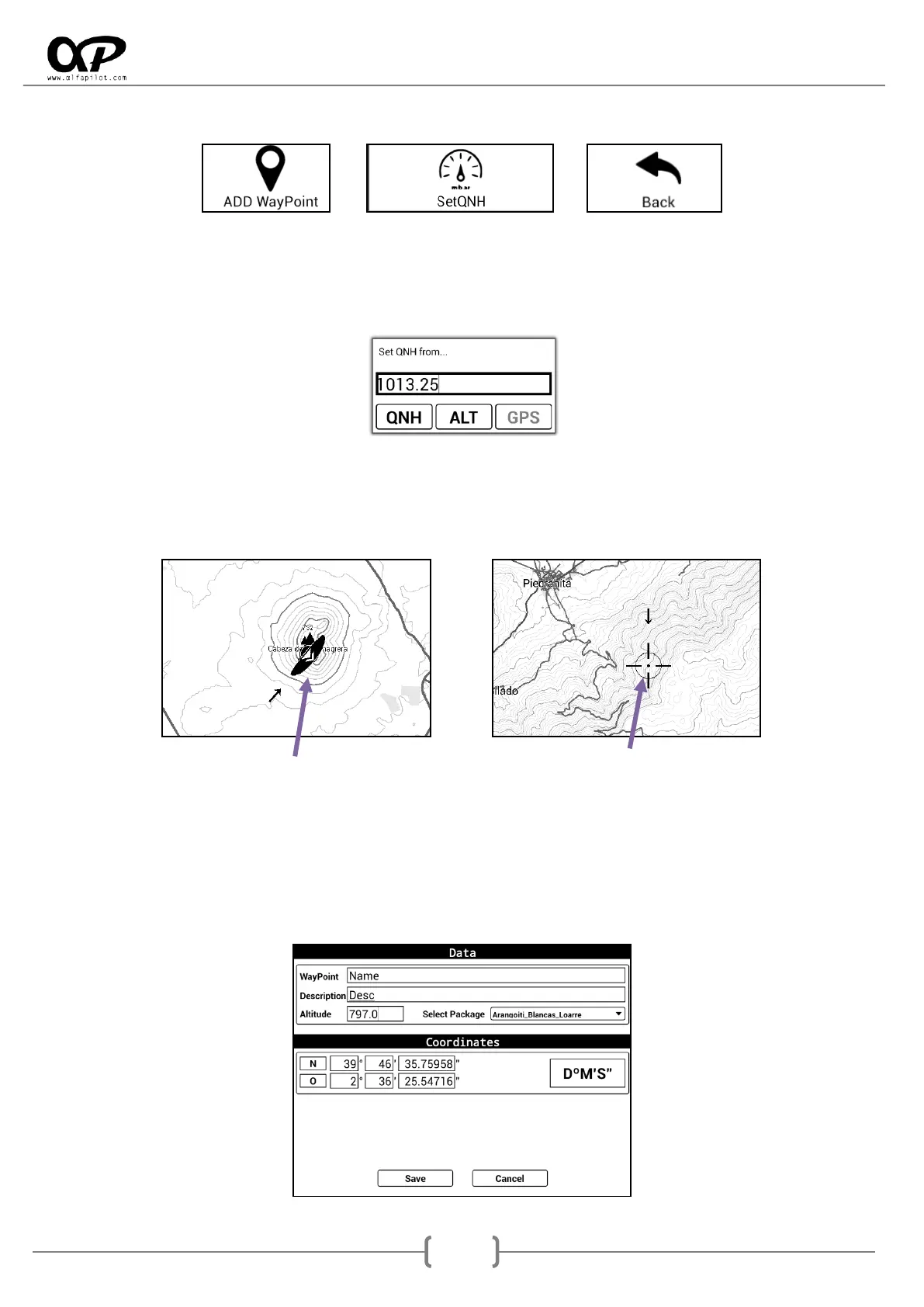
You can set the QNH manually for the calculation of the barometric altitude, also if the GNSS signal is
available we can set it according to the GNSS Altitude, or manually if we know the Altitude of where we are.
ALT requires the value in meters, QNH requires the value in mb.
7.4.2 Add WayPoint
It allows us to add a new WayPoint, the coordinates will be taken from the central position of the map. This
position can be given by the position of the GNSS module (satellites), or the point where we are displaced
on the map (Crosshair). Also if we have the elevation files, the altitude for that point will be calculated.
GNSS Position Crosshair Position
WayPoint, the name.
Description
Altitude (in meters)
Select Package, for save it (by default is “Internal”)
Coordinates: can be in DºM´S´´ - UTM - DD.DDDº format.
Save or Cancel



 To Next Page