o Show wind information, it shows the wind direction by an arrow, and speed in Km/h.
o Show real bearing, available in the Xi+ models, will show an indicator of our real bearing
(Digital compass).
o Orientation, it allows us to choose the orientation of the Compass.
North Up: The compass sphere does not rotate and the North will always be
located at the top, the Arrow rotate by bearing.
Bearing Up: The compass sphere rotate for show up our bearing, the elements and
Arrow not rotate.
o Use simple compas, substitutes the numerical degrees of the sphere for cardinal points.
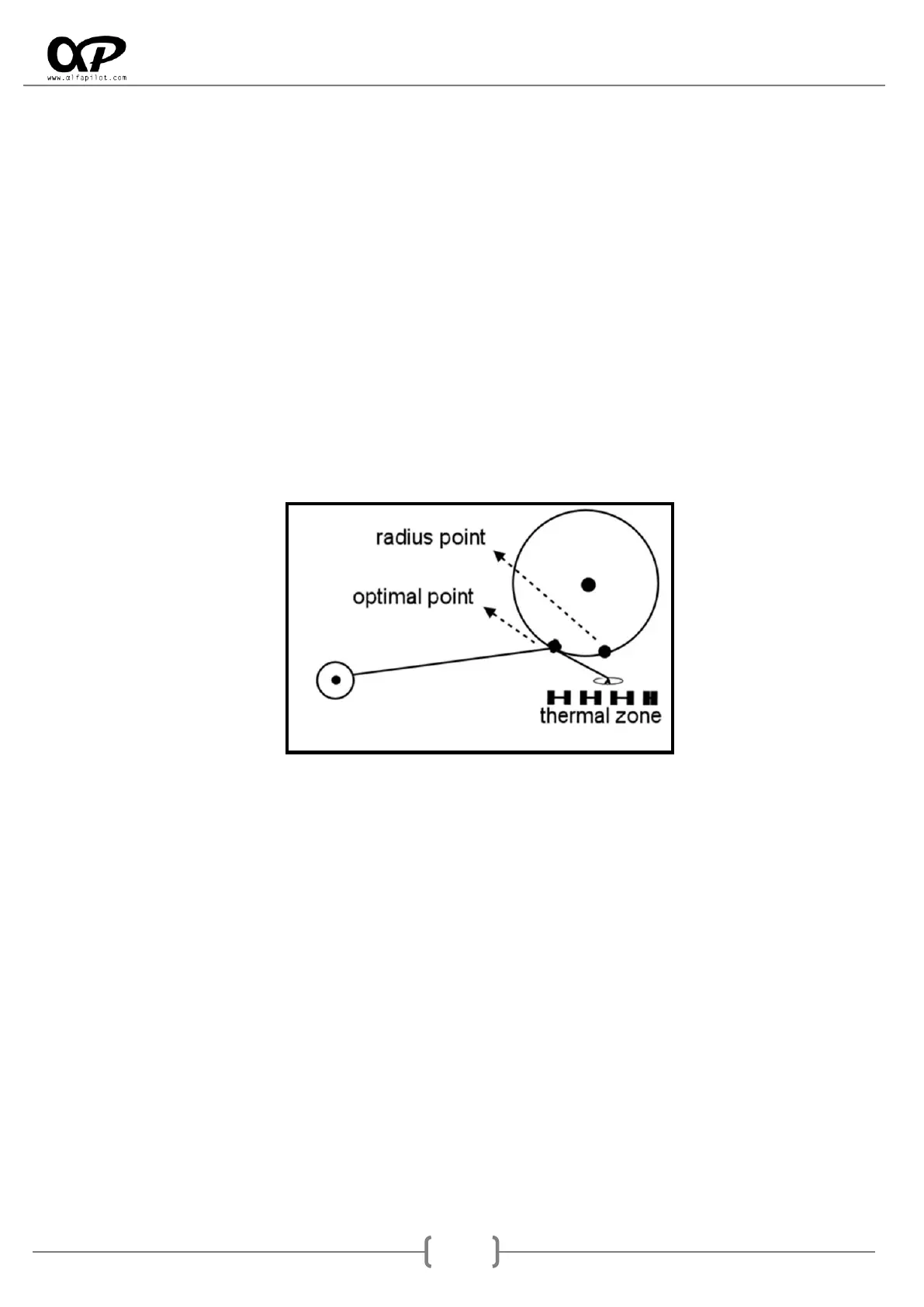
o Show direction to center of Next Waypoint: (Option available on routes and competition)
show us the way to the Waypoint center by a black circle (bearing to the nearest point).
This parameter is interesting for Waypoints with a large radius, as a Start point, since in
these cases it is likely that we desire to make travelling the shortest distance to Waypoint.
Navigation Map... (Options common to all maps):
o Show Border, draw the perimeter line of the widget.
o Show Map (roads, towns …) it shows roads, towns, as well as the different icons of map
elements.
o Show elevation contours, it will show the level curves (topographic map).
o Mostrar Pilotos del equipo, when activating this option we will be able to see the other
members of the team. It is necessary to have previously configured the parameters of the
team (see section 6.6.3) and have a WIFI internet connection.
o Orientation, it allows us to choose the orientation of the map.
North Up: The map will not rotate and the North will always be located at the top.
Target UP: The map will rotate to display at the top of the next WayPoint.
Bearing UP: The map will rotate to present our bearing on top, we do not
recommend using the latter mode.



 To Next Page