o Show Air Spaces, show airspaces on the map, must have previously configured airspaces
(see section 6.7.4).
o Show Wind information, shows an arrow on the map showing the wind direction.
o Show Thermals on Map (HotSpots), shows on the map the position of the HotSpots
through its Icon . These HotSpots must be activated previously in Settings, (see section
6.7.3).
o Show Thermal detected in flight, shows on the map the latest thermal detected by a Circle
and its maximum value of climb.
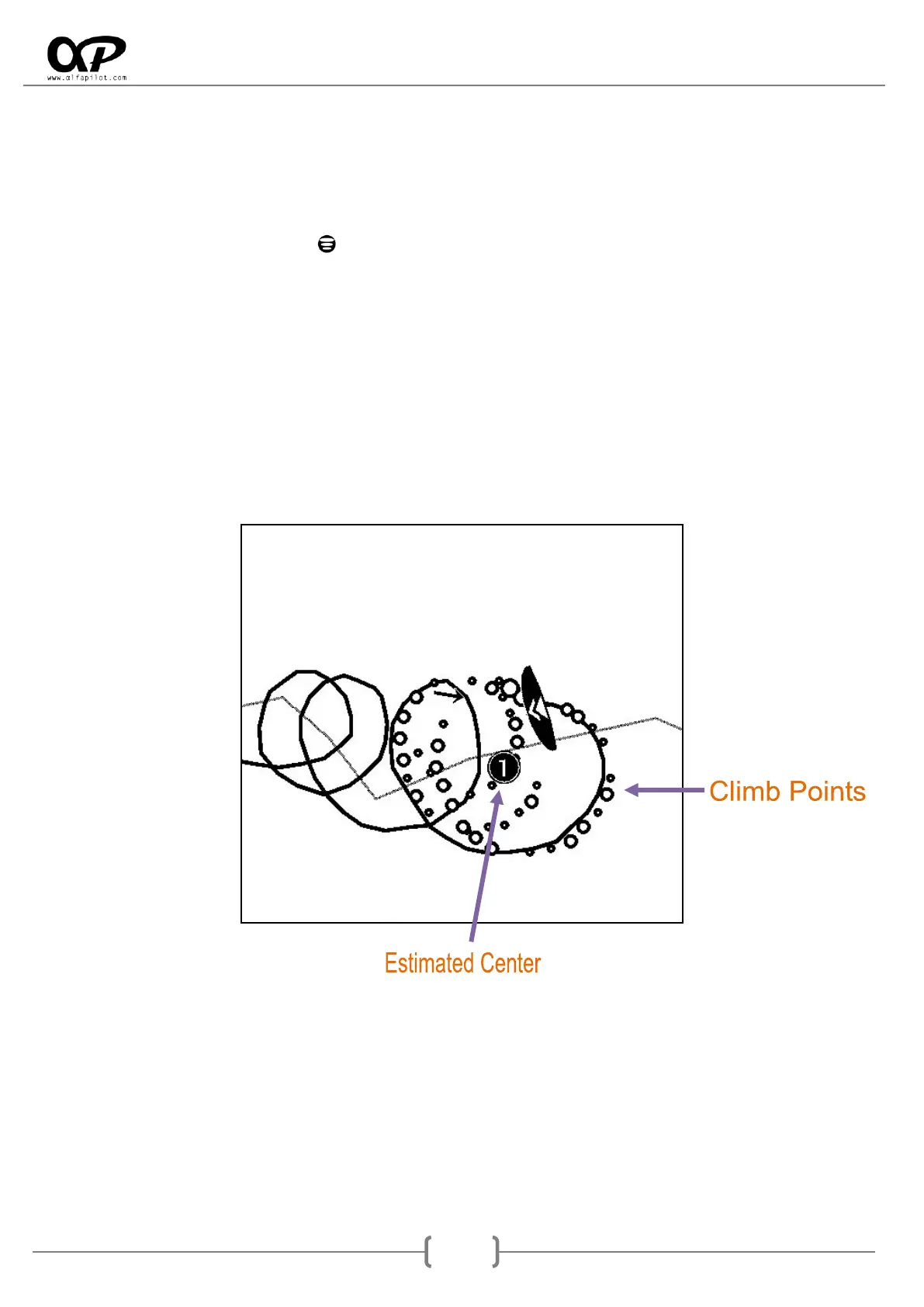
o Show Climb Points, it is an exclusive system developed by alfapilot, when detecting a
thermal this will show us a series of circles (bubbles) that will be bigger or smaller
depending on the intensity of the ascendant. They will also be derived according to the
direction and intensity of the wind. With this we can see in a visual and easy way the areas
of greater or lesser ascendant in the current thermal.
It will also show the estimated center of the thermal through a black circle and the average
value of this thermal.
o Show WayPoints, shows the location of the WayPoints and their name on the map.



 To Next Page