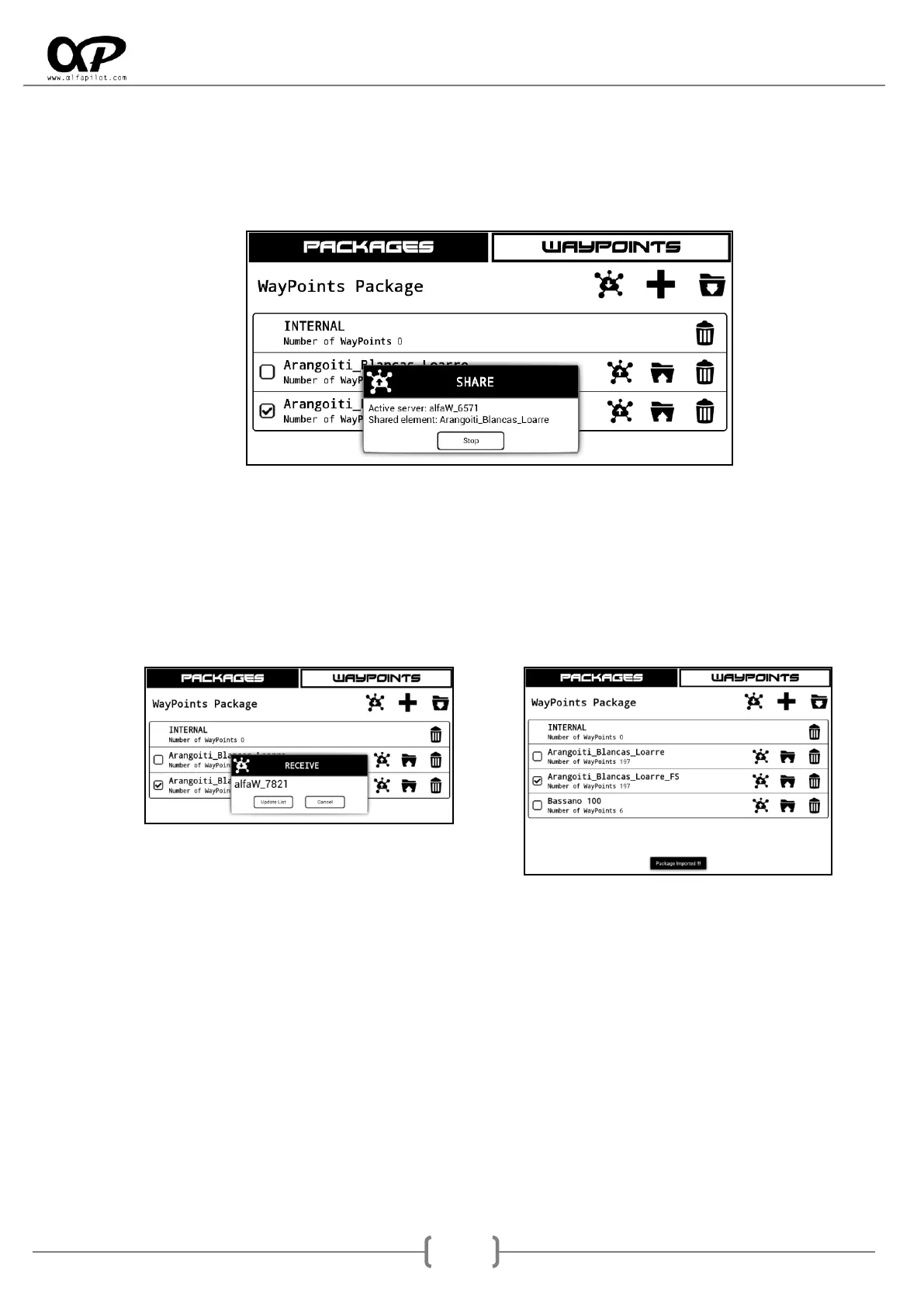
1. When clicking on the send icon, it will show us a dialog in which we will see the name of our server
as well as the shared element. We will provide the name of our server to the person interested in
receiving our data.
2. In the alfapilot of the person interested in receiving the information, press the receive button. If
there are several people sending information we will select the name of the server that interests
us, in any case we must click on the name to start the reception, or Update in case no name
appears.
*Notes:
a) It is not necessary to have the activated wifi or internet to use this option, everything is managed automatically.
b) It is necessary to be in the same information screen (Waypoints, thermals, etc.) so that it works.
c) A package with the same name can not be imported twice.



 To Next Page